


MS is splitting the Windows 11 Photos app into two. The Photos app currently in use is being renamed Photo Viewer and will focus on opening and editing individual images. Meanwhile, a new Photos app—the web-based OneDrive Photos—will serve as a gallery for pictures stored on your PC, OneDrive, and iCloud. Combined with the Gallery in File Explorer, Windows 11 now offers three ways to view your photos.
MS began rolling out the new Photos experience to Windows Insiders on October 15, 2026. Since then, I have been using both apps on my Insider PC running build 26340.9616. The setup works, although it no longer feels like a single, unified Photos app.
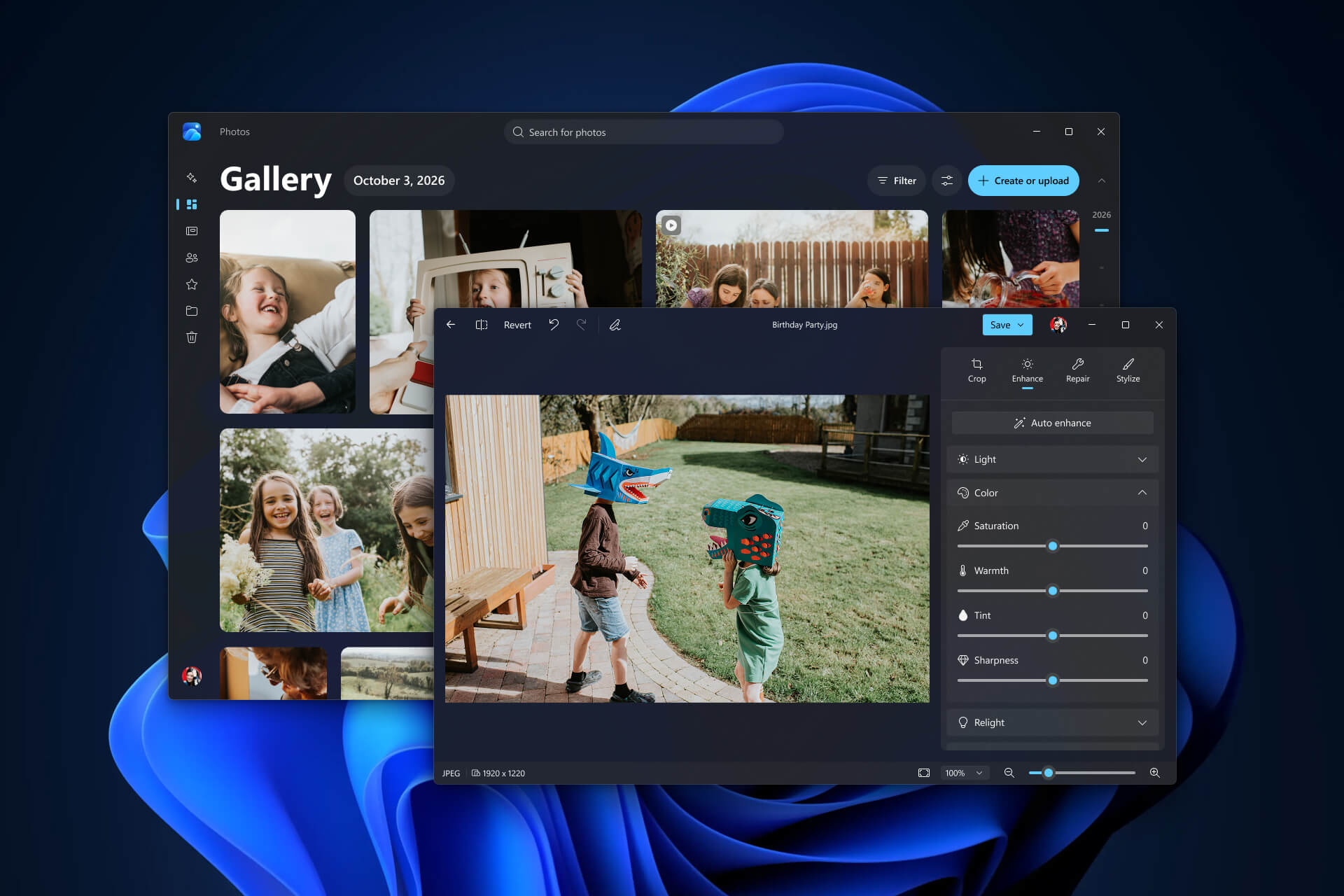
Windows 11’s Photos App Is Now Called Photo Viewer
For existing users, the new name will be the first noticeable change. The Photos app is not disappearing; it is becoming Photo Viewer. You can still use it to open images and move between them, but it will no longer appear in the Start menu or the installed apps list.
Instead, Photo Viewer opens when you launch an image file from File Explorer or the desktop. If you open the app without selecting a file, it displays a blank “Nothing to show here yet” screen and asks you to drop an image into the window or browse for one.
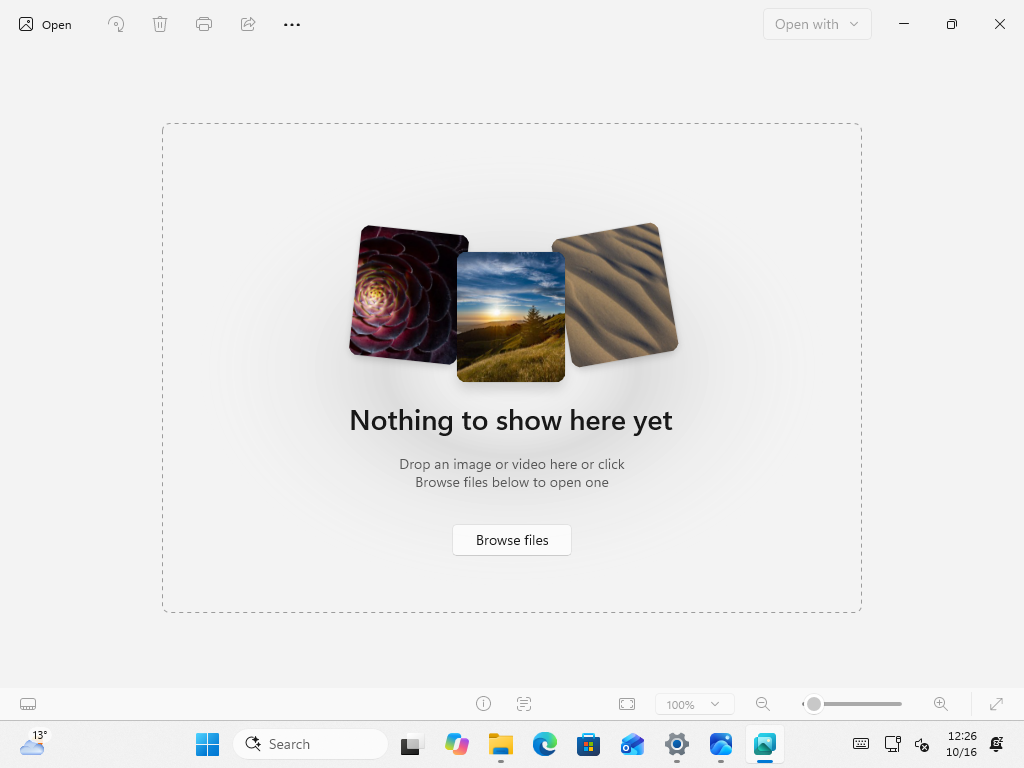
Photo Viewer when launched without opening an image. Credit: Windows Latest
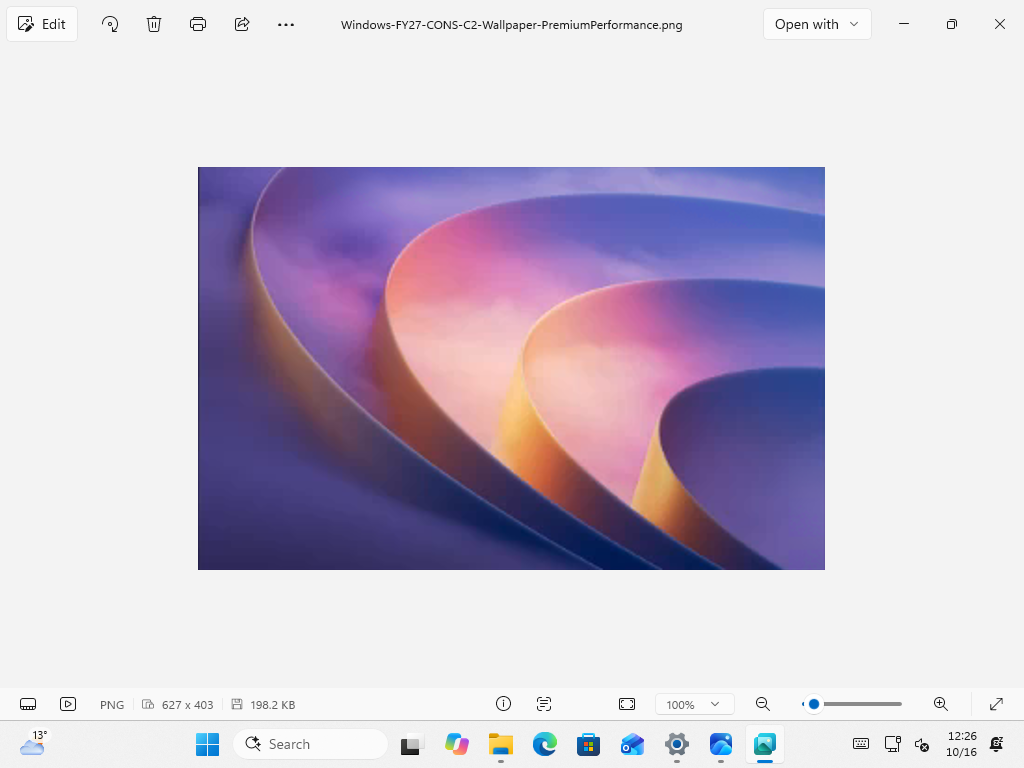
We confirmed the name change through the app’s Settings page. It lists “Photo Viewer” with a new teal icon and version 2608.1401.11.0, alongside the usual options for the app theme, deletion confirmation, mouse-wheel behavior, and zoom. An “Add account” prompt remains, as does a toggle for adding a watermark to images created or edited with Copilot.
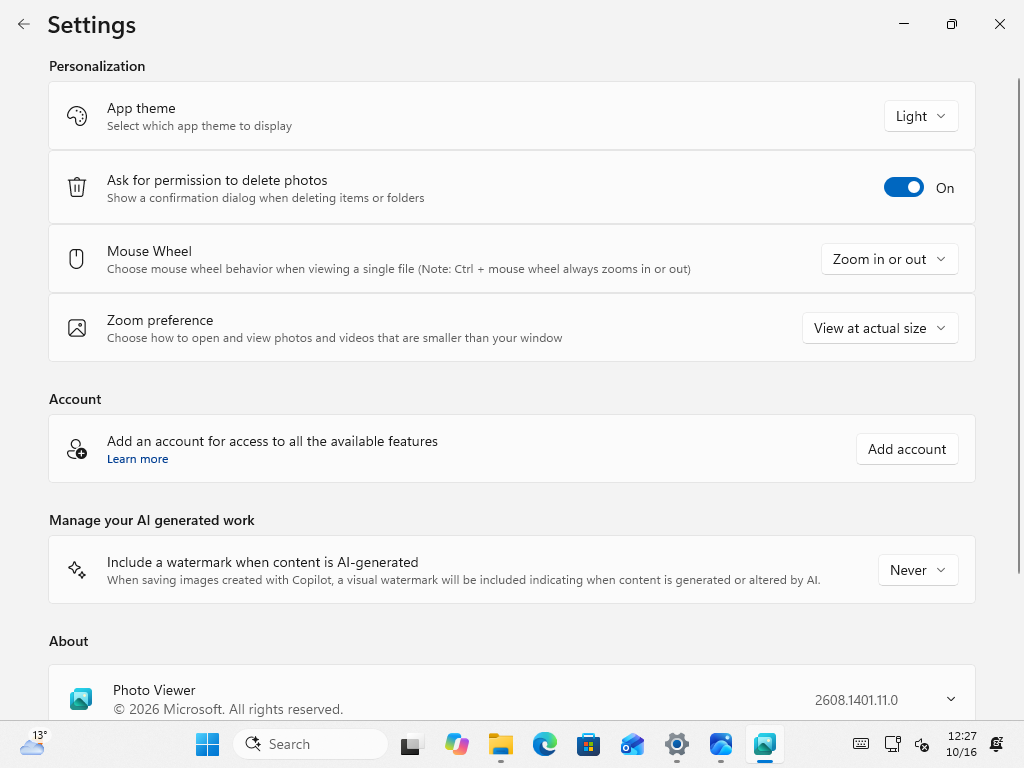
Photo Viewer Opens Images Faster and Keeps Details Close at Hand
The redesigned Viewer opens individual photos quickly and makes navigating between them easier. MS says it opens images 15% faster on average and up to 30% faster for HEIC files. HDR rendering has improved, SVG files are supported, and useful details and controls remain accessible without obstructing the image.
A filmstrip at the bottom displays other images in the same folder, allowing you to move between them without returning to File Explorer.
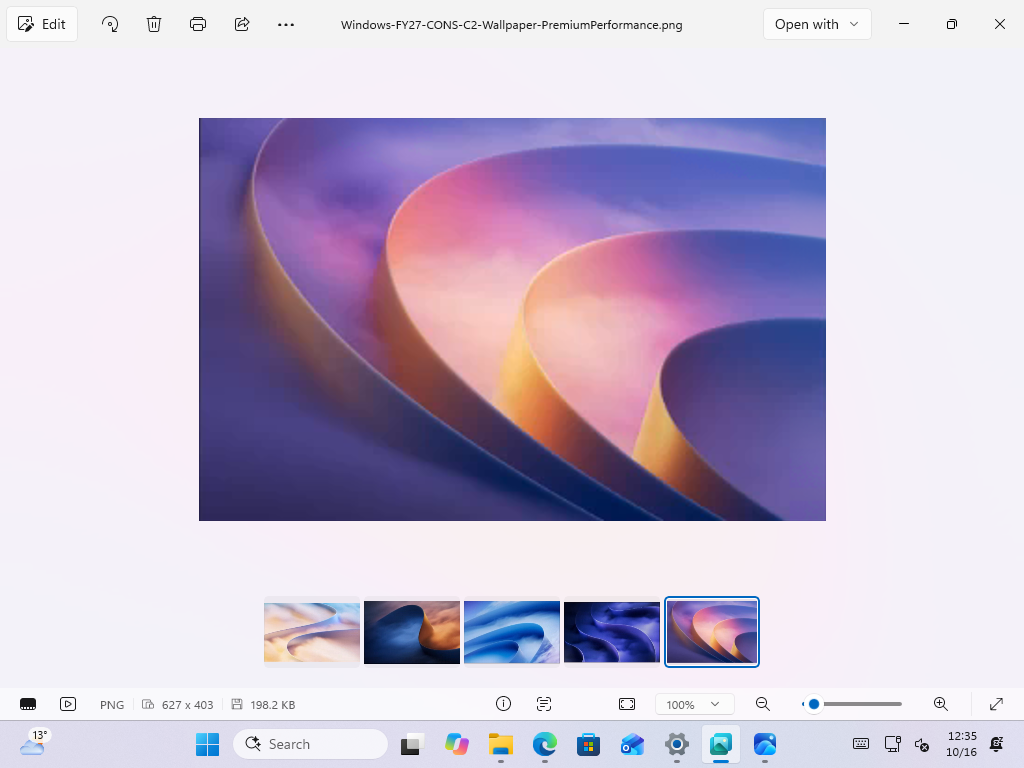
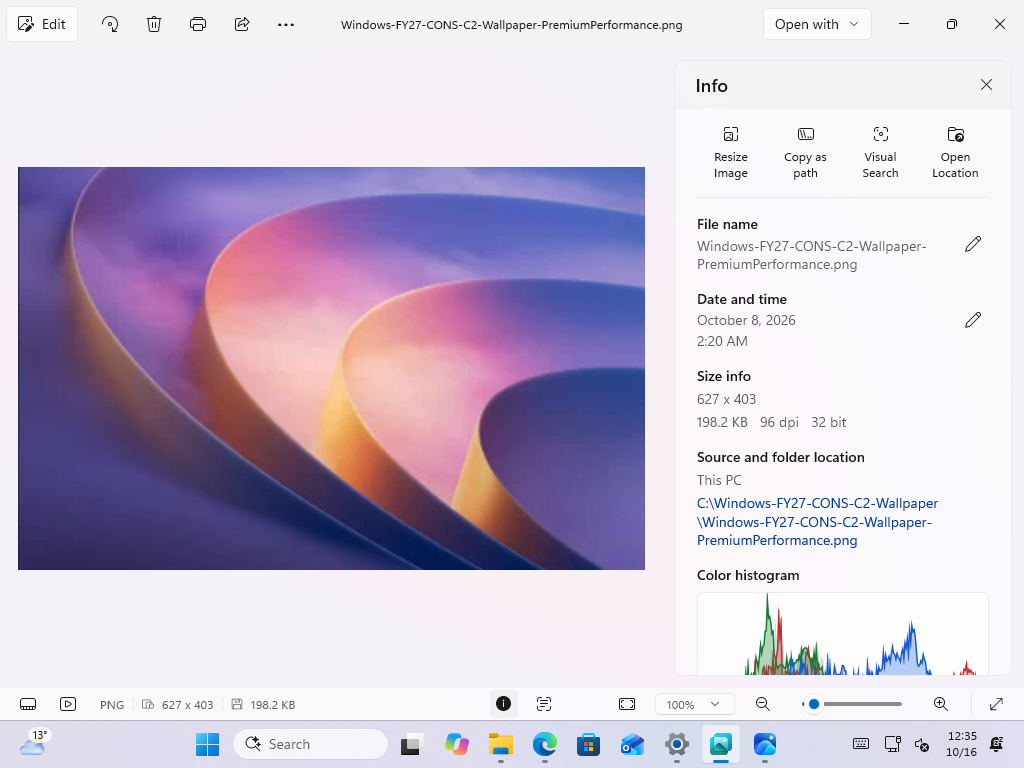
The Info panel is more useful than I expected. In addition to the file name, date, size, and location, it includes shortcuts for resizing the image, copying its path, running a Visual Search, and opening the file location. A color histogram also appears at the bottom for users interested in exposure.
MS has also retained the cleaner toolbar introduced last month. Shortcuts that previously appeared at the top are now grouped under an “Open with” menu. This menu lists File Explorer, the Gallery in the new Photos app, Clipchamp, and any other app you select.
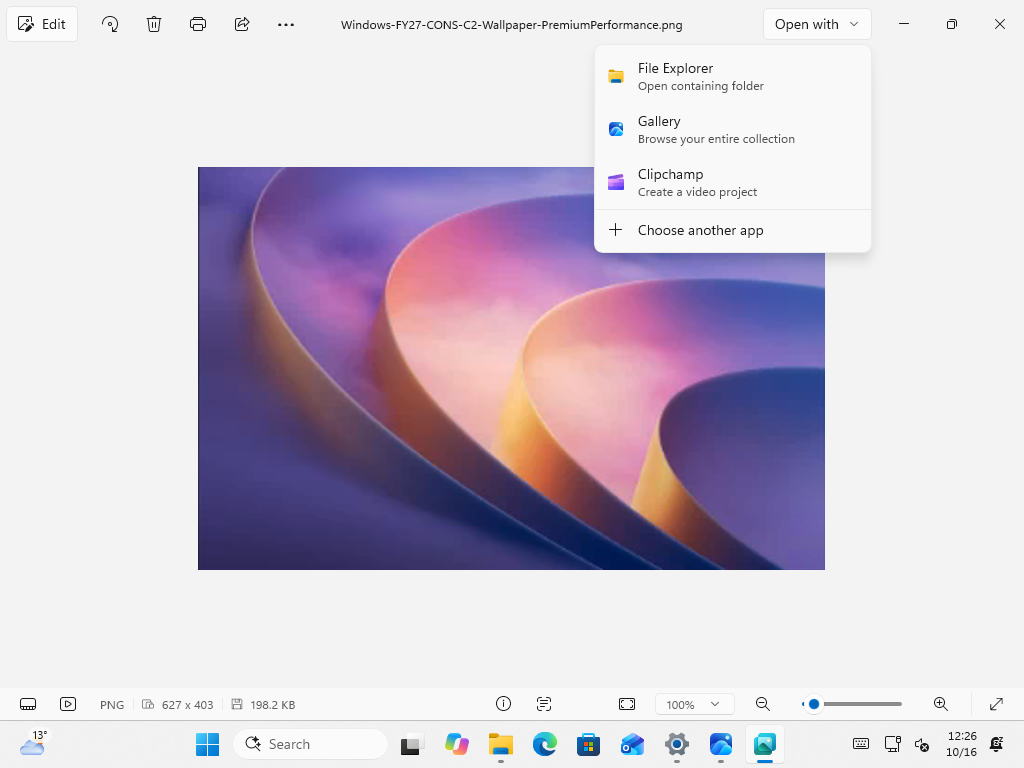
Photo Viewer Gets a Rebuilt Native Editor with Relight
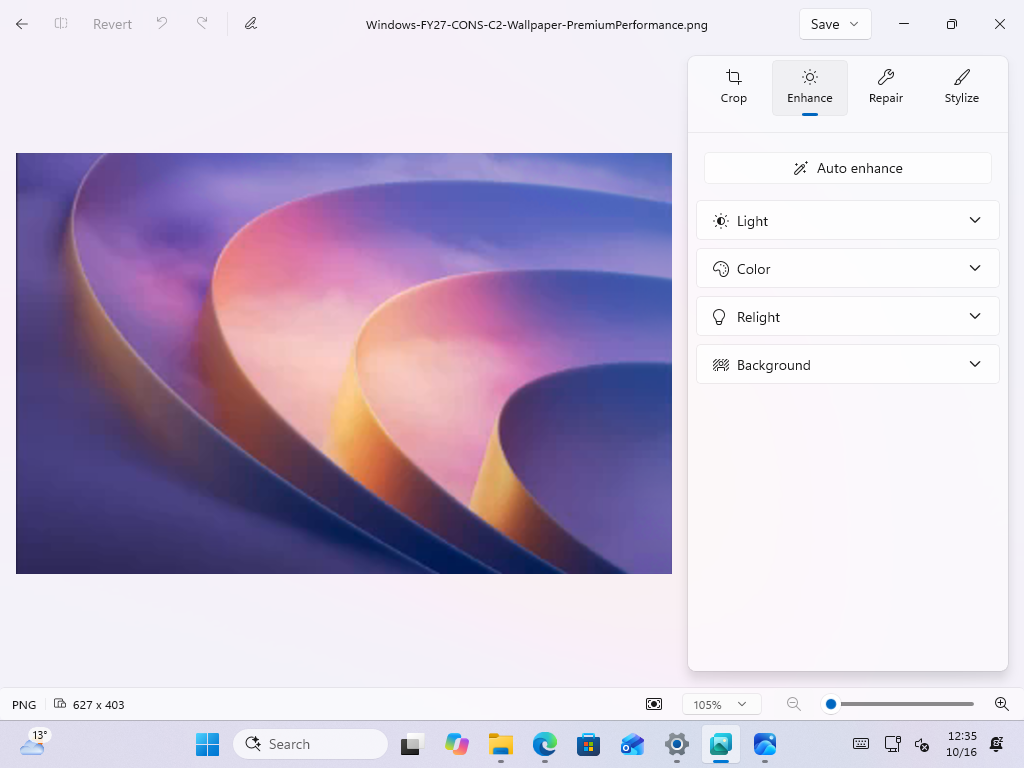
The new native Editor covers essential functions, including cropping, enhancing, repairing, and stylizing images. MS says it loads 25% faster than the editor in the previous Photos app, based on the company’s own tests, and supports editing HDR, HEIC, and WebP files. It certainly feels faster in my testing, although I cannot confirm whether the improvement is exactly 25%.
The Editor also includes several more advanced tools, such as object removal under Repair and Relight, which lets you adjust an image’s lighting or experiment with a different look. Relight was previously limited to Copilot+ PCs, but MS is now bringing it to all Windows 11 devices. Because the Editor is built into Photo Viewer, you can access it by clicking Edit on any image.
The New Photos App Is OneDrive Photos with a Gallery for PC, OneDrive, and iCloud
The new Photos app centers on an all-new Gallery that brings together pictures and videos from your PC, OneDrive, and Apple iCloud. You can browse by date, search using everyday language, filter for friends and family, create and share albums, and revisit OneDrive-backed memories through Moments. However, natural-language search for photos stored on your PC requires a Copilot+ PC.
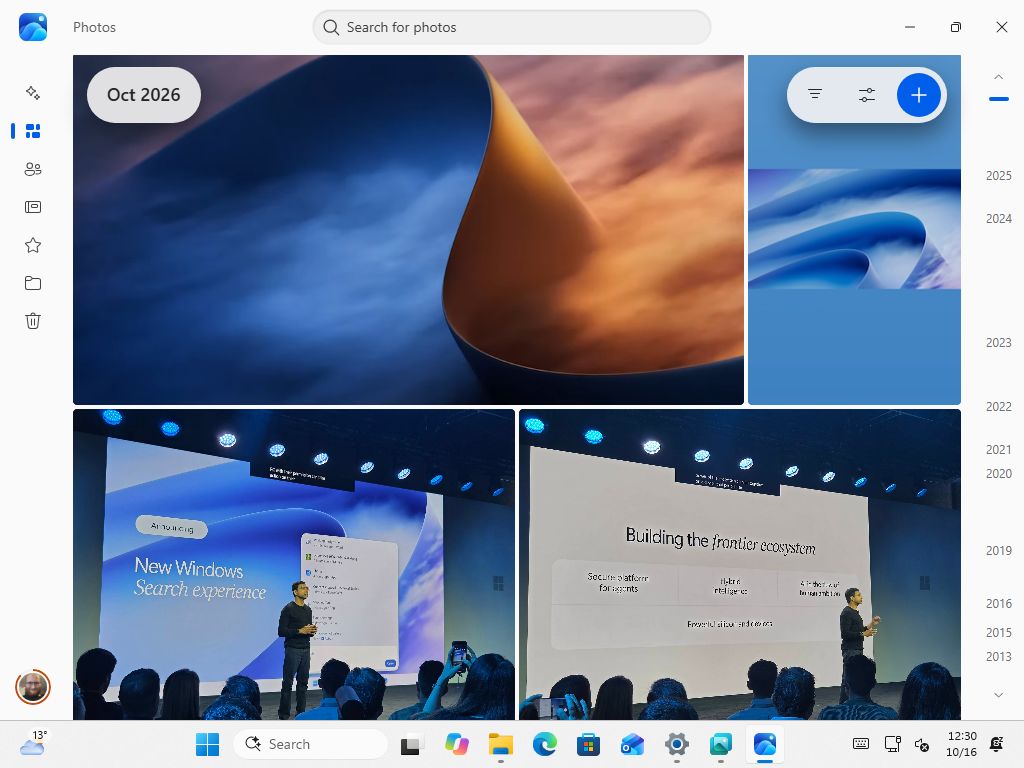
You do not need a MS account to use OneDrive Photos with local files. The app works with a local Windows account, and you can browse local and iCloud content without signing in to OneDrive. Importing files will not automatically upload them, and anything stored on your device will remain available offline. MS also says Gallery launches and scrolls more quickly.
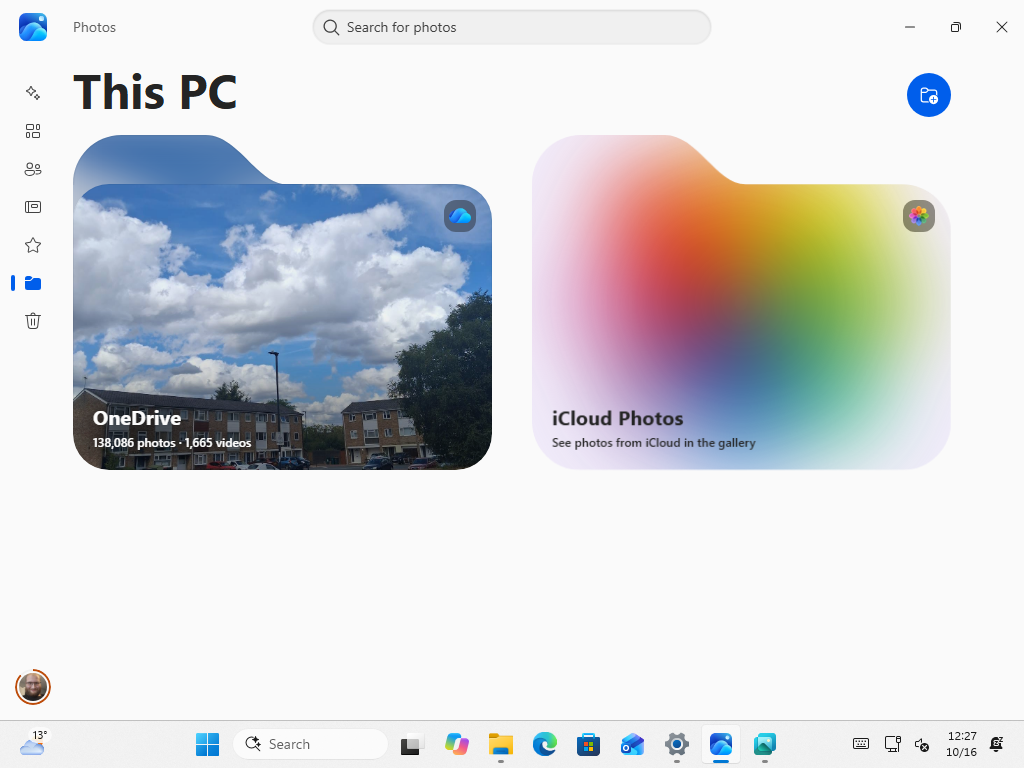
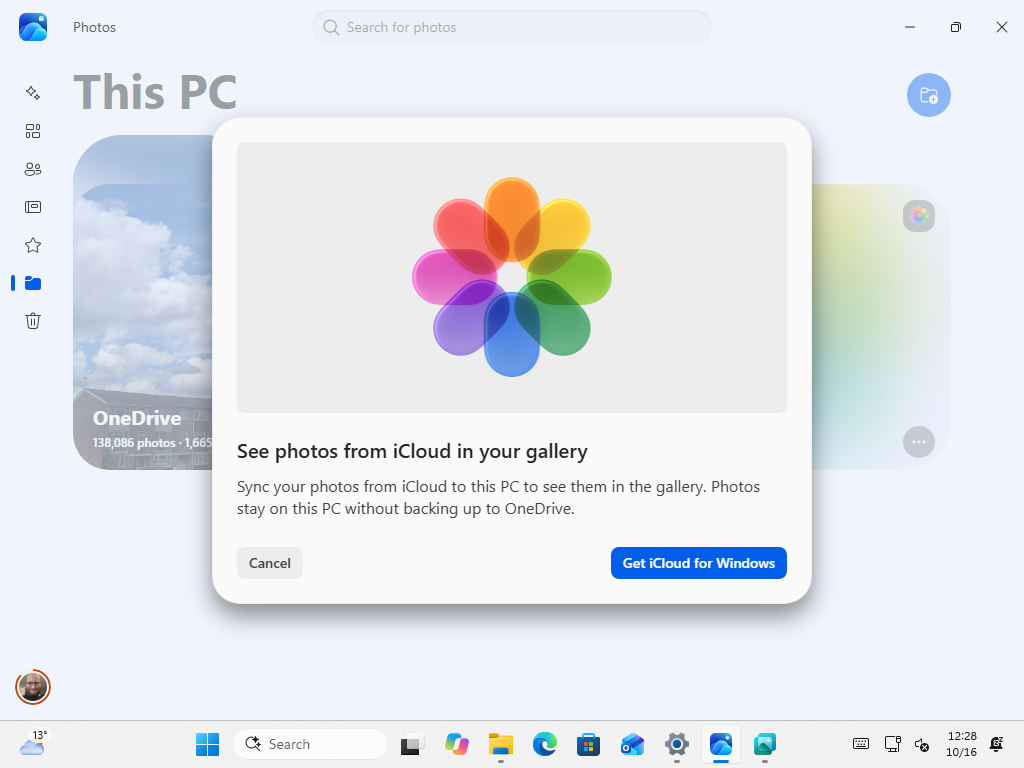
On my PC, the app displays OneDrive and iCloud Photos as two folders. Selecting iCloud Photos prompts you to install iCloud for Windows, and the message emphasizes that your photos “stay on this PC without backing up to OneDrive.”
OneDrive Photos is not new to us. Several others and I uncovered it in leaks around a year ago. Earlier this year, it began appearing on Windows PCs without any warning from MS. Jeff Teper, who leads MS 365 collaborative apps, later acknowledged that the rollout “went more broadly than it should have,” and MS promised an uninstall option. We now finally have some context for that rollout.
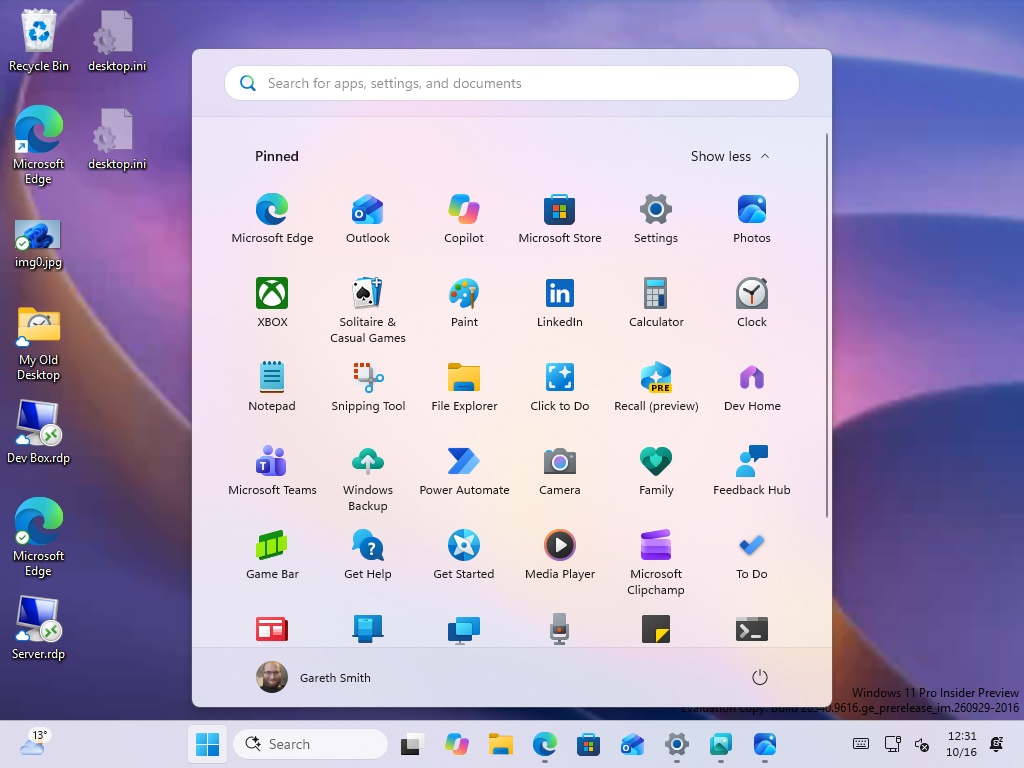
OneDrive Photos will replace the current Photos app in the Start menu. On my PC, the new blue Photos icon took the pinned position previously occupied by the old app.
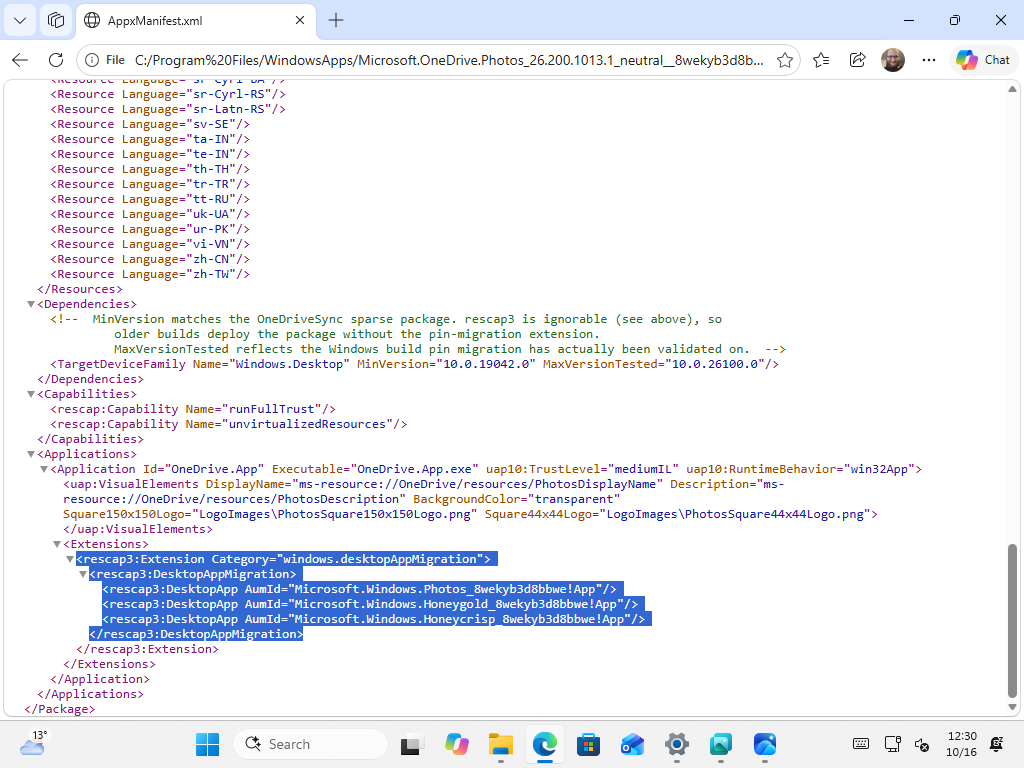
The change also appears in the app manifest’s migration details. The package, MS.OneDrive.Photos version 26.200.1013.1, runs through OneDrive.App.exe and includes a “desktopAppMigration” entry pointing to MS.Windows.Photos—the current app—and two codenamed packages, Honeygold and Honeycrisp.
A comment in the file says pin migration occurs only on Windows builds where it has been validated. The minimum listed version is 10.0.19042, corresponding to Windows 10 version 20H2, so the package could theoretically be installed on Windows 10.
Windows now has a somewhat unusual combination: Viewer and Editor are native, while Gallery is a web-based experience delivered through the OneDrive app, which runs on WebView2. Ironically, MS continues to emphasize native Windows 11 apps, yet the part of Photos where users will spend the most time browsing is not native.
Photos, Photo Viewer, and File Explorer’s Gallery Overlap Too Much
The overall setup still feels somewhat awkward. Windows 11 will effectively have two photo apps with overlapping features: Photos for browsing a collection and Photo Viewer for opening and editing individual images. That is before accounting for the Gallery view already built into File Explorer.
Each option has a purpose, but the distinctions will not be obvious to everyone. MS may be attempting to simplify each task individually. Even so, many users will probably wonder whether they should open Photos, Photo Viewer, or Gallery in File Explorer. The “Gallery” option in Photo Viewer’s Open with menu adds further confusion because it launches the new Photos app rather than File Explorer’s Gallery.
When Will the New Photos and Photo Viewer Roll Out?
The new experiences began rolling out to Windows Insiders on October 15, 2026. MS says they will become available to all Windows 11 users later this year, but the company has not announced a firm date. The update will therefore probably arrive gradually as testing continues.
The basic concept is simple: open an individual picture in Photo Viewer or browse your collection in Photos. Whether Windows needs another way to access photographs is a separate question.
Windows Latest depends on readers like you. Make us your preferred source on Google Discover and Google Search, and help our independent reporting reach more people.
