

Windows 11 allows files to have 200-character names filled with spaces and emojis, but File Explorer will refuse to name a file or folder CON. CON, PRN, AUX, NUL, COM1 through COM9, and LPT1 through LPT9 are reserved device names. MS engineer Raymond Chen traces their origin to DOS 1.0, a version that did not even support folders.
I tested the rule on a PC running Windows 11 26H2. The restriction introduced by the 1981 operating system remains firmly in place, although Windows Latest found that part of it no longer works as MS’s documentation describes.
CON, PRN, AUX, and NUL Are Devices, Not File Names, in Windows 11
Each reserved name corresponds to a device. NUL is particularly notable: it acts as a black hole that discards anything sent to it.
MS’s file-naming documentation still instructs developers, “Do not use the following reserved names for the name of a file.” The restrictions also apply to folders because Windows treats a folder as a special type of file.
According to MS, adding an extension should not bypass the restriction, although it does in some cases. The company states, “NUL.txt and NUL.tar.gz are both equivalent to NUL.” Even superscript digits are not exempt. Windows interprets ¹, ², and ³ as digits, meaning names such as COM¹ and LPT³ are reserved “in every directory.”
Architecturally, COM1 is a link to the serial port within the Windows kernel. MS calls this an MS-DOS device name, so entering COM1 accesses the port rather than a file.
Raymond Chen Explains Why a DOS 1.0 Rule Remains Active in Windows 11
The story begins with CP/M, the operating system with which MS-DOS sought compatibility. Under CP/M, device names always included a colon, such as CON:. MS-DOS made the colon optional, a decision Michal Necasek of the OS/2 Museum calls the “fatal flaw.” A plain name such as CON gives DOS no indication of whether it refers to a file or the console.
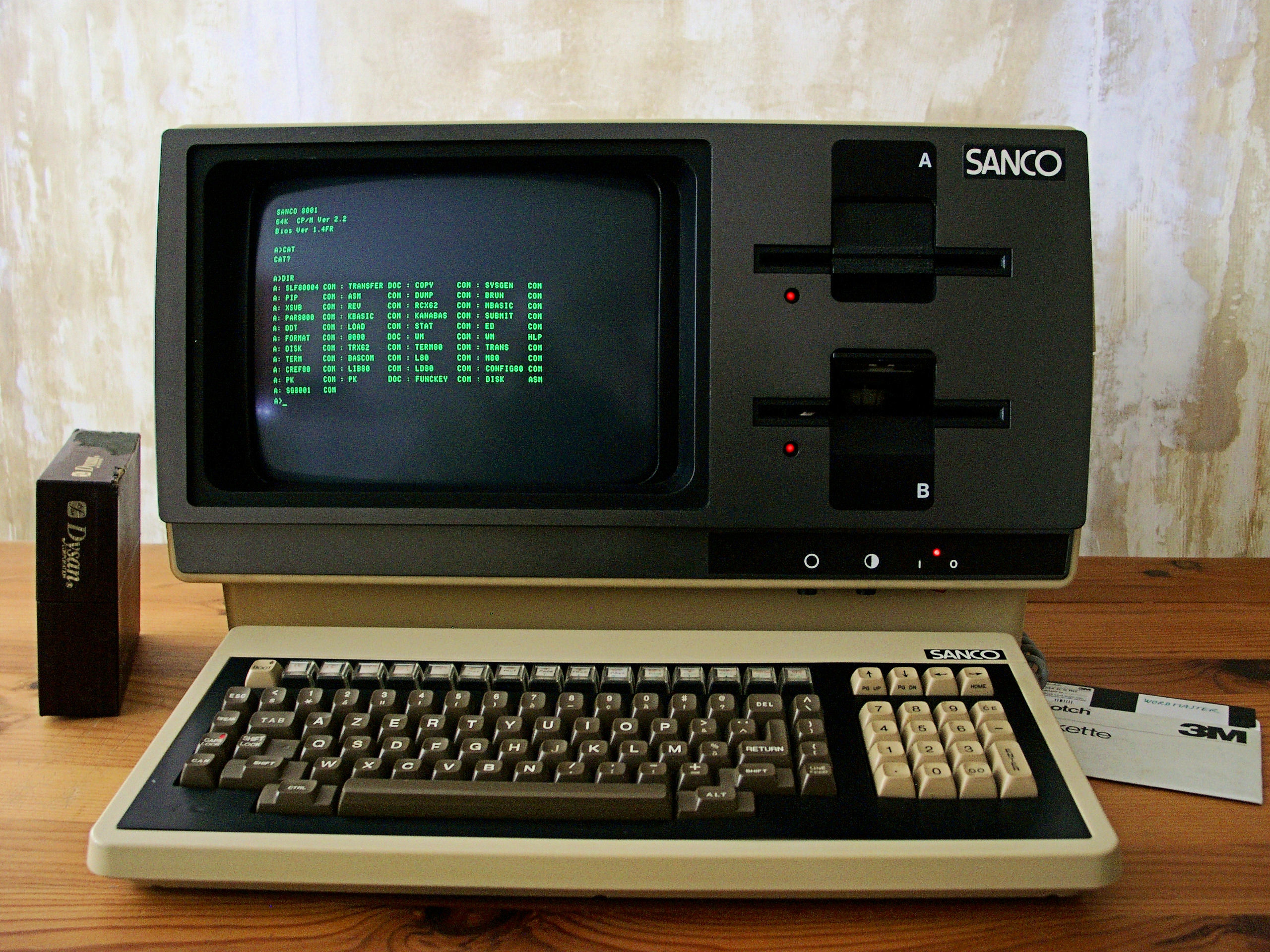
In a 2003 post on his Old New Thing blog, Chen explained that “DOS 1.0 didn’t support subdirectories, lowercase, or filenames longer than 8.3.” This limitation is also the unusual reason why some of Windows 11’s oldest system files retain DOS-era names.
At the time, if an assembler asked where to save its output and the user wanted a printout, “you typed ‘PRN’ as the filename.” Entering NUL discarded the output, while CON displayed it on the screen.
Because disks had only one directory, there was nowhere else for these special names to work. When folders arrived with DOS 2.0 in 1983, the device names also had to function inside them. As Chen explained, otherwise users could not switch to another folder, run an assembler, and enter NUL to discard its output. MS therefore made the names work in every folder, which is why a file named PRN still cannot be created in the Documents folder today.
Why has MS not removed this behavior after more than 40 years? “Because everybody still relies on them,” Chen wrote. Batch files suppress output by redirecting it to >NUL, scripts check whether a folder exists with “if exist directoryname\nul,” and older guides instruct users to create files with “copy CON.”
If the rule were removed, every script that redirects output to NUL would begin writing actual files instead.
The rule once caused entire PCs to crash. Windows 95 and Windows 98 rejected paths containing one device name but failed when a path contained two, such as C:\con\con. MS’s MS00-017 bulletin from March 2000 acknowledged that this “usually results in a crash.”
I Tested the DOS-Era Rule on Windows 11 26H2, and NUL.txt Slipped Through
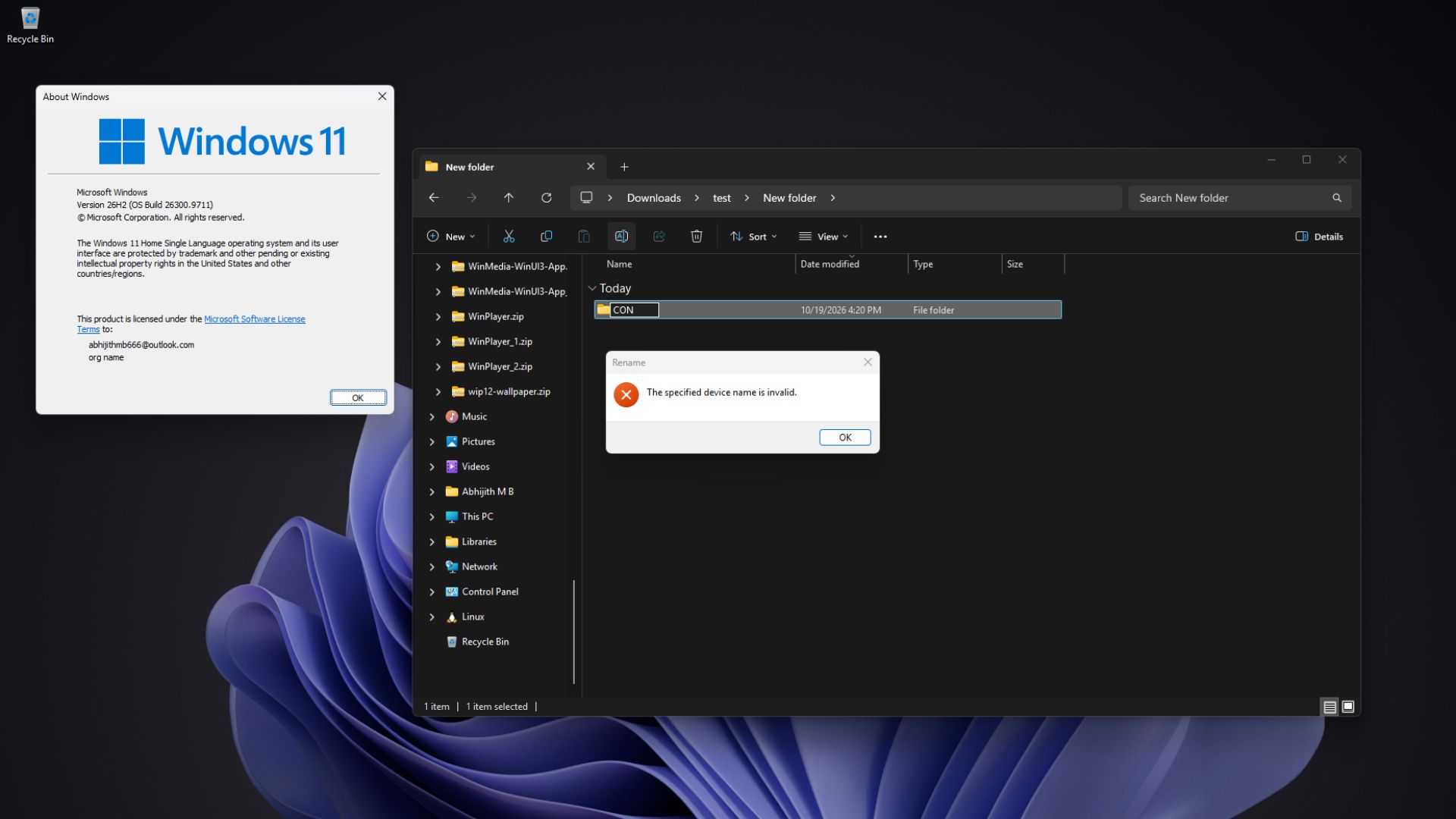
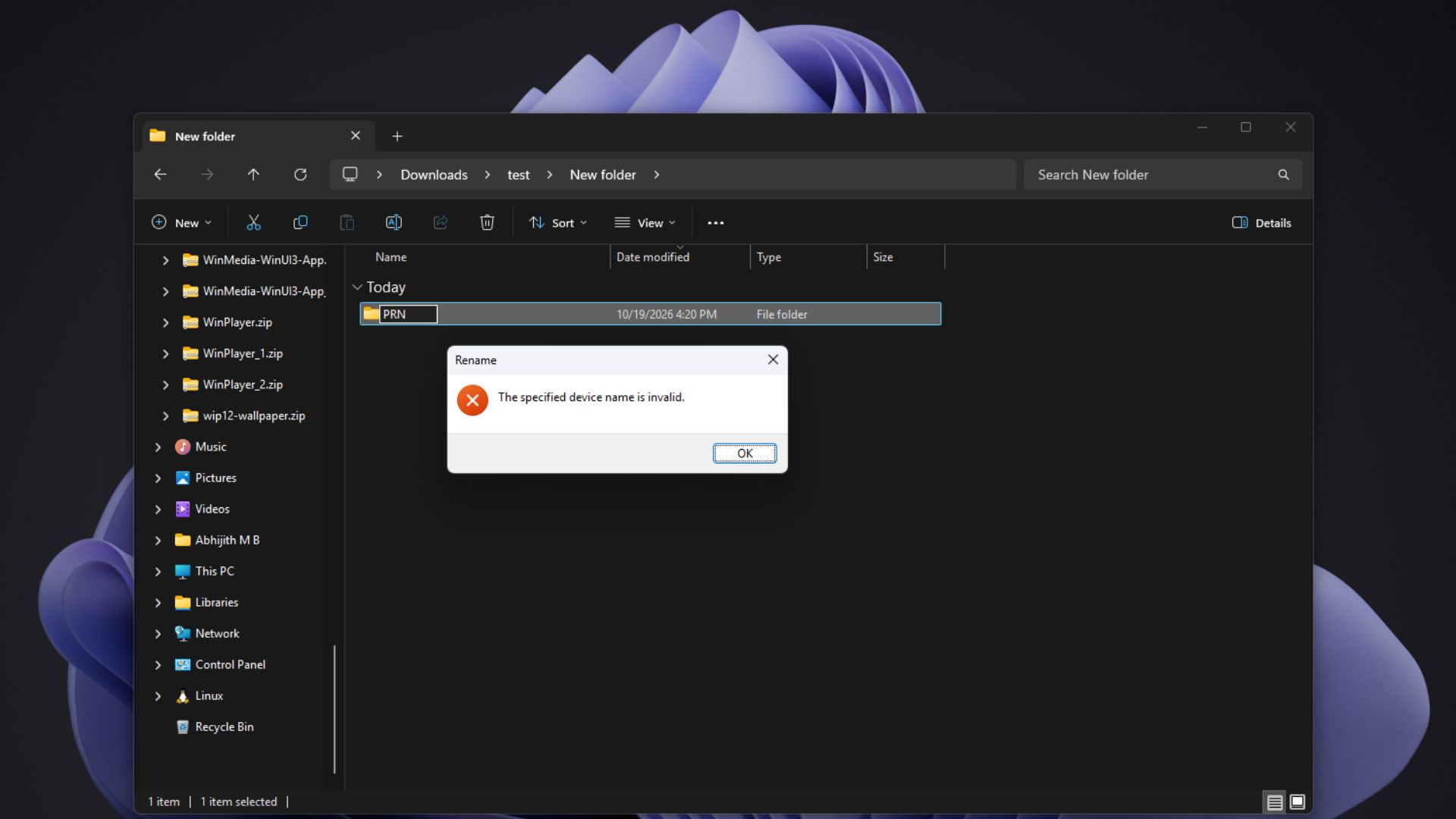
On a PC running Windows 11 26H2, renaming a new folder to CON produced the message “The specified device name is invalid.” PRN, AUX, NUL, and COM1 were also rejected.
However, NUL.txt was accepted without an error, as was CON.txt, even though MS’s documentation still states that NUL.txt is equivalent to NUL.
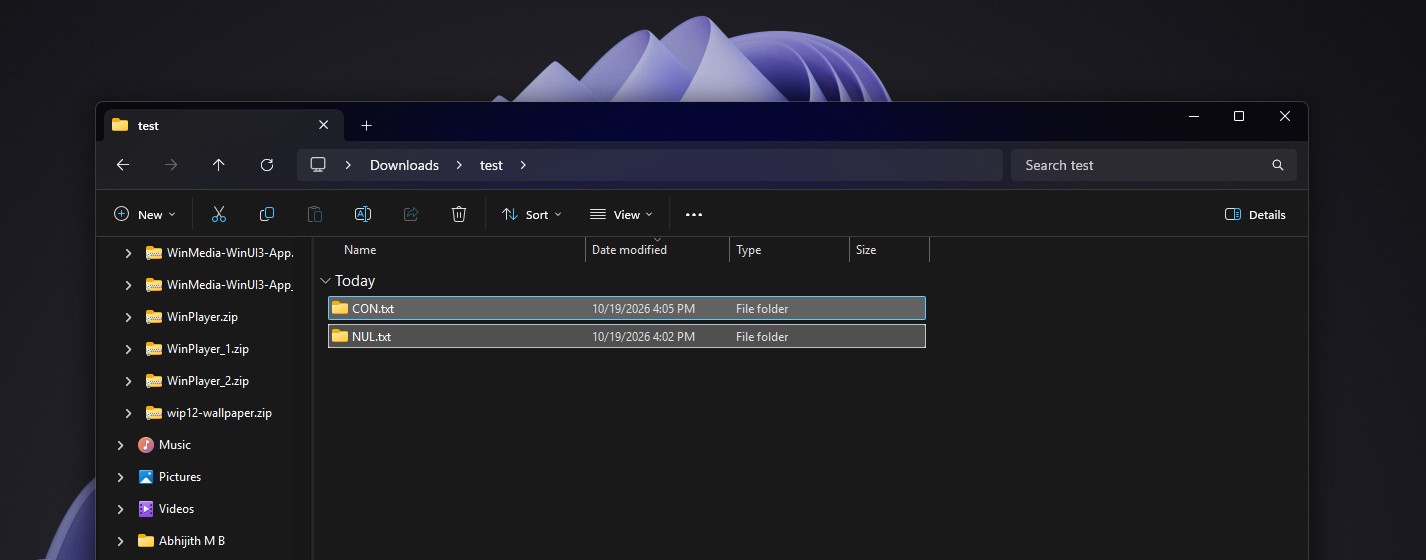
Although MS’s documentation has not been updated, developers examining Python’s Windows support observed in 2022 that Windows 11 had stopped treating device names with extensions as special when processing file paths.
Unfortunately, such files can behave unpredictably. One MS Q&A user found that PowerShell could list NUL.txt but could neither open nor delete it. A community advisor responded that “the result may be unpredictable.” This may explain why MS continues to state that extensions do not affect names such as NUL.txt and CON.txt.
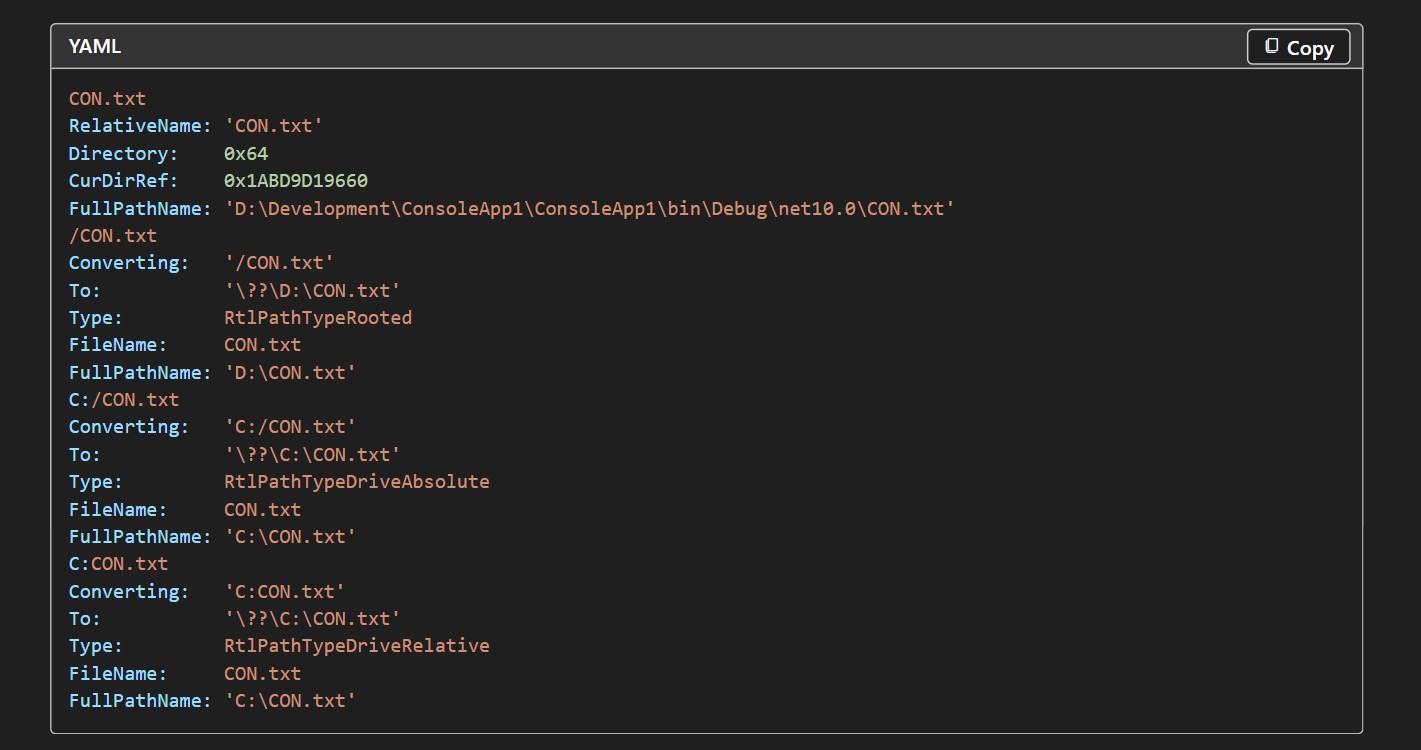
Command Prompt can still demonstrate the old DOS behavior. Running echo hello > CON printed “hello” on the screen instead of creating a file, while echo test > COM¹ failed exactly as MS’s documentation describes.
Before criticizing Windows, it is worth noting that Linux maintainers renamed a graphics driver file from aux.c to auxch.c in 2024 because the original name prevented users from cloning the Linux kernel on Windows.
Windows can still be criticized, however, because Linux changed its code to accommodate Windows, while Windows continues to preserve a rule from 1981 for scripts that may not have been touched in decades.
Windows 11 has relaxed the restriction enough to allow NUL.txt, but CON is still treated as a device rather than a file name. Like the Windows 95 heap manager that still ships with Windows 11, it is another legacy component MS cannot remove without potentially breaking someone’s 30-year-old batch file.
Windows Latest depends on readers like you. Make us your preferred source on Google Discover and Google Search, and help our independent reporting reach more people.
