

MS is rolling out the October 2026 Patch Tuesday update for Windows 11, marking the final update for Windows 11 24H2 Home and Pro. Testing since the optional release indicates that there is no headline feature, but File Explorer can once again preview downloaded PDFs, the Copilot key can be remapped, and Bluetooth receives an extensive set of fixes.
The update is KB5127648. It moves Windows 11 26H2 to Build 26300.9711, Windows 11 25H2 to Build 26200.9711, and Windows 11 24H2 to Build 26100.9711. This mandatory security update includes every change introduced in the September 22 optional update.
As with recent releases, the October update arrives in two phases. Features included in the gradual rollout will reach PCs over time, so some users may initially see only a new build number after installing the update. Fixes included in the normal rollout become available to all eligible PCs as soon as the update is installed.
What Is New in the Windows 11 October 2026 Patch Tuesday Update
Windows 11 24H2 Home and Pro Reach End of Support
Windows 11 24H2 Home and Pro reach the end of updates on October 13, 2026, making this Patch Tuesday release their final security update. After that date, these PCs will no longer receive security fixes, fixes for known issues, time zone updates, or technical support. However, Enterprise and Education editions of Windows 11 24H2 will remain supported until October 12, 2027.
MS had already confirmed that KB5124010 would be the final preview update for Windows 11 24H2. Users who remain on this version can move to Windows 11 26H2, which MS began rolling out on September 29.
A full reinstallation is not required for the Windows 11 2026 Annual Update. Windows 11 24H2, 25H2, and 26H2 share the same codebase, allowing 26H2 to be delivered as an enablement package measuring only about 174 KB on x64 PCs.
Most Windows 11 26H2 features are already present but dormant on PCs that have received monthly updates. The enablement package activates them with a single restart. As a result, this year’s major Windows release is smaller than a typical smartphone photo.
Testing also revealed a noticeable performance improvement with Windows 11 26H2, although MS has not mentioned it.
Windows 11 26H2 Home and Pro editions will receive updates until October 10, 2028. Windows 11 26H1, which is based on a different Windows core, will not receive the 26H2 update. The October update is also available for Windows 11 25H2, 26H2, and 24H2 Enterprise and Education PCs.
Secure Boot Certificates Continue Rolling Out Ahead of the October 19 Deadline
Secure Boot certificates used by most Windows PCs began expiring in June 2026. MS has been replacing them on consumer and unmanaged business PCs through Windows Update. PCs without the new certificates can still start and install updates normally.
The key date is October 19, when the MS Windows Production PCA 2011 certificate used to sign the Windows boot loader expires. To check the certificate status on a PC, open Windows Security > Device security > Secure Boot.
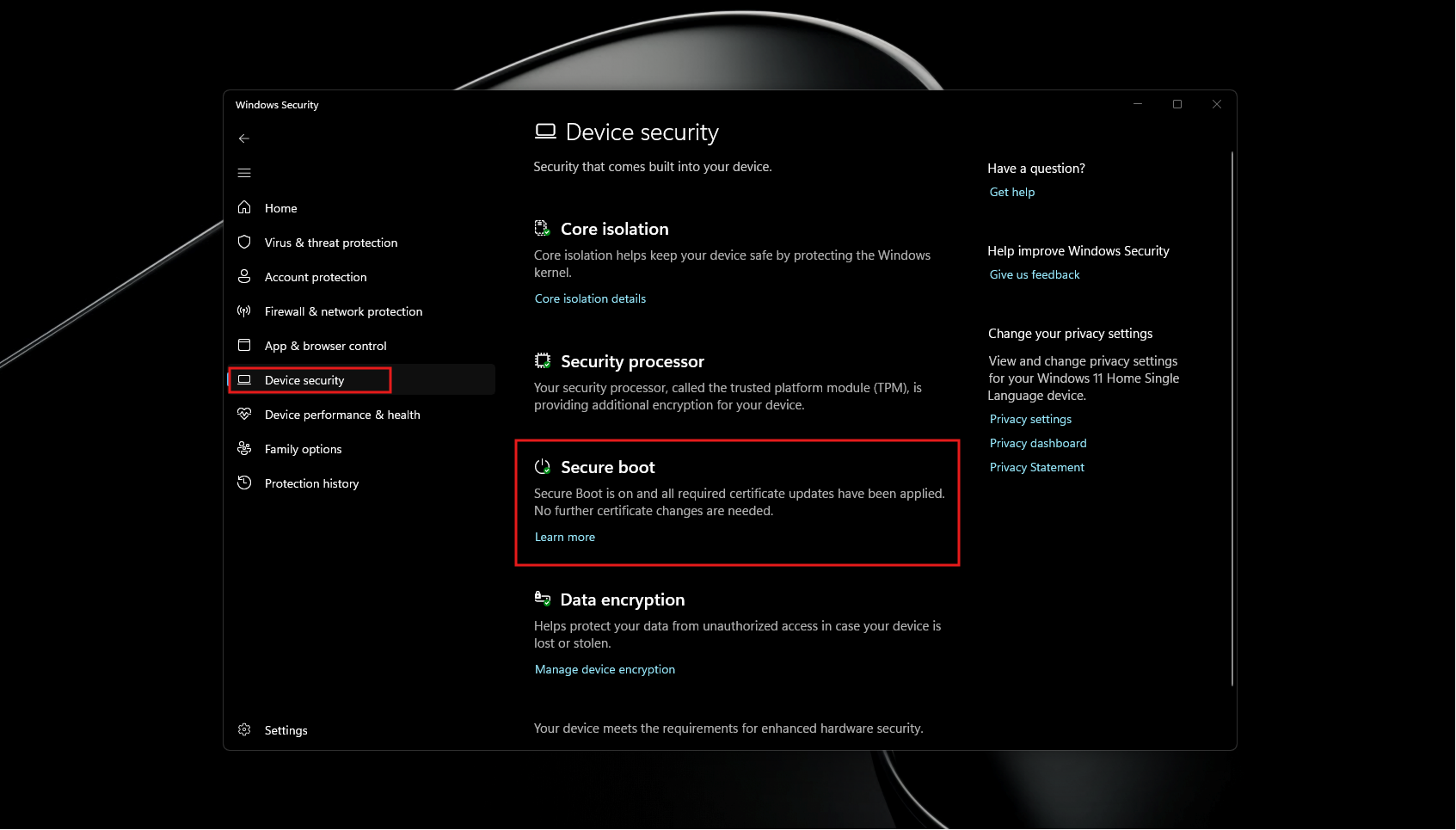
If Windows confirms that the certificate updates have been applied, no further action is required. Otherwise, keep Windows Update enabled and check for a firmware update from the PC manufacturer, as some devices require a firmware update first.
Secure Boot has been addressed in nearly every Patch Tuesday update this year, including the June release. MS says the new certificates will continue arriving over the coming months.
Features Rolling Out Gradually with the October 2026 Update
The update includes the code required for all the following features. However, MS uses a phased rollout process, so they may not become available immediately after installation.
File Explorer Preview Improvements
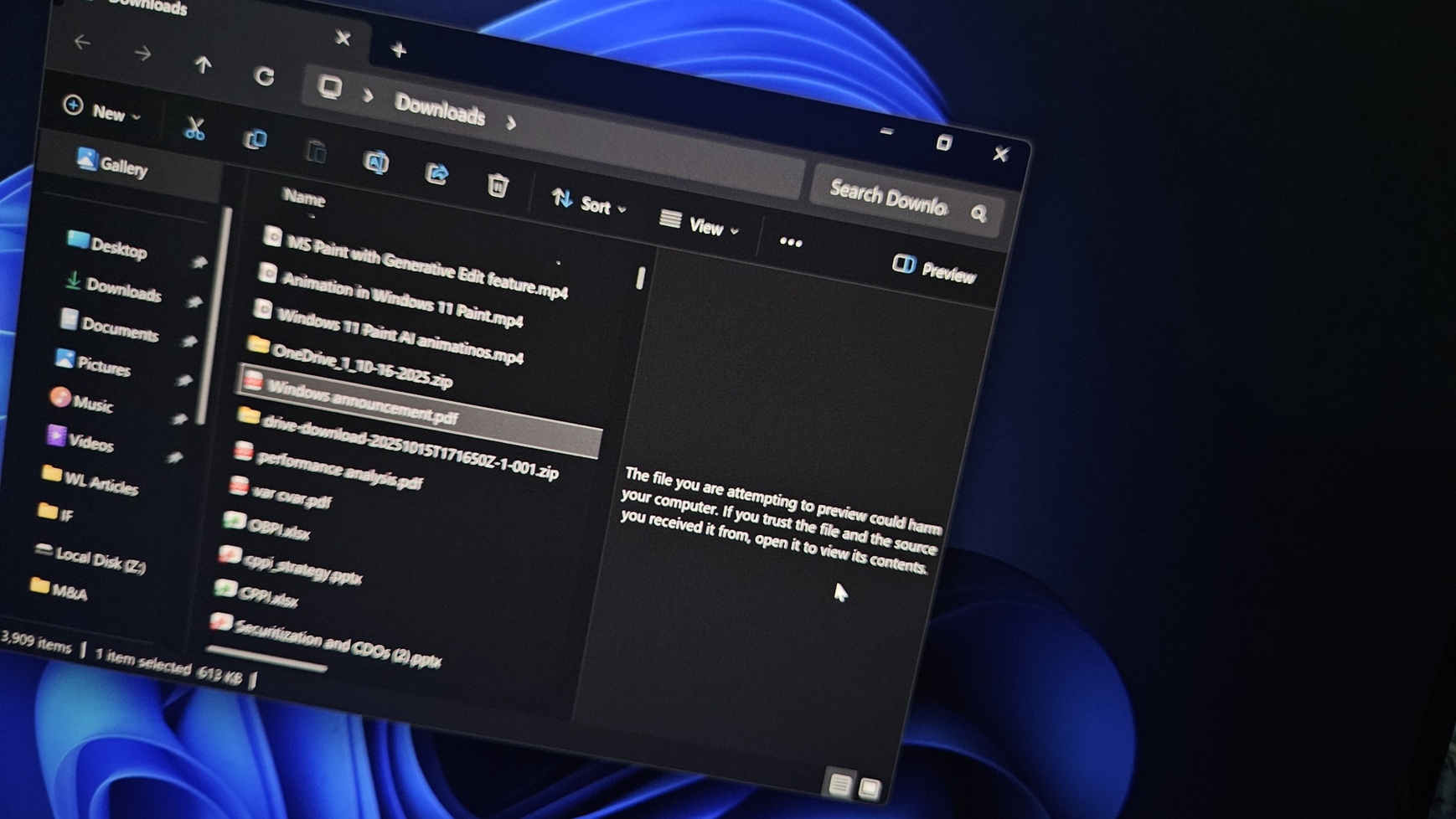
Since October 2025, File Explorer has refused to preview files downloaded from the internet because previewing an HTML file with external references could expose NTLM hashes. During testing, even a PDF stored in OneDrive displayed a warning instead of a preview. The usual workaround was to unblock the file through its Properties dialog.
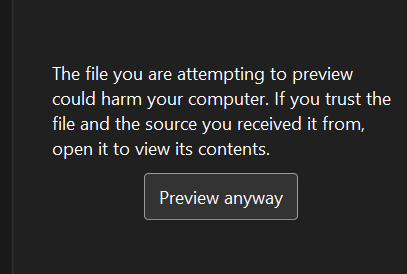
With the October update, non-HTML files such as PDFs can once again be previewed automatically. HTML files continue to display a warning, but users can now select the Preview anyway button to acknowledge the risk and view the file.
File Explorer also receives several smaller changes. MS has delivered File Explorer fixes almost every month since May, and the preview pane improvement is among the most significant usability changes.
Copilot Key Remapping
Although Copilot+ PCs are no longer MS’s primary focus, the company has not abandoned the concept or removed the Copilot key. Users can now remap the key to perform a more useful function.
Testing by Windows Latest confirmed that the Copilot key can be remapped through Settings > Bluetooth & devices > Keyboard.
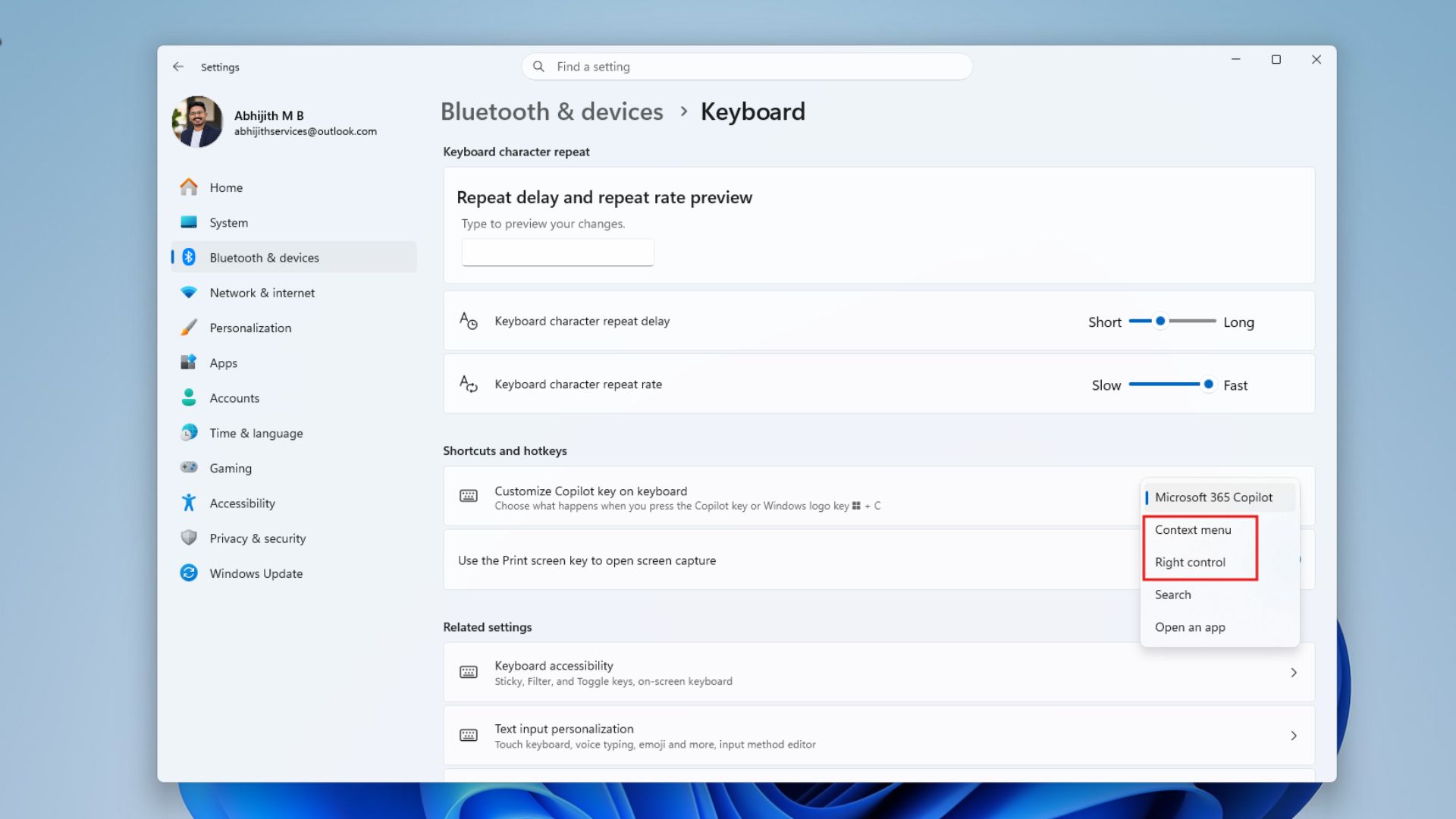
The Copilot key can be reassigned to the Context menu, which functions similarly to a right-click, or to Search, which opens Windows Search in the same way as Win+S. An Open an app option is also available for selecting a third-party application. During testing, however, only certain apps, such as ChatGPT, appeared, suggesting that the feature may still be rolling out.
Open All Apps Maximized
By default, Windows remembers an application’s window size. If an app was previously running in windowed mode rather than maximized, it would normally reopen in the same state. However, Windows does not always retain this preference and may open applications in small windows. With the October 2026 update, MS introduces an option to open all apps maximized.
MS categorizes this as an accessibility improvement. The option is available under Settings > Accessibility > Visual effects. Once enabled, applications open maximized by default, although users can still return them to windowed mode.
A video demonstration of the feature was provided in the original report.
Testing found that the feature worked with all tested applications. However, it may not work with legacy software or emulators. Older Windows applications are not always optimized for full-screen use, so the feature cannot maximize an app that does not support a maximized window.
Bluetooth Reliability and Audio Fixes
Windows has experienced Bluetooth issues involving unstable connections and frequent audio-quality problems. These problems do not affect every user, but some systems may lose Bluetooth functionality entirely until a clean shutdown is performed while holding the Shift key.
MS has previously focused primarily on Bluetooth interface and user-experience changes in Windows 11, while several underlying problems remained unresolved. The October 2026 update introduces more substantial quality improvements.
MS fixed an issue that prevented Windows from synchronizing with the correct volume level when users adjusted the volume through a headset’s hardware controls. It also resolved a bug that caused Windows to report a disconnected device as still connected, preventing users from reconnecting to it.
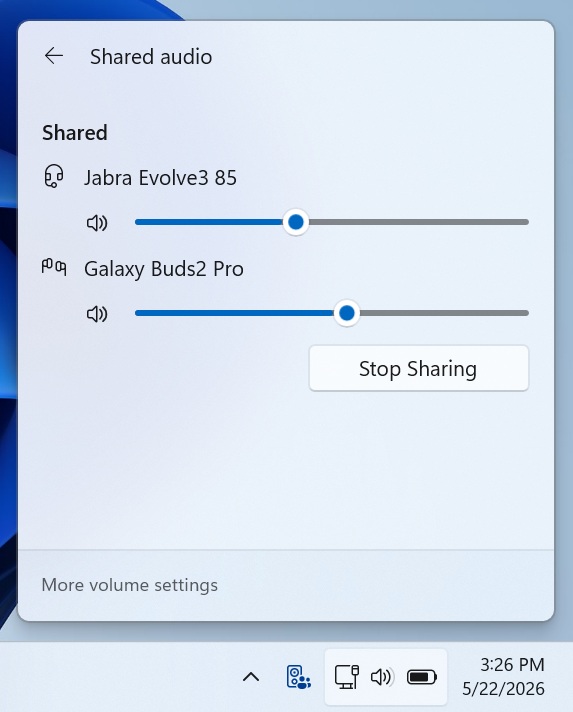
MS also fixed reliability problems affecting Bluetooth LE Audio accessories and an issue that prevented Shared Audio from properly sharing sound between two headsets.
New Precision Touchpad Gestures
Precision touchpads receive two additional gestures under Settings > Bluetooth & devices > Touchpad.
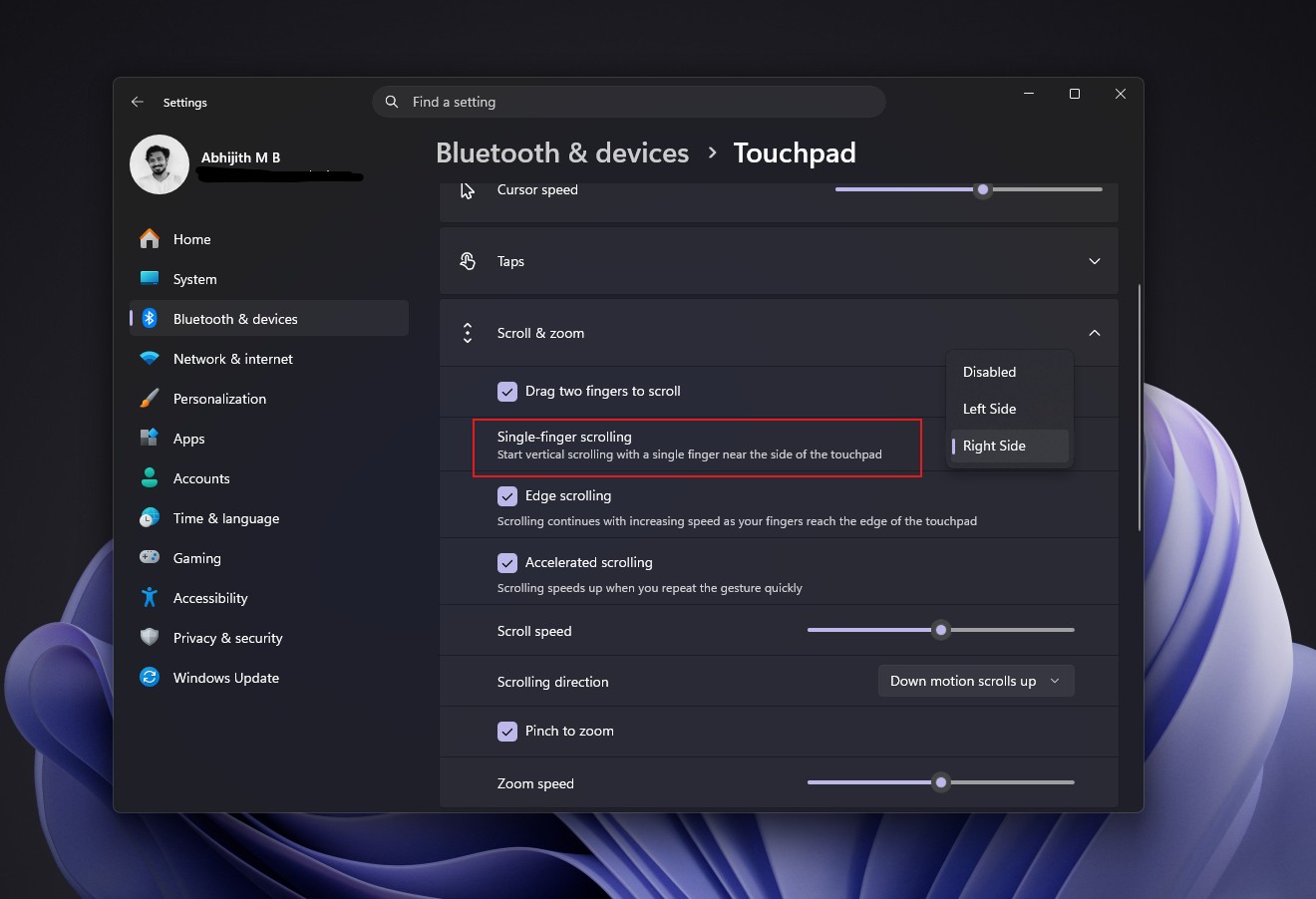
These gestures complement the scroll-speed and accelerated-scrolling controls introduced in the July optional update, KB5101684, which became available to all PCs in August.
Magnifier Design Improvements
The Magnifier toolbar now includes updated icons that align with the Windows 11 design language, along with refined spacing and padding. Views, zoom controls, keyboard shortcuts, and Read Aloud continue to work as before.
Screen tinting and sharper Magnifier controls arrived in July, demonstrating MS’s continued focus on accessibility tools throughout the year.
Tips Widget
The Tips widget provides brief guidance about Windows features. To add it, open the Widgets board, select Add widgets, and choose Tips. It can also be added to the lock screen through Settings > Personalization > Lock screen.
MS previously spent several months making Widgets less intrusive, and it is now adding an optional widget that functions primarily as a feature guide.
OneDrive Phone Photo Backup
Users can now back up photos from their phones to OneDrive through Windows 11 Settings. The feature can be enabled from the Settings Home or Accounts page, after which setup must be completed on the phone by scanning a QR code. MS says the feature is limited to eligible users, so it may not appear on every PC.
Desktop Background and Settings Improvements
Following an August bug that reset wallpapers or changed them to black, MS is making further improvements to desktop backgrounds.
The Settings app has received a steady redesign since the April update. These smaller refinements continue to bring its capabilities closer to those of the Control Panel.
PC-to-PC Migration Removed
PC-to-PC Migration allowed users to transfer files and settings directly from an old PC to a new one over a local network without uploading data to the cloud. MS has removed the feature and now recommends Windows Backup, which uses OneDrive.
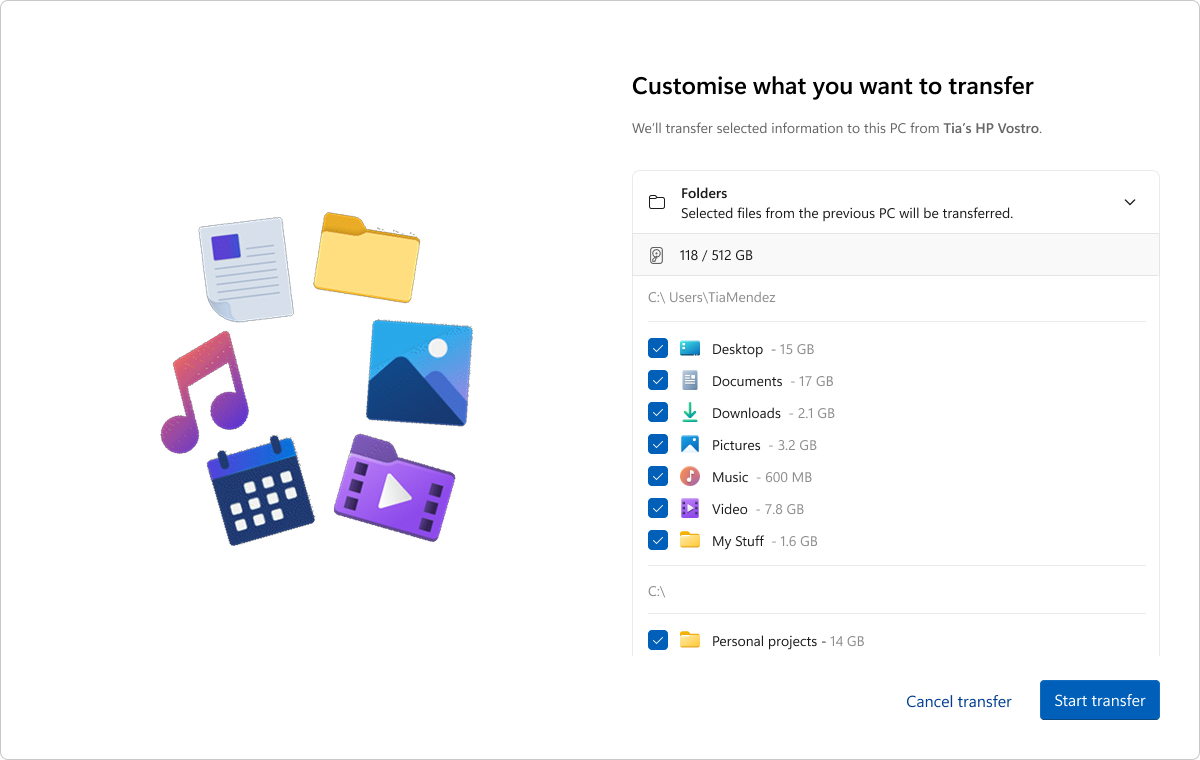
Because OneDrive’s free tier provides only 5 GB of storage, removing a local transfer tool represents a setback for users moving large volumes of files. It also creates difficulties for users without reliable internet access.
MS says feature availability depends on the device and market. The company’s design leadership has also acknowledged that some features may take time to appear even after the update is installed.
Fixes Included in the Normal Rollout
AI Components Updated in the Background
Image Search, Content Extraction, Semantic Analysis, and the Settings Model are updated to version 1.2608.951.0. These components install silently, MS does not publish detailed changelogs for them, and no user action is required.
How to Install the October 2026 Patch Tuesday Update
Open Settings > Windows Update and select Check for updates. The update installs automatically unless updates have been paused, and a restart is required.
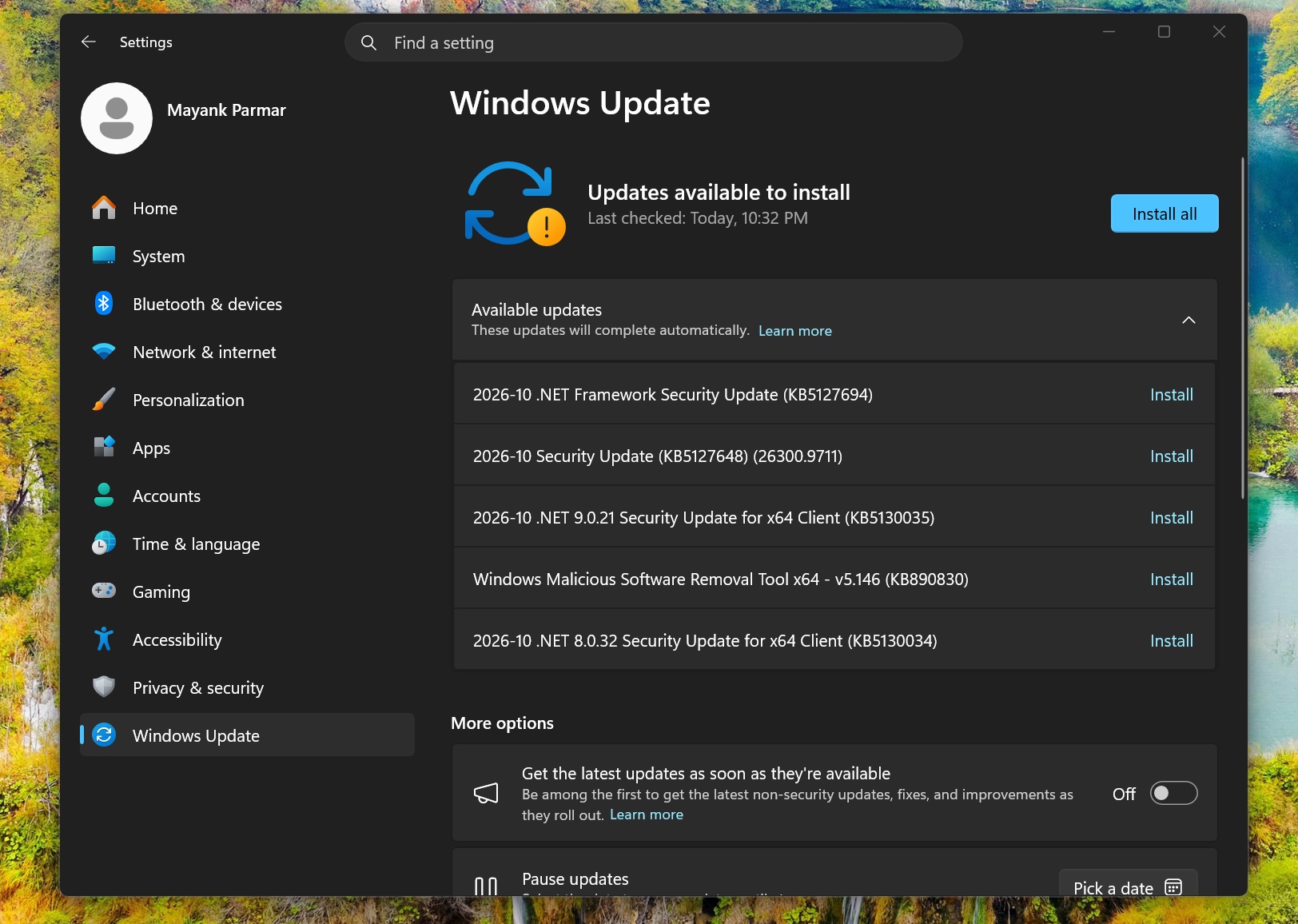
To receive gradual-rollout features sooner, enable Get the latest updates as soon as they’re available on the Windows Update page. Even with this option enabled, some features may take days or weeks to appear.
Users still running Windows 11 24H2 Home or Pro should install this update first and then move to Windows 11 26H2. Installing it promptly is recommended for the File History fix, Bluetooth improvements, and single-finger scrolling feature.
Windows Latest depends on reader support. Readers can make it a preferred source on Google Discover and Google Search to help its independent reporting reach more people.
