


Pressing the Windows key opens the Start menu, but what if it could do more? MS plans to evaluate the “right behavior” for the key once its new Search experience reaches Start. However, the company is proceeding cautiously because it cannot ignore users’ established muscle memory.
For those unfamiliar with the change, Windows is getting a new Search interface that is dramatically different from the current experience. Here is a closer look at the new interface from Windows preview builds:
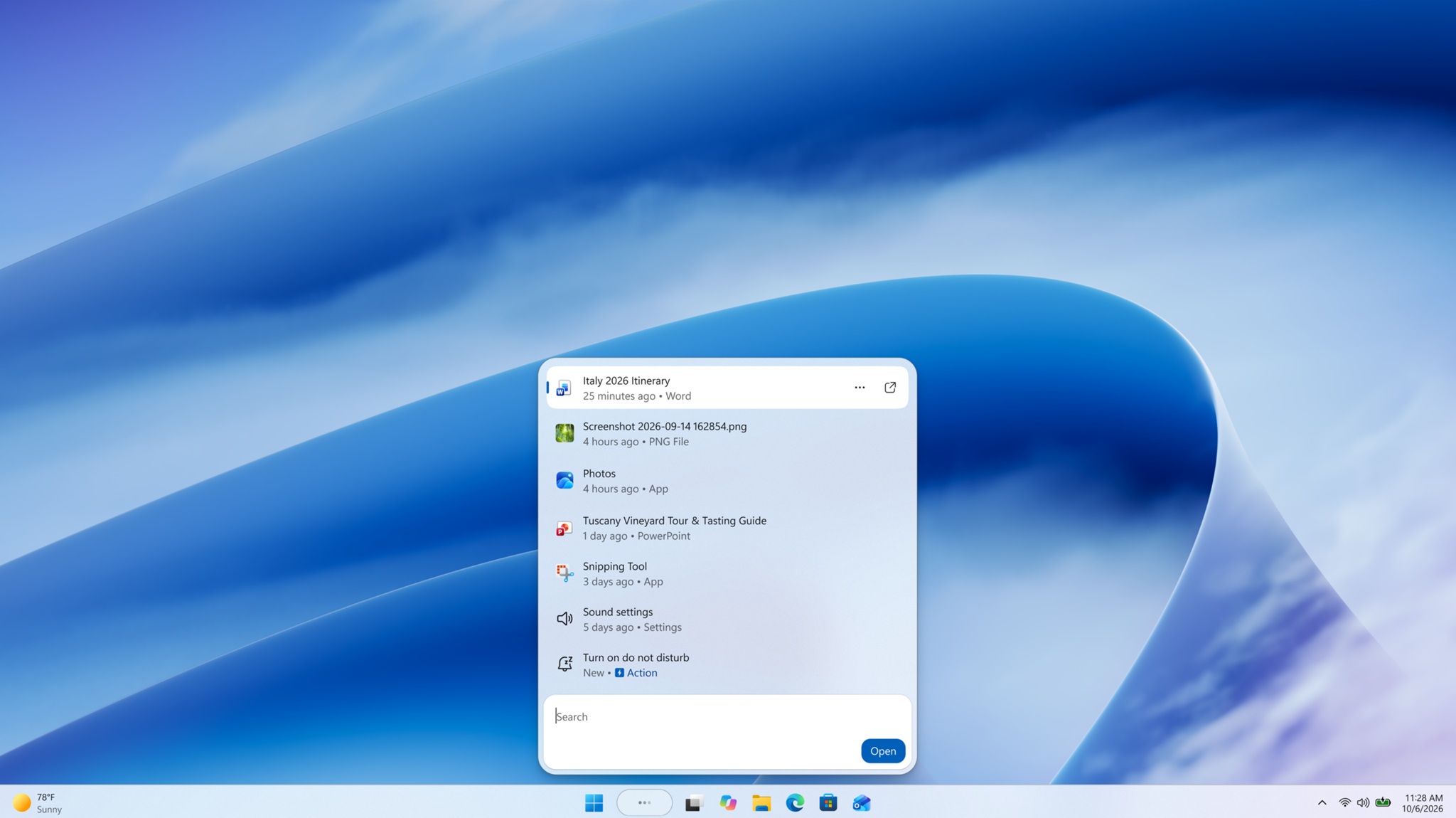
The new Search interface is separate from the Start menu, which still opens the old Search experience when you begin typing. As a result, Windows effectively has two Search interfaces performing the same function. The new interface has been built from scratch, allows users to remove Bing results, and includes a feature called “Actions” for changing settings, such as toggling Bluetooth.
MS eventually plans to merge the two Search experiences. However, because the new Search interface is shorter and has a different feel from the Start menu, the transition may not fit naturally unless MS also changes the Start menu experience.
With Search gaining more capabilities, one Windows Insider asked MS to improve the Windows key and add more Actions, such as sending emails without opening Outlook.
“Apart from evoking the new search experience with just the Win key rather than Win+S, it would be great to support sending emails through Outlook using inline actions like Phone Link demo,” the user wrote in a post on X.
Surprisingly, Tali Roth, who leads Windows Shell experiences at MS, responded with an interesting answer.
“Once we’ve brought this experience to Start too we’ll be looking into the right behavior for Win key since so many folks have built the muscle memory there. For email, it’s one of the actions we’re considering,” Tali Roth wrote in a post on X, as first spotted by Windows Latest.
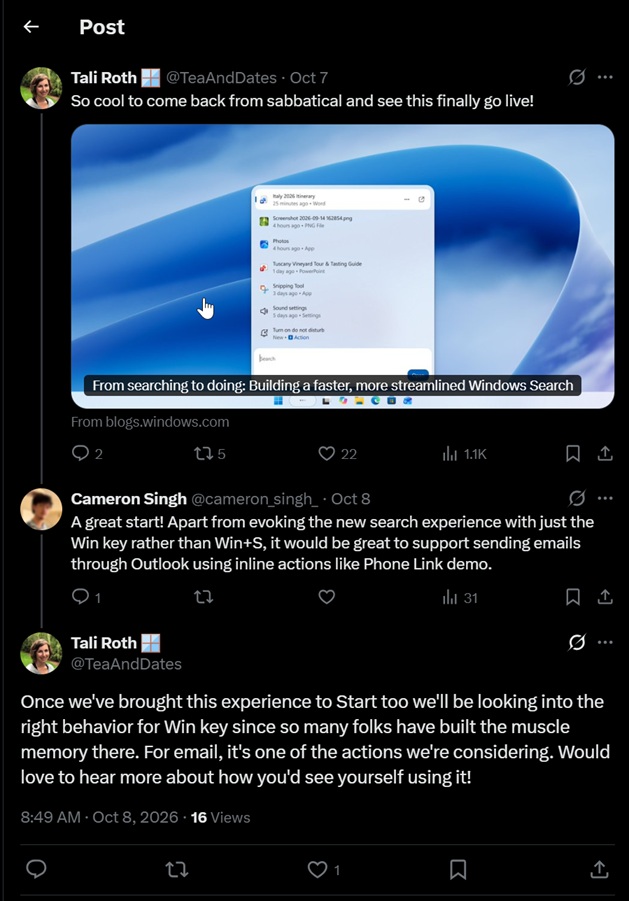
That response leaves open the possibility of a different role for one of Windows 11’s most familiar keys—but what could that role be?
What Happens to the Start Menu When the New Search Arrives?
This new Search experience is more than a simple way to find files or search the internet. It is clearly better than the current experience.
In its tests, Windows Latest observed that the old Search interface still appears when using the Start menu. However, that is expected to change next year, raising questions about how the Start menu will integrate with the new Search experience.
MS has not confirmed that pressing the Windows key will open Search instead of Start. For now, it appears that the Windows key could soon do more than open the Start menu, potentially allowing users to perform actions such as sending an email.
MS could also retain pinned apps in Start while integrating Search and its Actions into the same experience. This approach would allow users to press the Windows key and do more without losing the Start menu entirely. However, that remains speculation, and it is not yet clear what MS will ultimately decide.
For now, MS has confirmed that it plans to change the behavior of the Start menu key on the keyboard.
Windows Search Has a Long List of Problems to Fix
Windows Search is one of the most frequently used PC features, and some users rely on it more often than the Start menu. Without Search, it is difficult to find recently edited documents or favorite apps that are not pinned to the taskbar or Start menu.
However, Windows 11 Search has been widely criticized for numerous problems, with users raising many common complaints.
In March 2026, MS promised to improve Windows Search and provide greater control over its features. In July, the company began testing a toggle that disables Bing and MS Store results in Search while also improving typo detection and prioritizing local results.
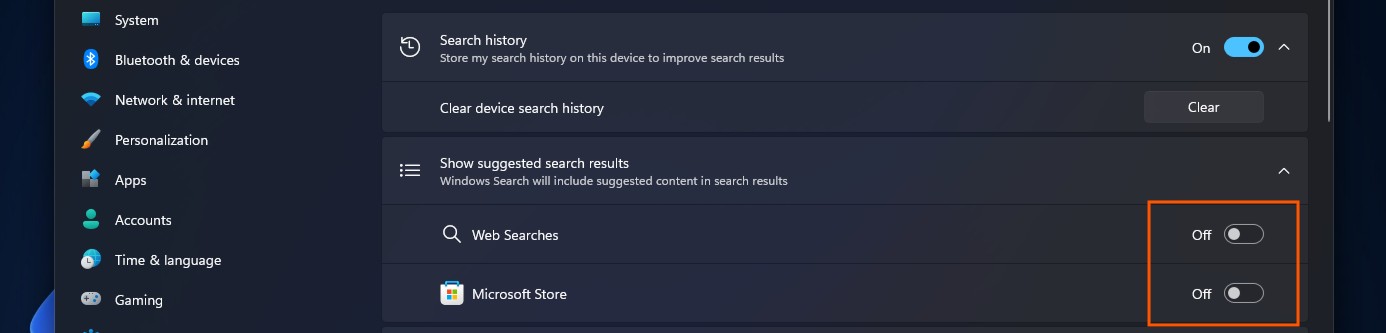
At that point, the ideal Windows Search experience appeared to be nearly complete. However, MS recently introduced another surprise by beginning to test the new experience on WinUI 3.
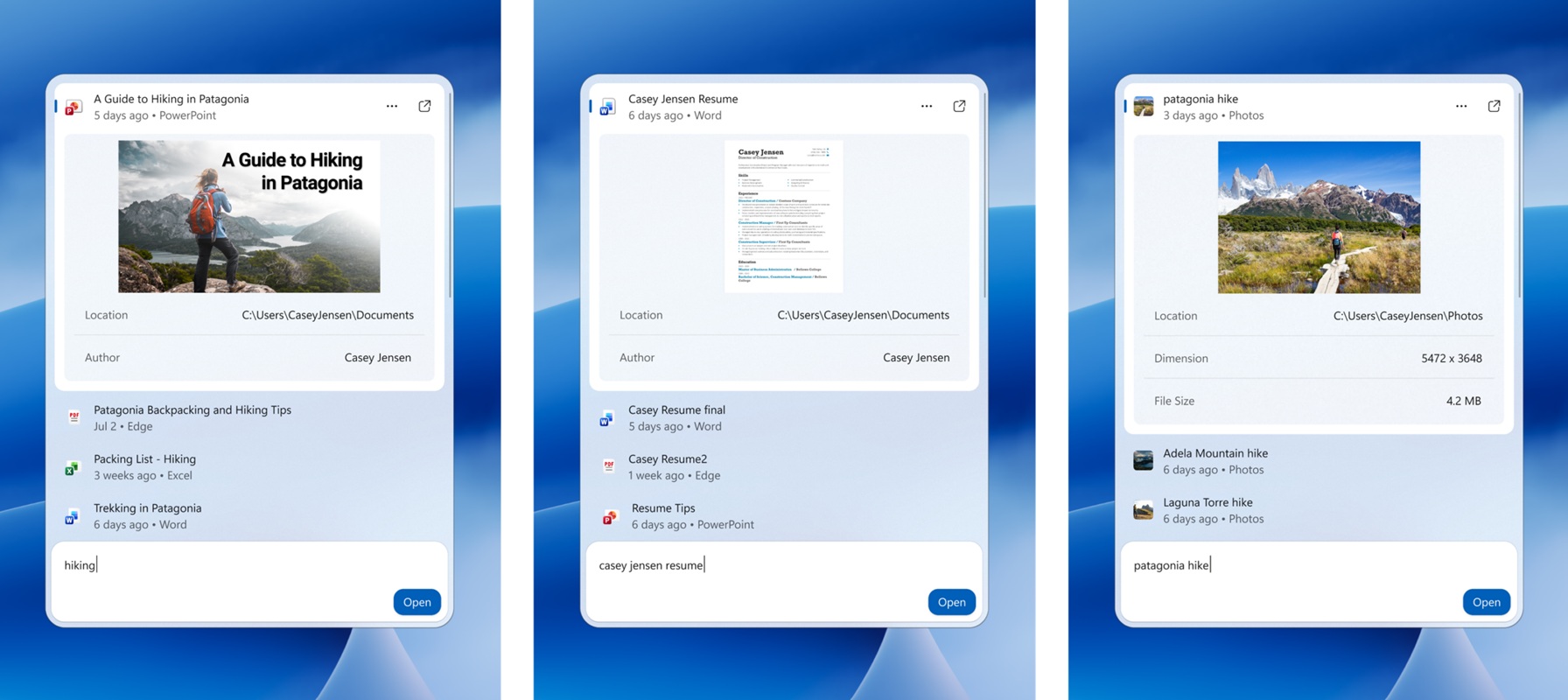
WinUI makes the Search experience faster and more native, reducing the likelihood of stuttering on low-end PCs. Moreover, the new Search experience does more than locate files, apps, or settings.
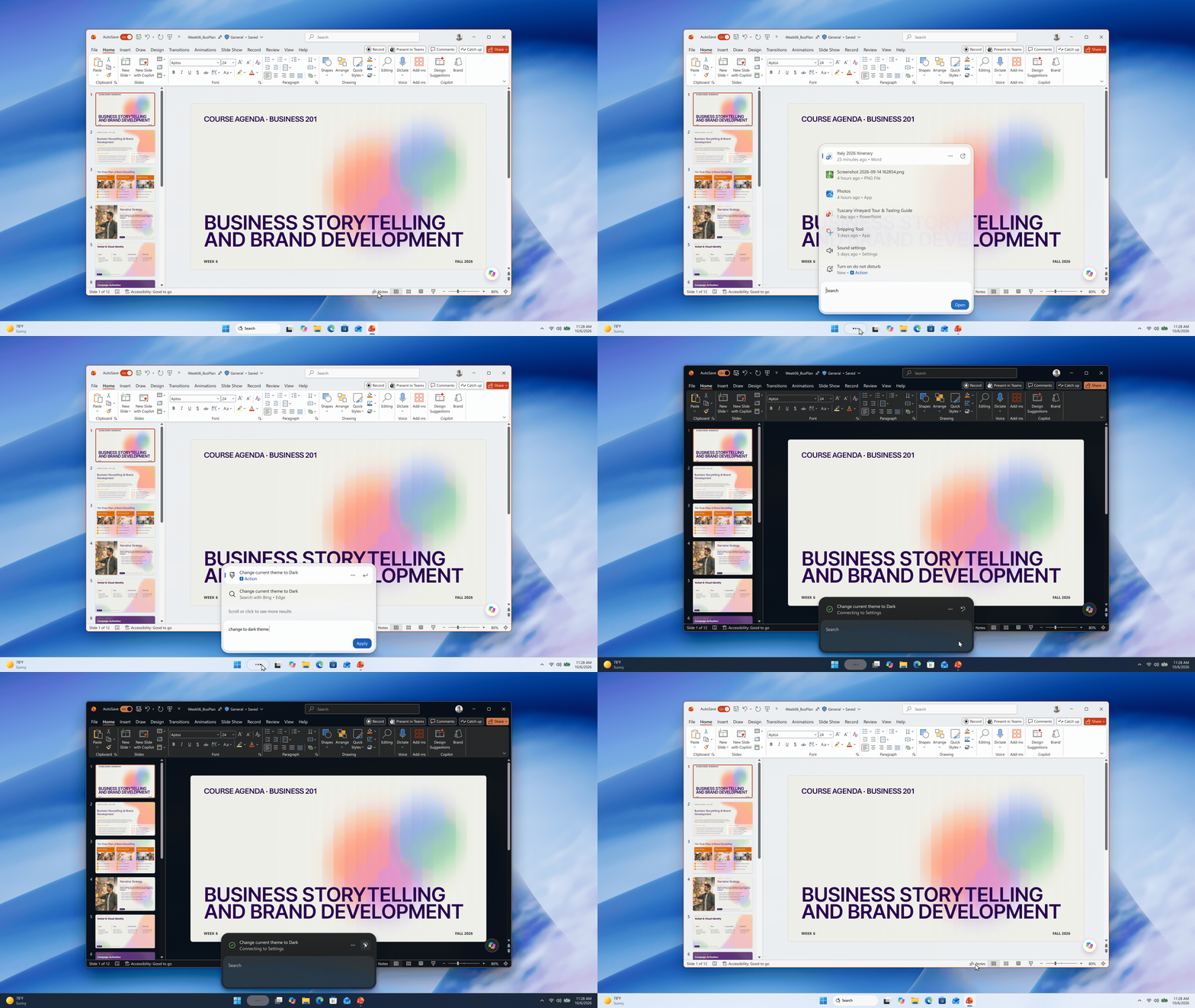
Users can interact directly with Windows Settings through phrases such as “turn on Bluetooth,” “switch to dark mode,” or “dim my screen” and apply the changes from Search. MS has also confirmed that phone actions are coming soon, allowing users to complete quick tasks through a Phone Link-connected device.

Other potential Actions are also being considered. For example, MS has quietly confirmed that it is exploring the ability to send emails directly from Windows Search.
If that capability is introduced, users could eventually open the Start menu and begin typing an email, prompting the new Search experience to perform the action.
With these powerful Search integrations, limiting the Windows key to opening Start may not make full use of the new capabilities. That could explain why MS is considering a different behavior for the key.
Windows Latest depends on readers like you. Make us your Preferred Source on Google Discover and Google Search, and help its independent reporting reach more people.
