

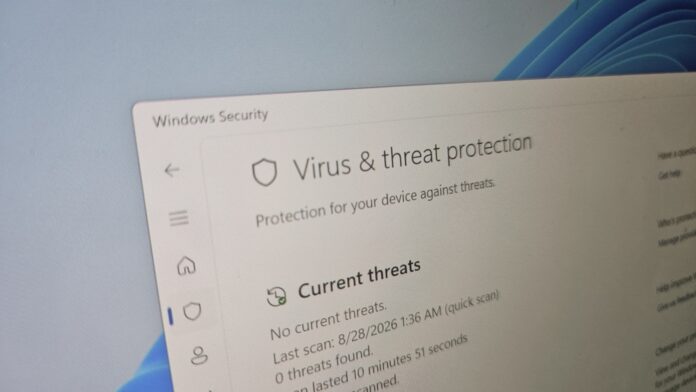
If Windows 11 is warning you to turn on virus protection because your PC is unprotected, do not panic. The alert is appearing by mistake. MS has confirmed that it is aware of the issue, although a fix is not yet available.
In testing, Windows Latest found that the Windows Security app, which manages MS Defender Antivirus, randomly displays “Turn on virus protection” notifications when Windows starts and even during normal use. The alert claims that virus protection is disabled and prompts users to select it to activate MS Defender Antivirus.
“After installing the latest updates for MS Defender Antivirus, notifications might appear stating that ‘MS Defender Antivirus is turned off,’ even though the antivirus is functioning correctly and all settings show it as active,” MS warned in a statement. However, the company did not identify the specific version responsible for the issue.
Because protection was never actually disabled, selecting the alert makes no difference and simply opens the Home tab in Windows Security or MS Defender. If you have not received the alert yet, it may appear within the next few days. If the alert is already in Notification Center, additional notifications may continue to appear until MS releases a fix.
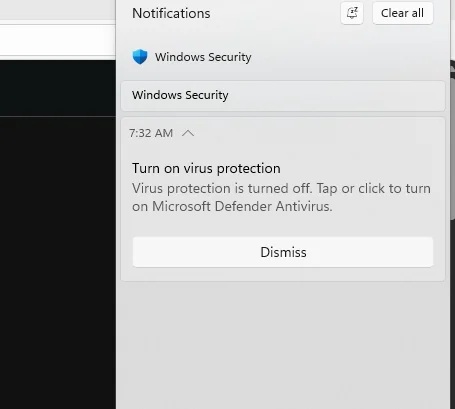
Although the notification can be dismissed, it may reappear. The issue appears to affect all Windows versions that receive the relevant Defender update, including Windows 11 versions 23H2, 24H2, and 25H2, as well as Windows 10.
The “Turn on virus protection” alert also bypasses Windows notification settings. As a result, disabling system-wide notifications or enabling Do Not Disturb will not prevent it from appearing.
MS Is Working to Stop the False Windows Security Alerts, but a Fix Is Not Yet Ready
In an updated support document, MS stated that the issue affects any version of Windows or Windows Server running MS Defender Antivirus, provided Defender has not actually been paused. Windows 7, for example, does not display these alerts because Defender updates are no longer released for it.
“We are working to release a resolution in a future MS Defender Antivirus update and will provide more information when it is available,” the company stated.
Windows Latest independently confirmed that the false Defender security alerts were first observed in early August. The number of reports increased over the following days, drawing MS’s attention.
MS software engineer Jen Gentleman also confirmed approximately two weeks earlier that the company was investigating the issue, but no resolution has been released so far.
This issue should not be dismissed as a harmless mistake. False Windows security alerts can be particularly alarming because malware may use similar tactics, including fake or misleading warnings designed to persuade users to disable MS Defender or change other security settings.
For that reason, users should not automatically dismiss the notification as a false alarm. First, verify that MS Defender is running and that real-time protection is enabled.
Verify That Windows Defender Is Running
Check Windows Security
Open Windows Security and select Virus & threat protection. If Defender is working correctly, the app should not display any protection warnings. Security prompts encouraging you to enable OneDrive can be safely ignored because they are promotional.
Under Virus & threat protection settings, select Manage settings and confirm that Real-time protection is turned on.
Check MS Defender from Command Prompt
You can also verify MS Defender’s status from Command Prompt. If MS Defender Antivirus is running, the result should indicate that the service is active.
The following screenshot shows the result on the author’s PC:
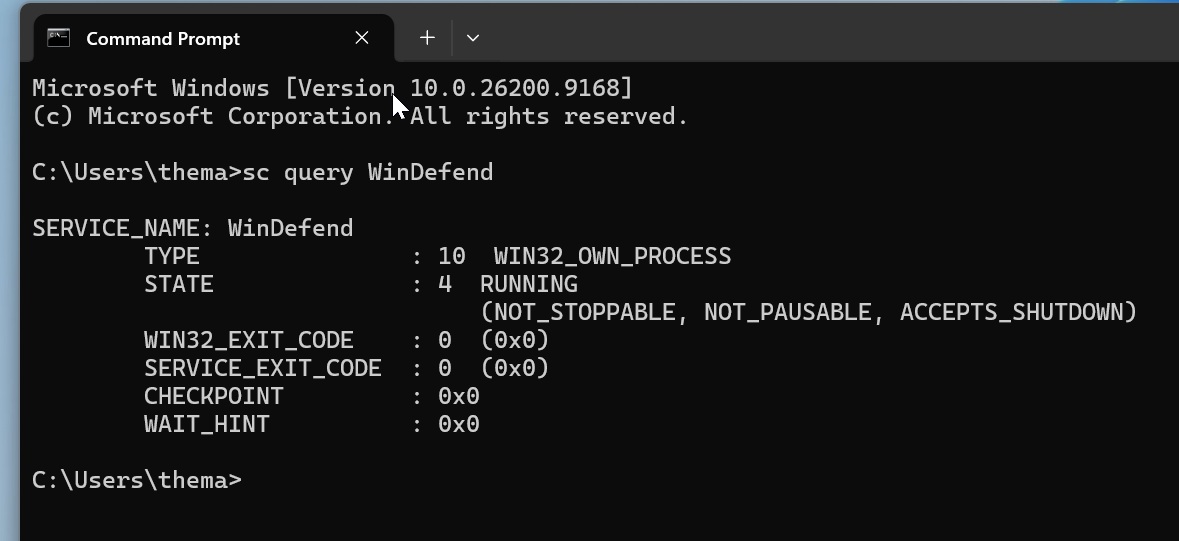
However, this check covers only a specific feature. A separate command can verify whether Defender and its real-time protection are enabled. On a normally protected PC, the output should confirm that the relevant protection settings are active.
These commands can be run without launching Terminal as an administrator. The following screenshot shows the result on the author’s PC:
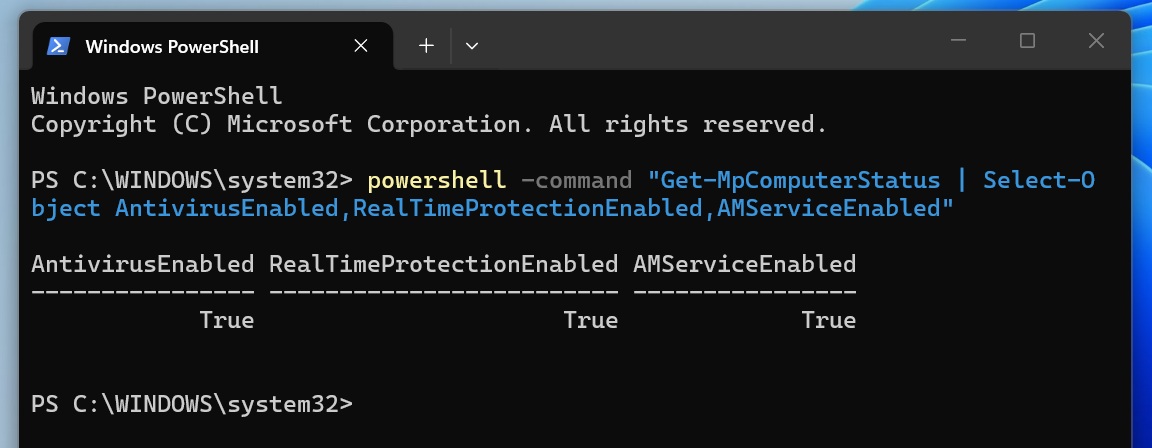
If all three values are True, Windows Defender Antivirus and its real-time protection are active, even if Windows incorrectly displays the “Turn on virus protection” notification.
This is not the only issue currently affecting Windows. MS has also confirmed that it is aware of a bug that causes the Windows 11 cursor to malfunction after an update, while some users are also seeing their wallpapers reset.
Windows Latest depends on readers like you. Make us your Preferred source on Google Discover and Google Search to help our independent reporting reach more people.
