


Windows, including Windows 11, has more than 200 documented keyboard shortcuts. However, one of its strangest shortcuts is not listed on MS’s main Windows shortcuts page: Ctrl + Alt + Shift + Win + L. This combination opens LinkedIn.com in the default browser, and MS apparently tracks how many users access the site through the shortcut.
When I opened LinkedIn using the keyboard shortcut, Windows also added a referral-tracking parameter that allows LinkedIn to identify traffic generated by MS’s Office keyboard shortcut. You can test the shortcut yourself and closely watch the browser’s address bar as LinkedIn.com opens.
The parameter is quietly removed once LinkedIn finishes loading. LinkedIn has some of the worst dark patterns, so I am not surprised that it tracks where visitors to its homepage come from. I do not necessarily think Windows adds the tracker in this case, but how is it connected to the Office suite?
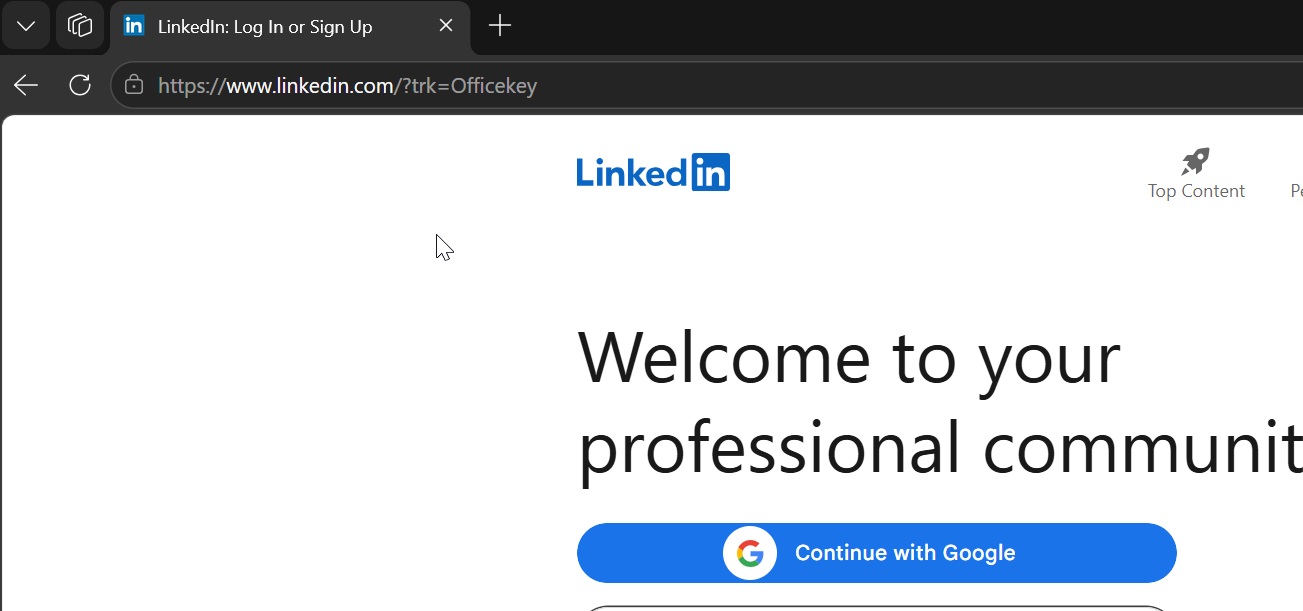
Is the five-key shortcut, Ctrl + Alt + Shift + Win + L, connected in any way to MS 365 or a perpetual Office license? No. Although the tracker uses “Officekey,” the LinkedIn shortcut in Windows is not tied to any other product. It is built into Windows, and you cannot disable or remap it unless you use PowerToys. I also found that the shortcut works on Windows Server, so it is certainly not exclusive to Windows 11 Home.
Why Does Ctrl + Alt + Shift + Win + L Open LinkedIn?
MS usually provides explanations for Windows keyboard shortcuts, but the company does not appear to have answered this question. MS owns many products, so why does only LinkedIn have a dedicated shortcut that works even on a standard installation of Windows?
One possible explanation is that Ctrl + Alt + Shift + Win is tied to MS’s former Office key, which appeared on older physical keyboards, much like the Copilot key does today. For example, the following physical keyboard includes a dedicated Office key, which was introduced with Windows 10 version 1903:

MS’s own support document confirms that the LinkedIn shortcut exists, along with other Office key combinations.
“MS Office at your fingertips: Get to your MS Office apps in a second with the Office key on your MS Ergonomic Keyboard,” MS noted in a document published years ago. “Want to open Word quickly? Just press the Office key + W. With the Office key, you can get to the Office apps you use every day without taking your hands off the keyboard.”
However, even Windows PCs that no longer include an Office key can still use the shortcut. On any keyboard, including a virtual keyboard, pressing Ctrl + Alt + Shift + Win reproduces the Office key combination. This is why Ctrl + Alt + Shift + Win + L opens LinkedIn.
This shortcut has been part of Windows since at least 2019, when Windows 10 version 1903 was released. Although it is merely an interesting piece of trivia to me, some users dislike it because the Alt + Ctrl + Shift + Win combination overrides shortcuts they previously used with AutoHotkey.
Windows Latest depends on readers like you. Make us your Preferred source on Google Discover and Google Search, and help our independent reporting reach more people.
