


The new Outlook for Windows now includes All Accounts, MS’s version of a unified inbox. It displays email from every connected account in a single list while keeping each mailbox separate. The feature is now rolling out to all users, and I have been testing it on my Windows 365 Cloud PC to manage messages from my work and personal accounts in one pass.
Unified inboxes are not a new concept. The former Windows Mail app could link inboxes, while Outlook for Mac, iOS, and Android has offered the capability for years. However, when MS shut down Mail and Calendar and moved users to the new Outlook, the feature did not carry over.

New Outlook’s All Accounts View Puts Every Inbox in One Place
Before this update, I had to check each inbox individually. Pinning inboxes to Favorites reduced the number of clicks, but it still did not provide a single combined message list.
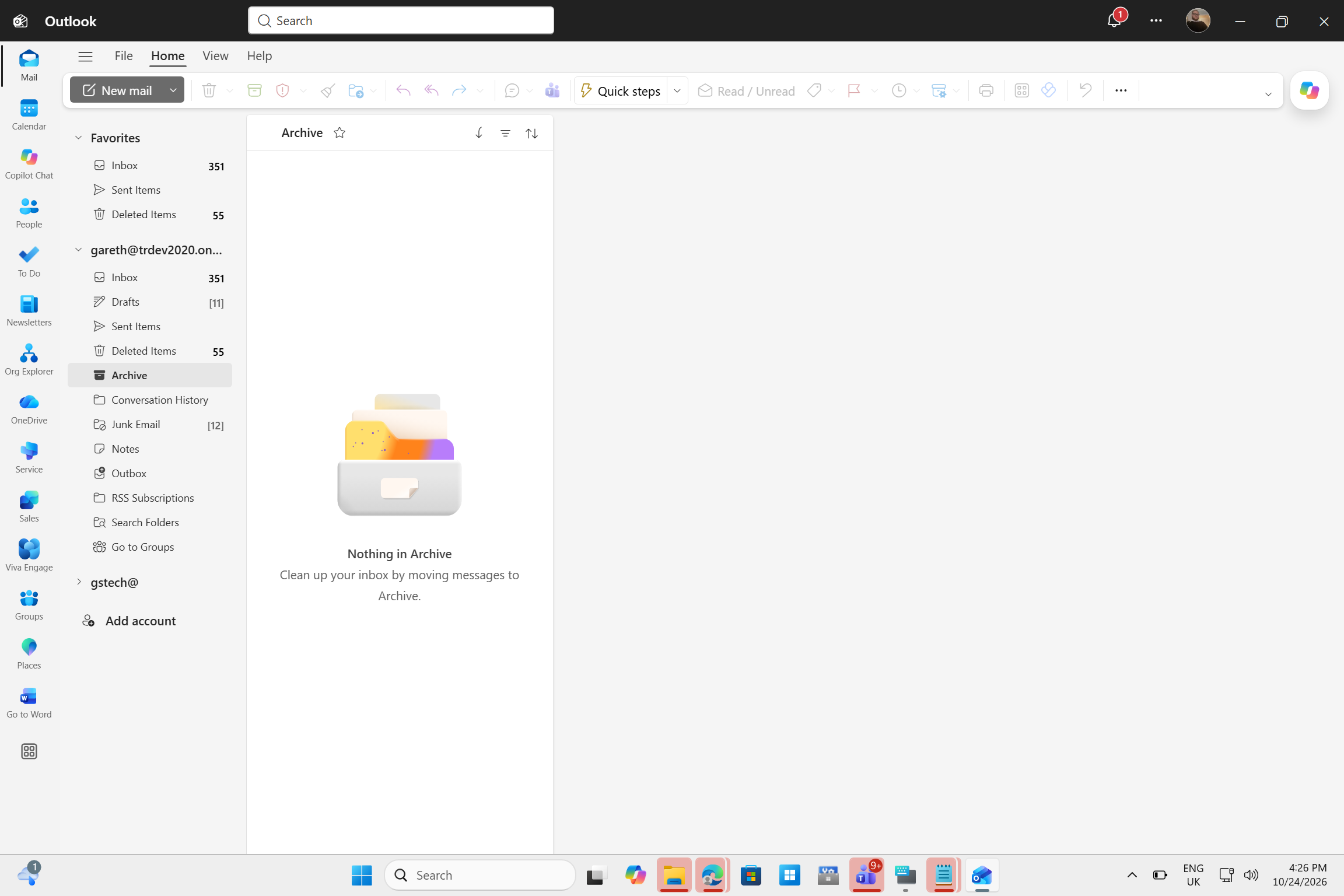
MS confirmed the All Accounts view in June. According to Message Center post MC1519843, the rollout began in late September and should be completed by late October. “Users can read, delete, search, move, archive, and mark messages across accounts without switching between mailboxes,” MS says, adding that the feature “does not merge mailboxes or move messages between accounts.”
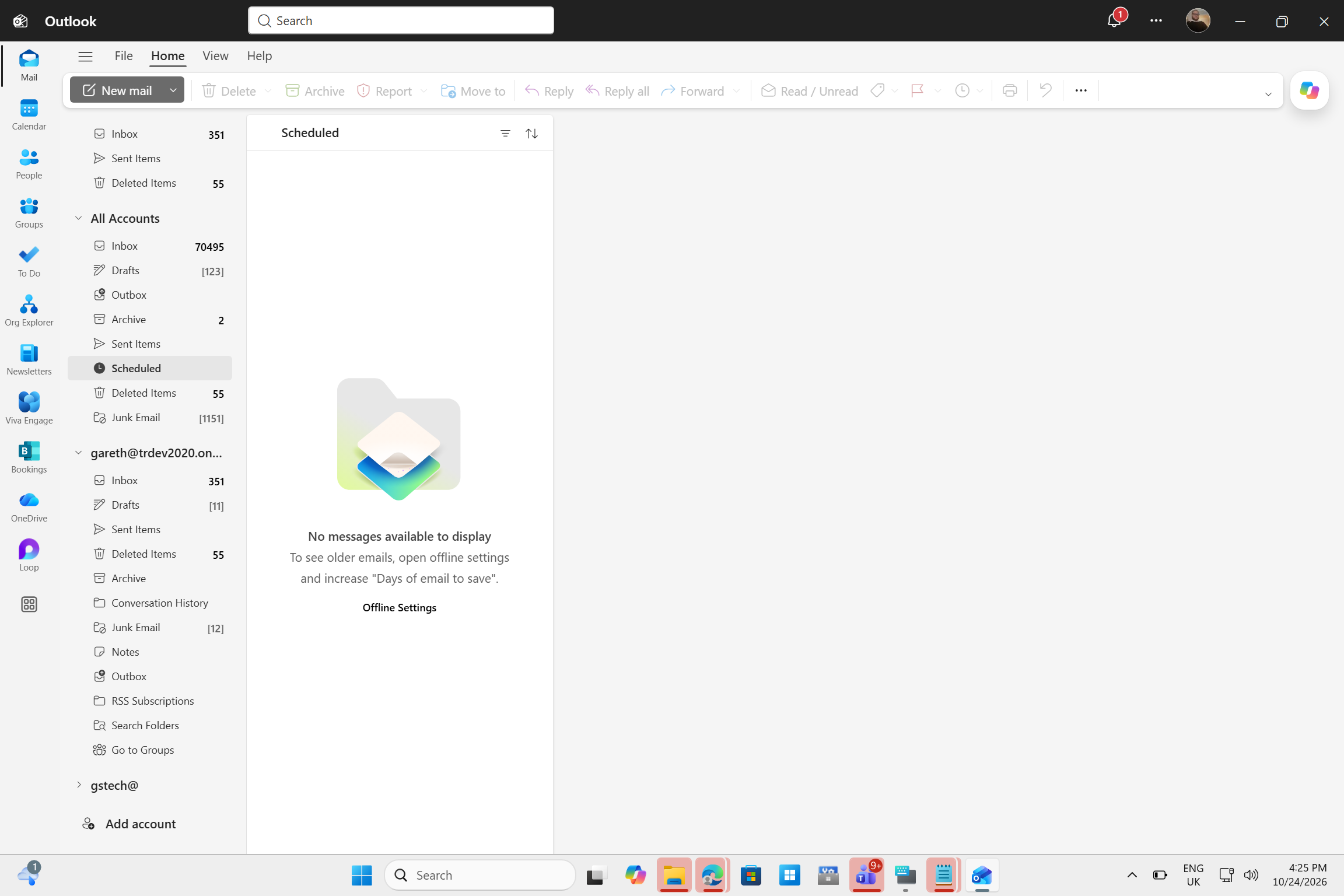
Once enabled, a new All Accounts section appears in the folder pane above the individual mailboxes. It extends beyond a typical unified inbox by including combined Drafts, Outbox, Archive, Sent Items, Scheduled, Deleted Items, and Junk Email folders. However, a combined inbox containing 70,495 unread messages could feel overwhelming.
How to Enable All Accounts in the New Outlook for Windows
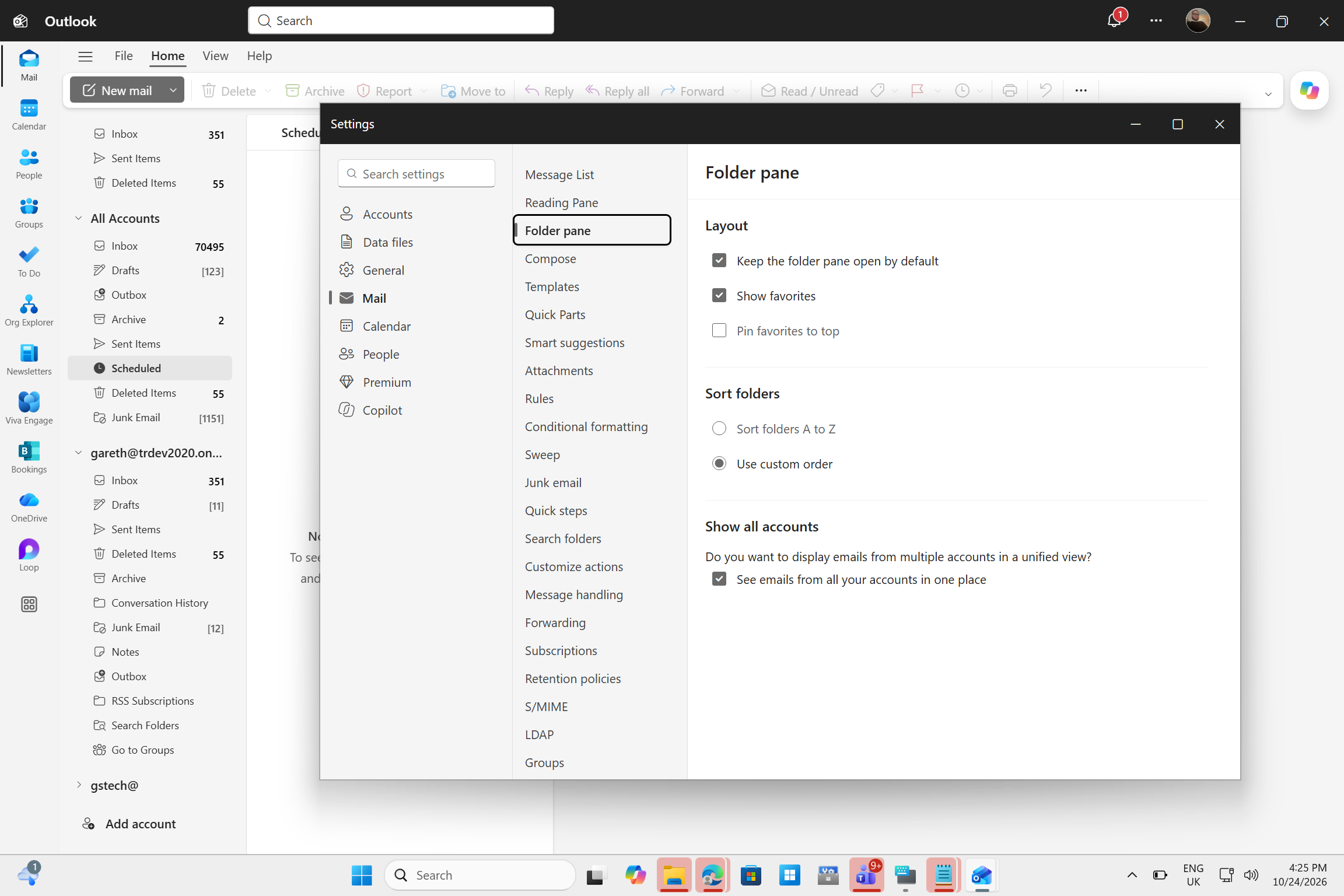
My Cloud PC received the feature through Targeted Release on new Outlook version 1.2026.922.300, while my laptop has not yet received it. To enable the feature, open Settings > Mail > Folder pane, then select “See emails from all your accounts in one place” under Show all accounts.
Some users may find that the feature is already enabled. MS says administrative controls are coming later this month, allowing IT teams to determine whether Unified Inbox is enabled by default and whether users can change the setting.
Using One Inbox for Multiple Outlook Accounts
My usual first step is to address urgent messages, archive reference emails, and leave the rest for later. All Accounts allowed me to complete this process once instead of repeating it in every inbox. I could also archive messages or mark them as read without leaving the combined list.
The feature also helped with less active accounts. New messages from my secondary account appeared in the combined list, eliminating the need to open its folders or monitor unread counts.
I still open individual mailboxes when I need to focus on a specific account. Because the combined view appears directly above them, switching requires only one click.
Cross-Account Search and Shared Mailboxes Are Still Missing
MS lists search among the actions available across accounts. However, in the version I tested, searching for older messages initiated a search in only one mailbox, requiring me to open the correct account to find them. MS also says that Search with Copilot can find messages only in the primary account.
Shared mailboxes are not included in the view either, although MS says support will be added later. Users who manage team inboxes must still open them separately, even though the new Outlook’s shared mailbox handling has improved this year.
All Accounts Should Have Been Included from the Start
If you use only one email account, this feature will make little difference. However, for anyone who switches among work, personal, and other accounts every day, All Accounts eliminates a frustrating account-by-account routine. I am glad it is finally available.
Nevertheless, the new Outlook launched as the replacement for both Mail and Outlook Classic without a feature already available in the free Mail app. It is a web app that can be painfully slow compared with Outlook Classic. With MS planning to make it the default for businesses in 2027, it still has considerable catching up to do, as our three-day testing demonstrated.
Windows Latest depends on readers like you. Make us your Preferred Source on Google Discover and Google Search, and help our independent reporting reach more people.
