


MS has released Windows 11 26H2, but if you install it expecting Windows 11 to suddenly look or feel different, you will probably be disappointed. Most of what MS lists as new has already reached PCs through monthly updates.
John Cable, MS’s Vice President of Product Management for Windows Servicing and Delivery, calls it a “predictable and low-disruption update.” Surprisingly, the company’s marketing description appears to be accurate.
Jokes aside, on a PC running 24H2 or 25H2, 26H2 requires only a tiny download and a single restart, as MS promised in June.
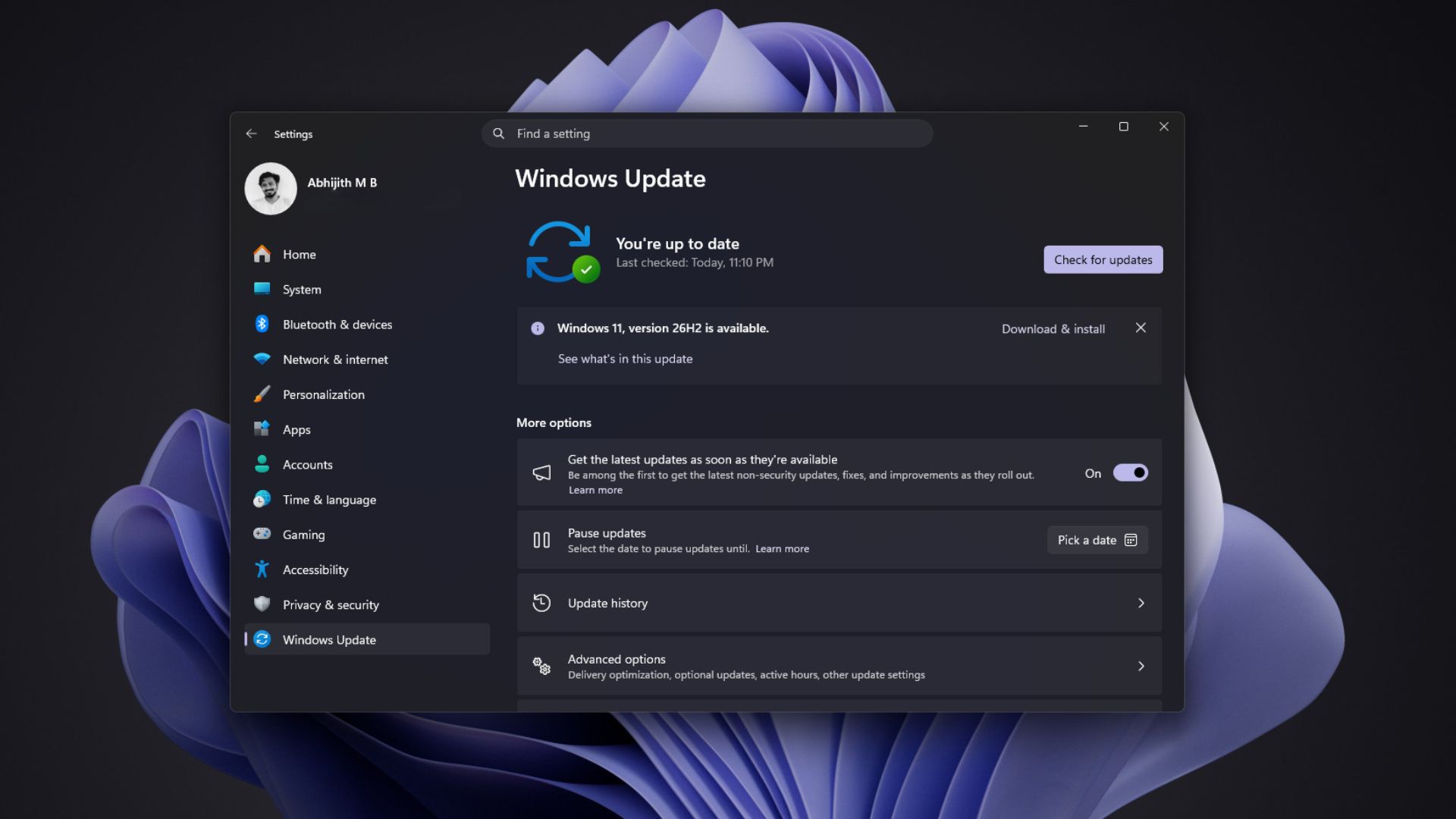
Ironically, MS’s announcement says 26H2 “brings together” what 25H2 received over the past year, meaning an up-to-date PC already has most of it. There is also the performance boost many of us noticed, which MS did not mention.
So, if MS calls 26H2 a feature update, what did you actually get when you installed it?
Windows 11 26H2 Is a “Master Switch” for Code Already on Your PC
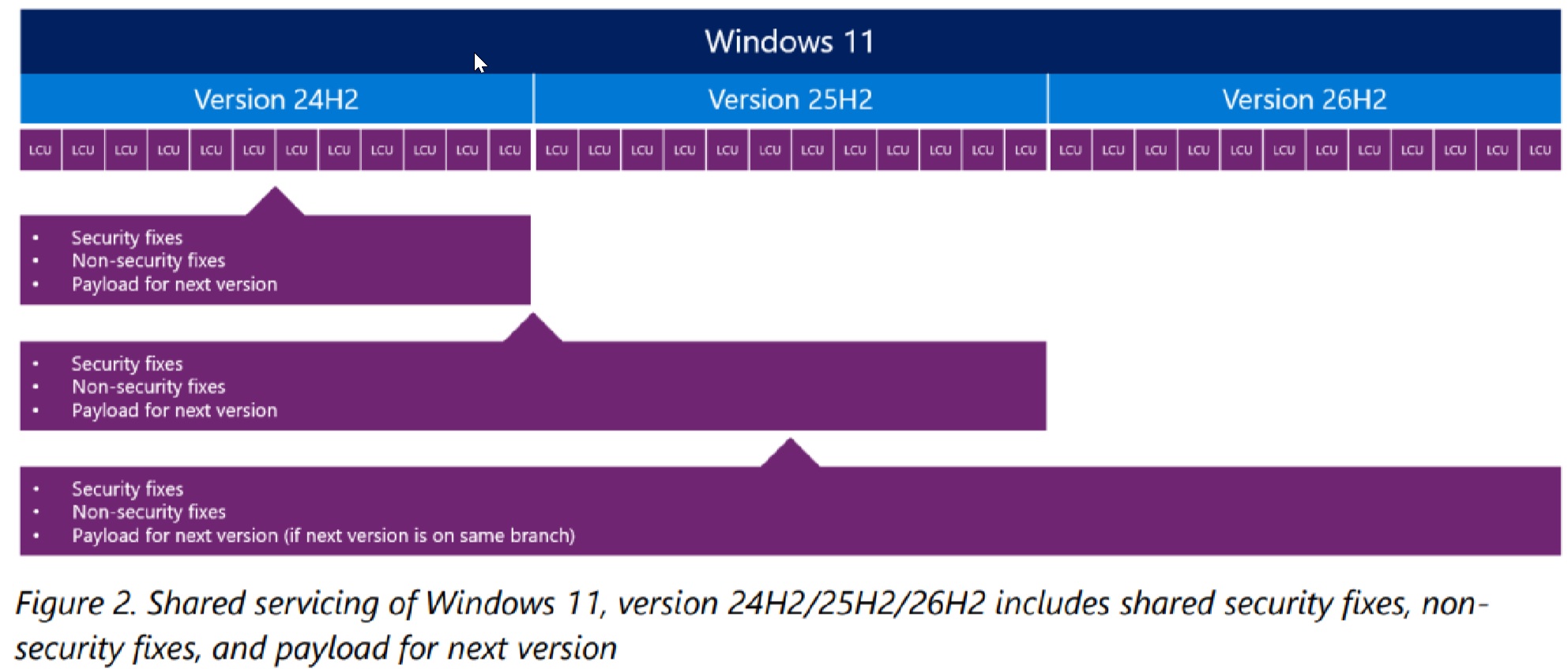
Windows 11 24H2, 25H2, and 26H2 share the same servicing branch and codebase. New feature code reaches 24H2 and 25H2 through monthly cumulative updates, so your PC receives 26H2’s features well before it officially becomes 26H2.
Personally, I would prefer new features to reach Windows Insiders first, followed by months of testing before everything is released to all PCs in a single annual update. That approach could also restore some excitement to otherwise unpopular Windows updates.
MS’s support document for KB5121794 says these features remain “in an inactive and dormant state” until the enablement package—a quick-to-install “master switch”—turns them on. The package is only 174KB on x64 PCs—yes, kilobytes.
Jason Leznek, Principal Product Manager for Windows Servicing and Delivery, describes it more clearly in the Windows IT Pro Blog: “The difference between versions is simply which features are enabled.”
The package also resets the lifecycle, providing Home and Pro editions with updates until October 10, 2028. In my opinion, that is the main reason 26H2 exists, as Windows 11 24H2 Home and Pro will stop receiving updates on October 13, 2026. When we tested 26H2 in the Release Preview channel in August, the only visible change on my test PC was the build number moving to 26300.9278.
Windows 11 26H1 PCs, which shipped on select new Arm laptops, are the exception. MS says 26H1 is “based on a different Windows core”—build 28000—so those PCs will not receive 26H2. Instead, they will move to a future release where all devices will share 27H2.
Most of Windows 11 26H2’s Feature List Has Already Reached Your PC
Based on MS’s official posts, 26H2 enables features that have largely already been delivered to fully updated Windows 11 24H2 and 25H2 PCs.
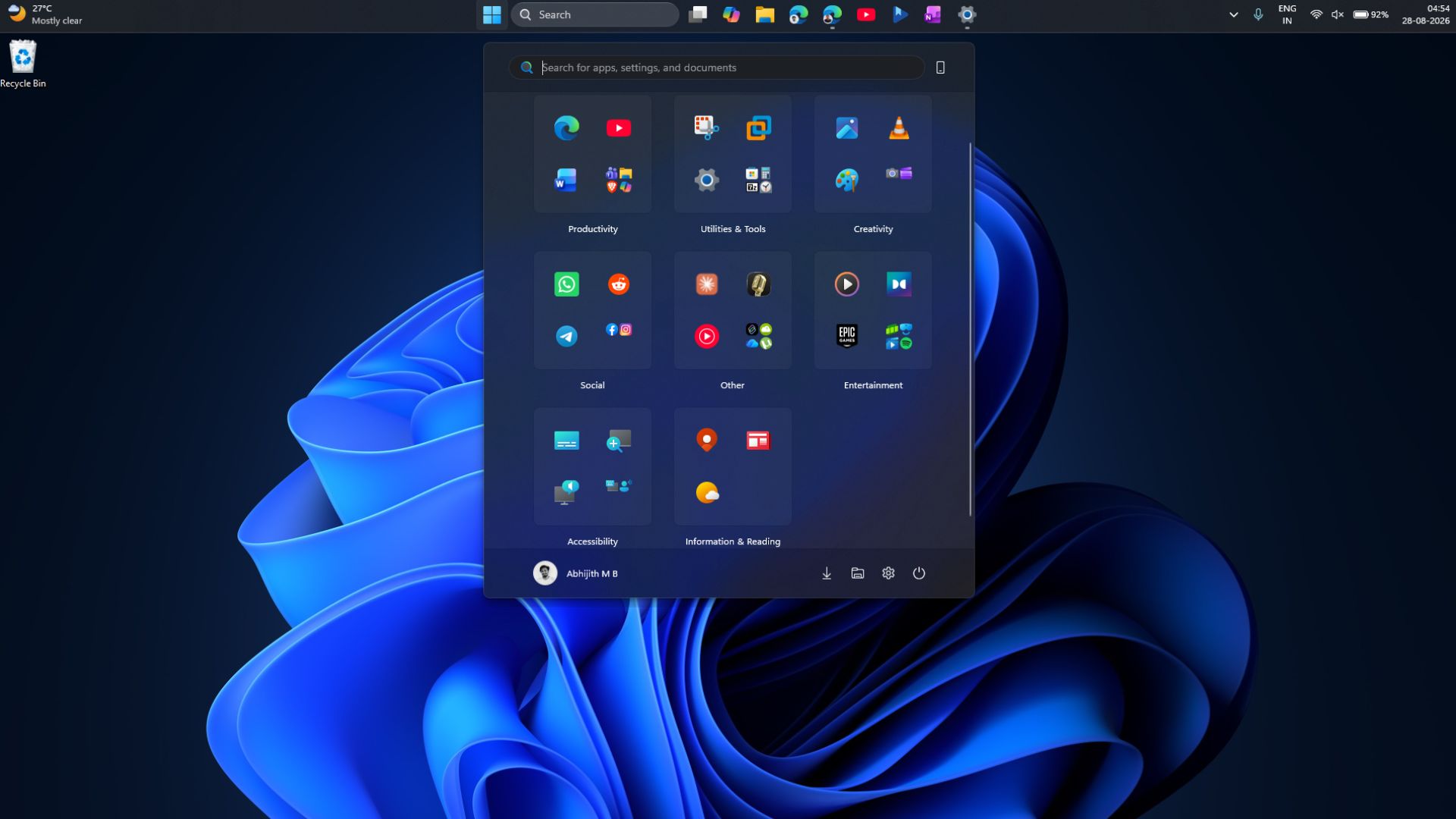
The redesigned Start menu reached everyone in July, while the movable taskbar, resizable Start menu, and Bing-free Search began rolling out with the September 8 update, KB5124008.
If Windows Update has not offered you 26H2 yet, you can download and install it manually. If you want a clean installation of the 2026 Windows 11 annual release, you will need to download the 26H2 ISO, which is a full 7.9GB image.
For commercial devices, 26H2 activates features previously withheld by “temporary commercial controls,” including Windows settings backup, app-specific actions from the taskbar, and certain File Explorer enhancements. For IT administrators, these are the closest 26H2 comes to offering genuinely new features.
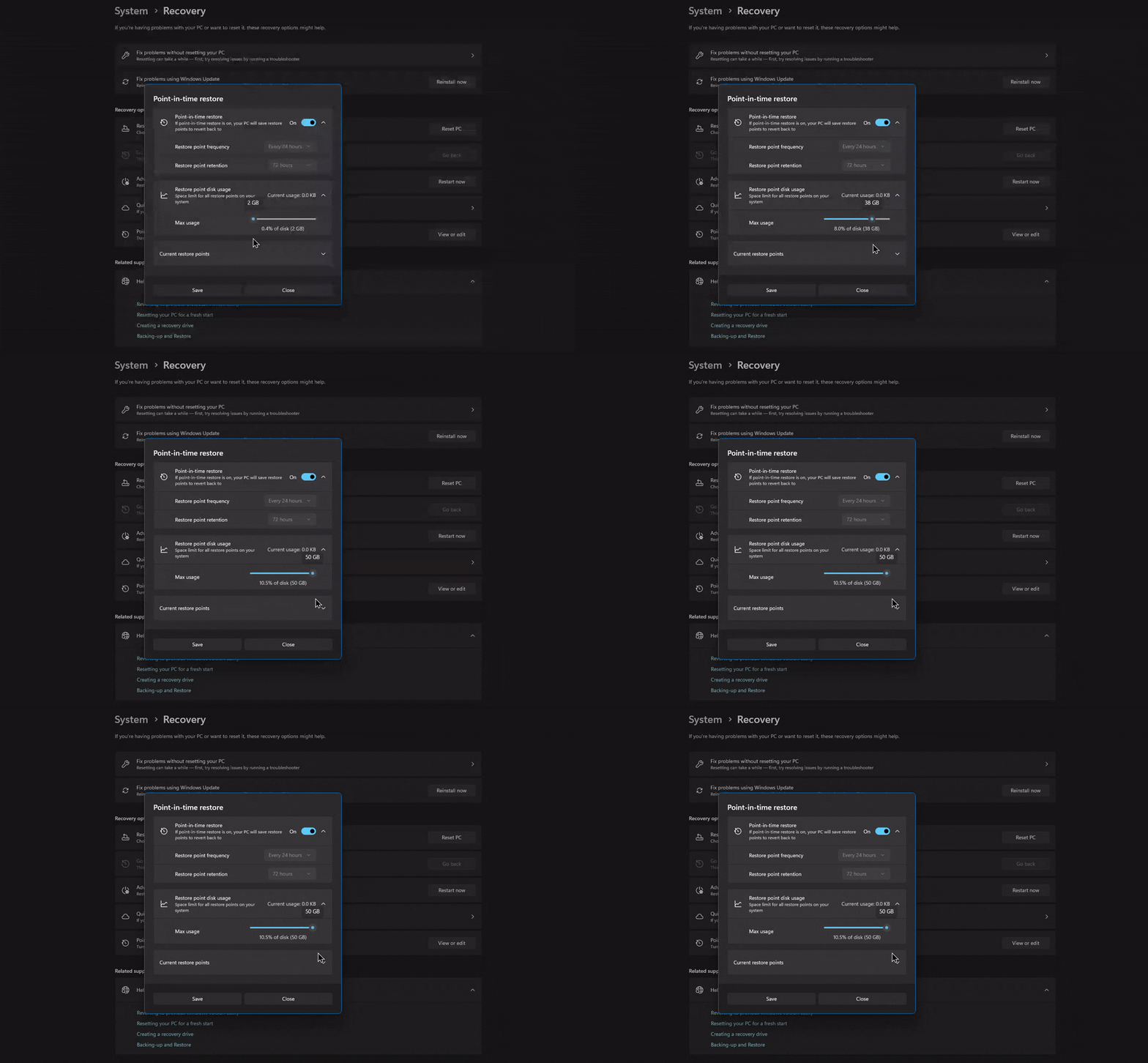
Point-in-time restore was already enabled by default on Home and unmanaged Pro PCs, but MS’s documentation says it will remain disabled on enterprise-managed systems “until Windows 11, version 26H2.” In both cases, it activates automatically only when the operating system volume is 200GB or larger.
Shared code also means shared bugs. MS confirmed that apps and games using Windows’ built-in AC-3 (Dolby Digital) decoder might crash after KB5124010 on 26H2, 25H2, and 24H2 alike. Skipping 26H2 will therefore not protect you from the issue, if that is any reassurance.
The Biggest 26H2 Improvement MS Did Not Include on the Feature List
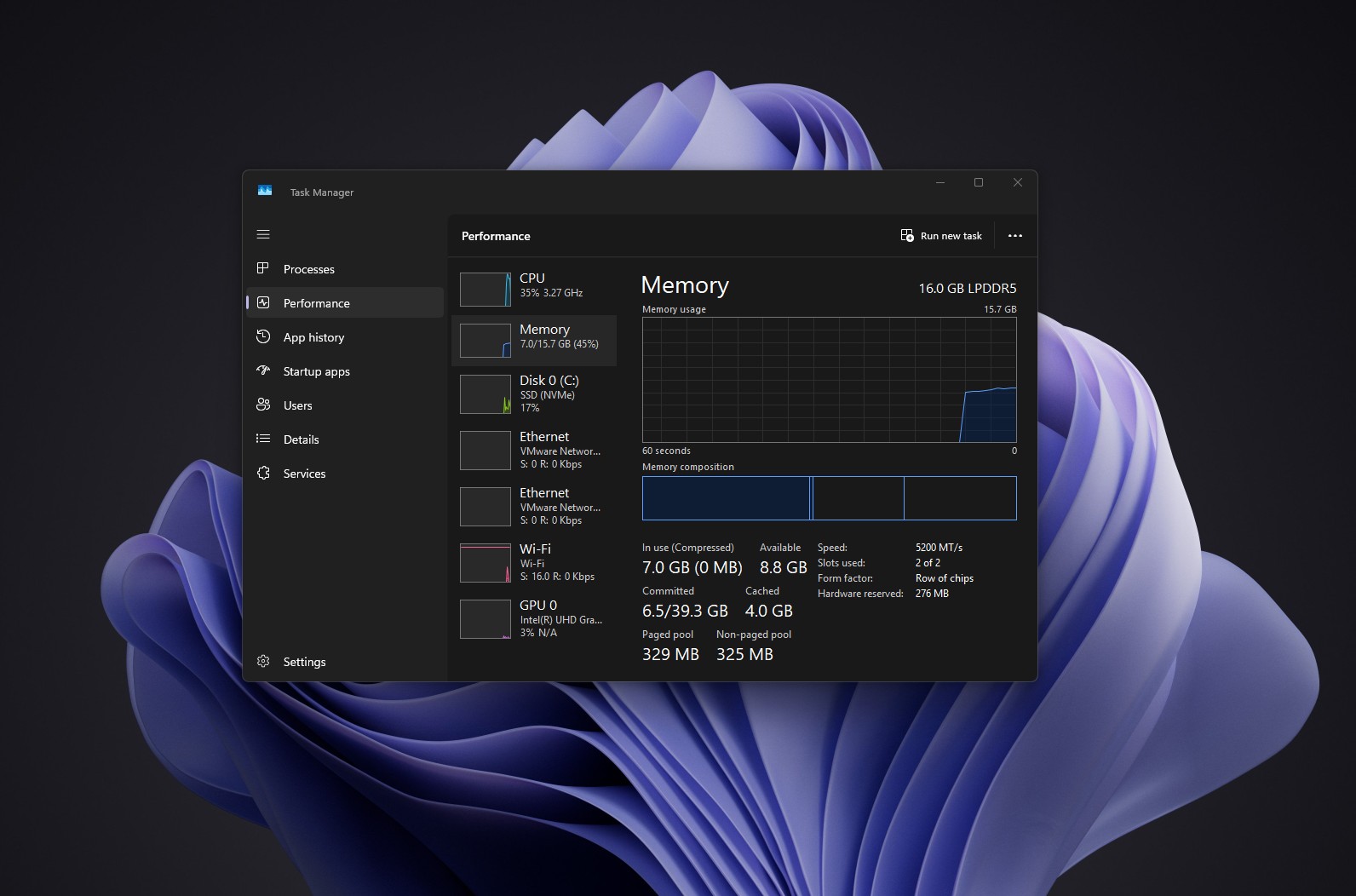
I installed 26H2 on my three-year-old laptop with 16GB of RAM. Immediately after restarting, Task Manager showed 7GB in use out of 15.7GB. Previously, usage would exceed 10GB before I had even opened an app.
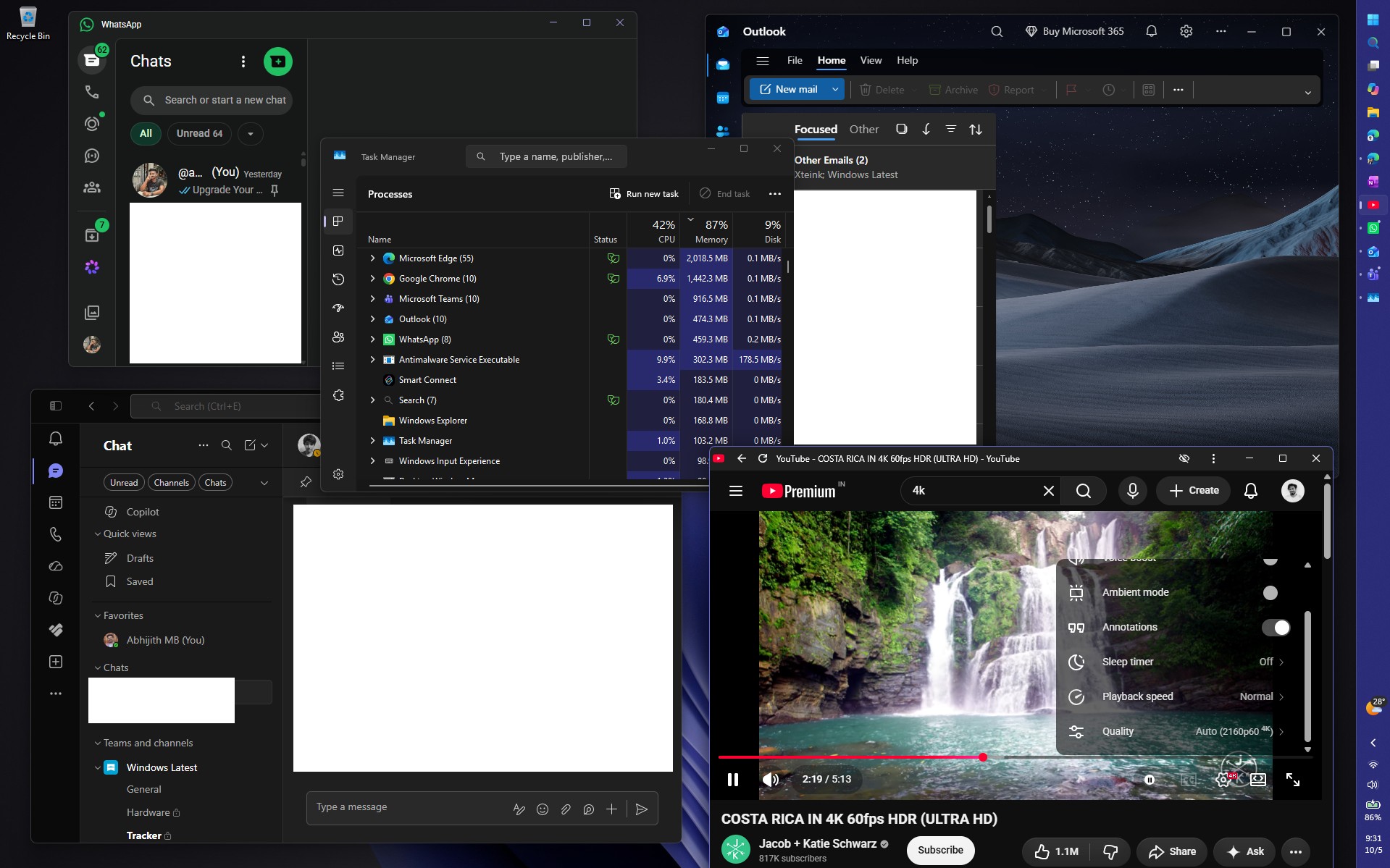
With Edge running numerous demanding tabs alongside WhatsApp, Teams, Outlook, and a 4K 60fps YouTube video, memory usage hovered at around 87%. Previously, lighter workloads could push it to 95%—and I have always regretted buying a laptop with soldered RAM.
A Reddit user reported that boot-time RAM usage dropped by approximately 2GB on a PC with 48GB of memory, while one owner of an 8GB PC saw no change. Results may therefore vary significantly.
To be clear, MS has not listed lower RAM usage as a 26H2 feature, so I cannot attribute it directly to the enablement package. Startup apps and cached memory can significantly affect these figures. Nevertheless, Windows and Devices President Pavan Davuluri has cited the “rising cost of memory” as the reason MS is improving the memory manager, memory compression, WinUI, and WebView2.
Low Latency Profile is easier to measure. It pushes the CPU close to its maximum frequency for one to three seconds when you open Start, Search, or an app. In our tests, WhatsApp, the RAM-intensive Weather app, and other applications opened much faster.
Gradual rollouts had kept the feature disabled on many PCs since June, but 26H2 should activate it on most of them. From my perspective, 26H2 is the point at which a year of MS’s optimization work becomes available on most PCs at once.
How to Verify Whether Your PC Really Has Windows 11 26H2
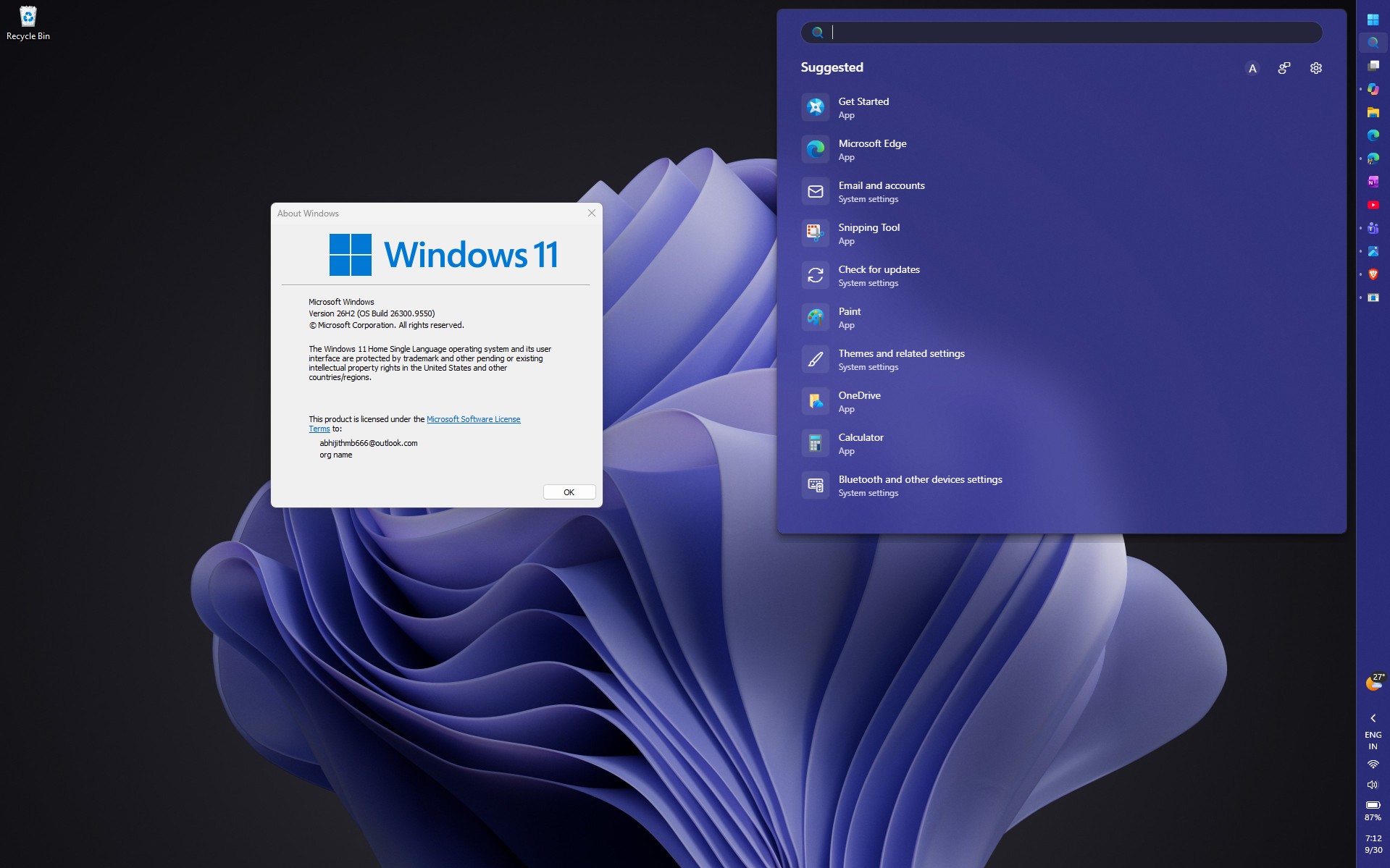
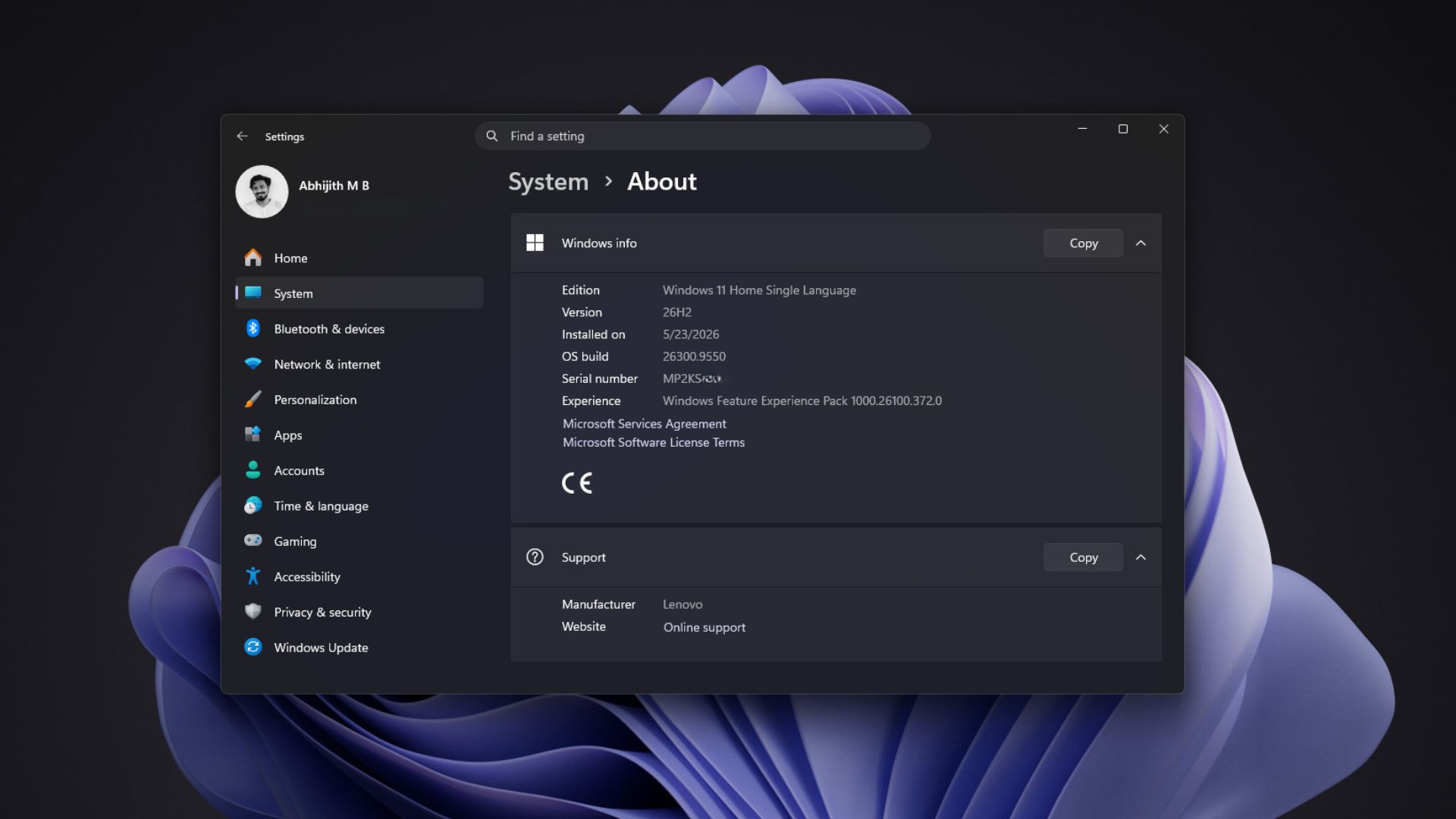
Open Settings > System > About and look under Windows specifications, which MS says lists your edition, version, and OS build. On 26H2, the Version field shows 26H2, and the OS build begins with 26300—26300.9550 or higher if the PC is fully updated. A build beginning with 26200 or 26100 means you are still using 25H2 or 24H2, respectively.
Press Win + R, type winver, and press Enter to open the About Windows dialog, which displays the version and OS build. It remains to be seen when this dialog will receive WinUI dark mode support.
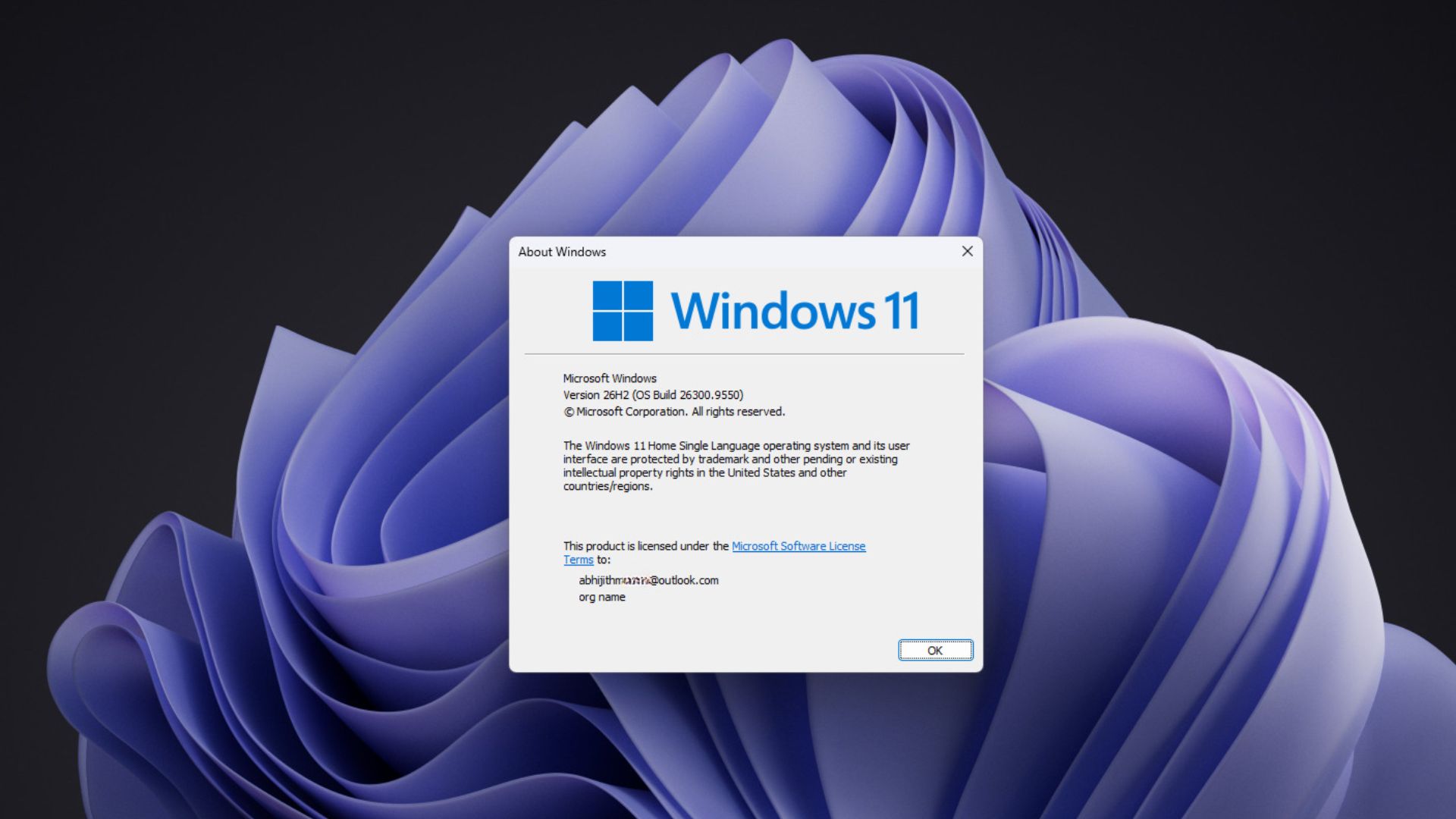
If 26H2 is not appearing at all, the issue is probably not with your PC. In MS’s announcement, Cable says the company is “releasing version 26H2 using a controlled feature rollout” and may apply safeguard holds to PCs with known compatibility issues.
Seeing 26H2 does not guarantee that every feature is enabled. During my August test, the movable taskbar, resizable Start menu, and new Search remained hidden after the version upgrade until I forced them on with ViVeTool. As a result, two PCs running 26H2 can still look different.
Windows 11 26H2 Packages a Year of Work Under One Version Number
Windows 11 26H2 sounds like a major annual update because MS describes it as one, but nearly everything noteworthy arrived throughout 2026 via monthly updates. Faster app launches, a quicker File Explorer, and Point-in-time restore on more PCs are sufficient reasons to install it.
However, MS still has some explaining to do regarding the reduction in RAM usage that many users are seeing. I hope the October 7 Windows event provides clarification.
Windows Latest depends on readers like you. Make us your preferred source on Google Discover and Google Search, and help our independent reporting reach more people.
