MS’s near-perfect native WinUI Search for Windows 11 ignores relocated taskbars, but its design VP confirms an undated fix
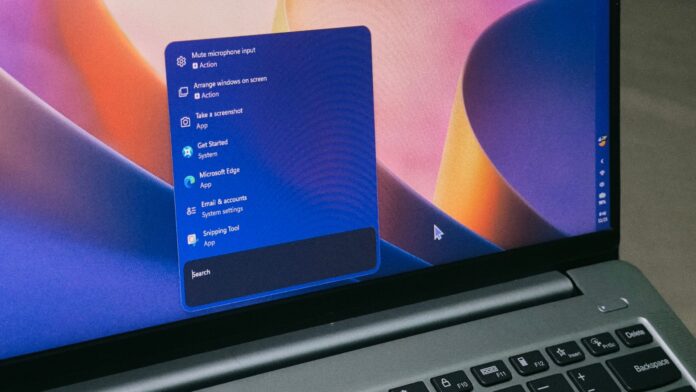
MS’s November optional update finally brought the native WinUI 3 Search experience to regular Windows 11 PCs. However, if you have moved the taskbar to the top or either side of the screen, Search still appears at the bottom. MS has now confirmed that it is working on a fix, although its roadmap suggests that users with movable taskbars may have to wait until next year.
Ironically, MS took five years to restore the movable taskbar. When it finally returned in September, the Start menu and old Search followed the taskbar wherever it was placed. The new Search—which I otherwise love—does not.
MS Confirms Windows 11 Search Will Follow Vertical and Top Taskbars
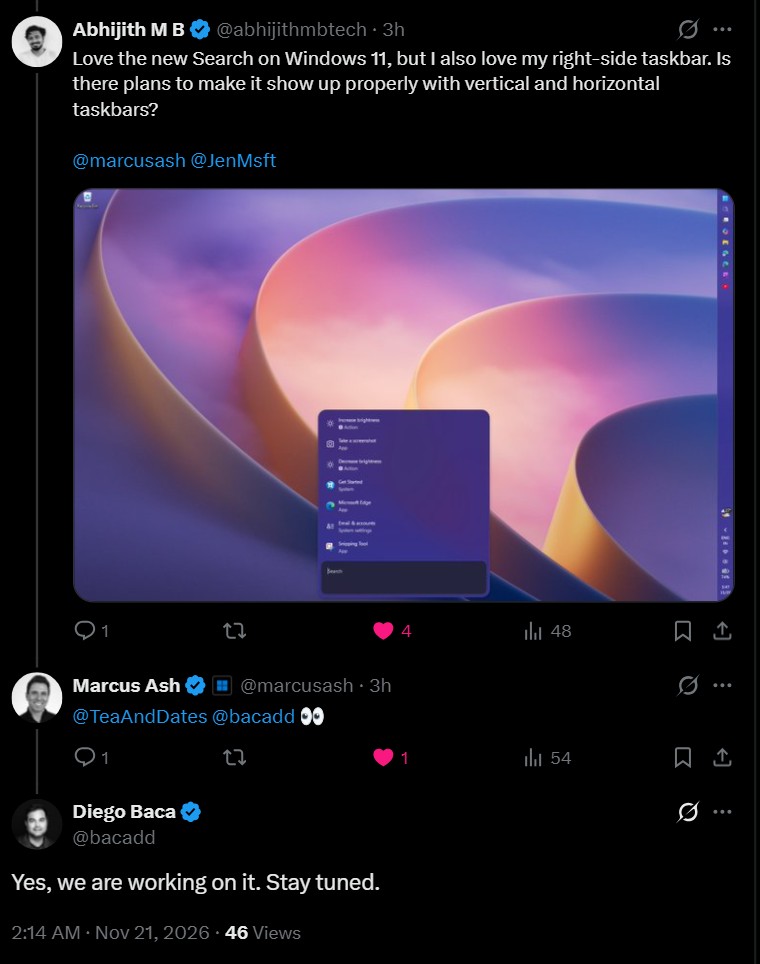
On November 21, I asked Windows design leaders Marcus Ash and Jen Gentleman on X whether the new Search would appear correctly with vertical and top taskbars. Marcus brought MS Vice President of Product Design Diego Baca into the conversation, and Baca replied, “Yes, we are working on it. Stay tuned.”
Admittedly, MS had already stated in its October 7 Search for Insiders announcement that work was underway to make the new Search follow movable taskbars, among other improvements. However, I was expecting a timeline. Under “What’s ahead,” the company said it was working to bring the new experience to the Start menu and “have it adapt naturally to different taskbar positions and Windows configurations.”
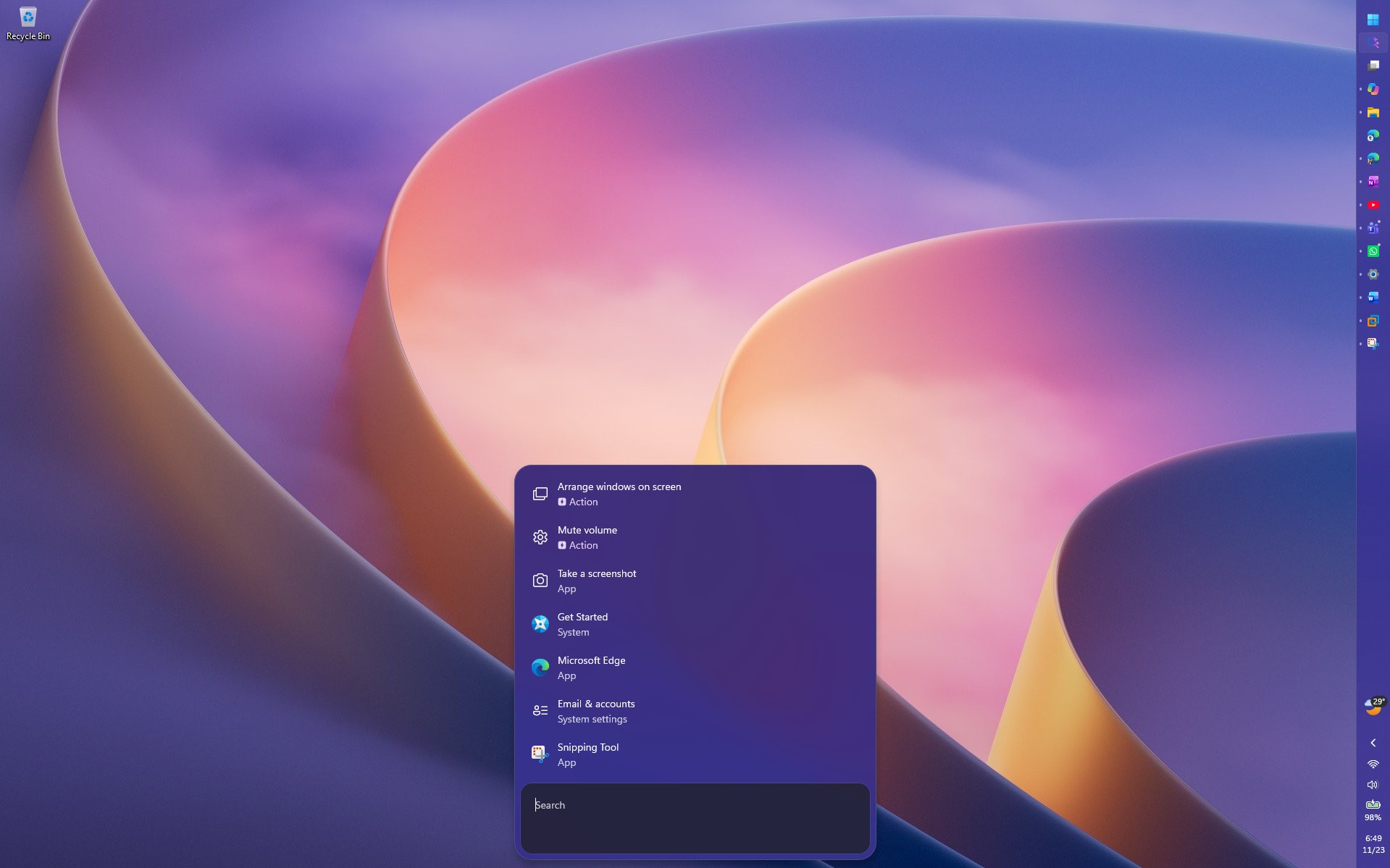
On my laptop, where the taskbar is positioned on the right, the old Search—with its substantial unused space—opened at the top beside the Search icon. The new Search, with its compact WinUI design, instead floats at the bottom of the screen as though the taskbar were still in Windows 11’s original position from five years ago.
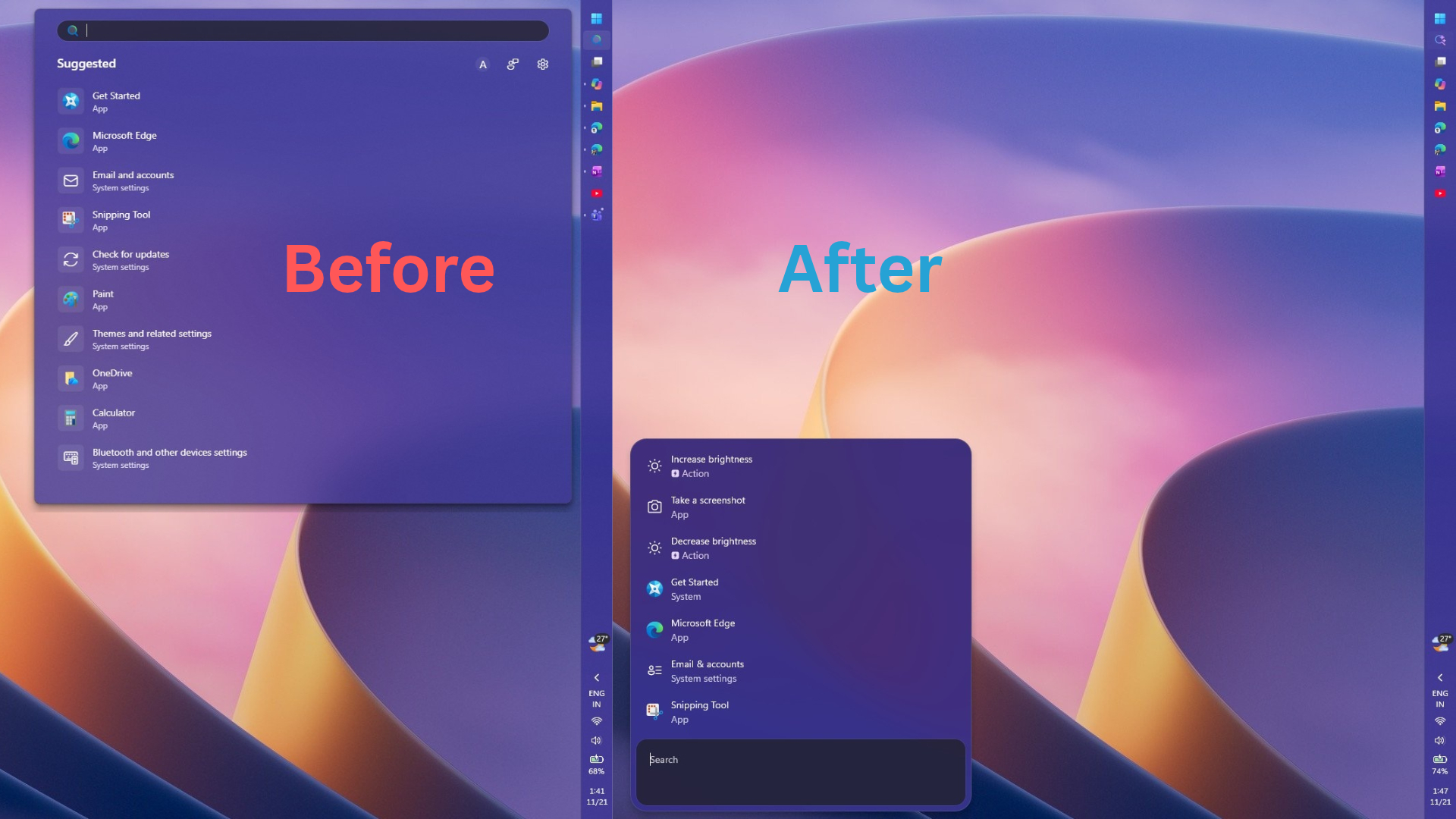
MS introduced the new Search to all PCs through the optional KB5132057 update as part of a gradual rollout. As a result, many users may not yet realize that it is available, although it can be enabled manually with ViVeTool. In our testing, it used only 26.3 MB of RAM in Task Manager, representing a respectable improvement over the old WebView2-based Search.
Windows 11 Users With Vertical Taskbars May Have to Wait Until Next Year
When I tested the new Search in Insider builds last month, I was convinced that MS would not release it to regular PCs until it could also move with the taskbar. After all, the movable taskbar returned only after years of requests from Windows users.
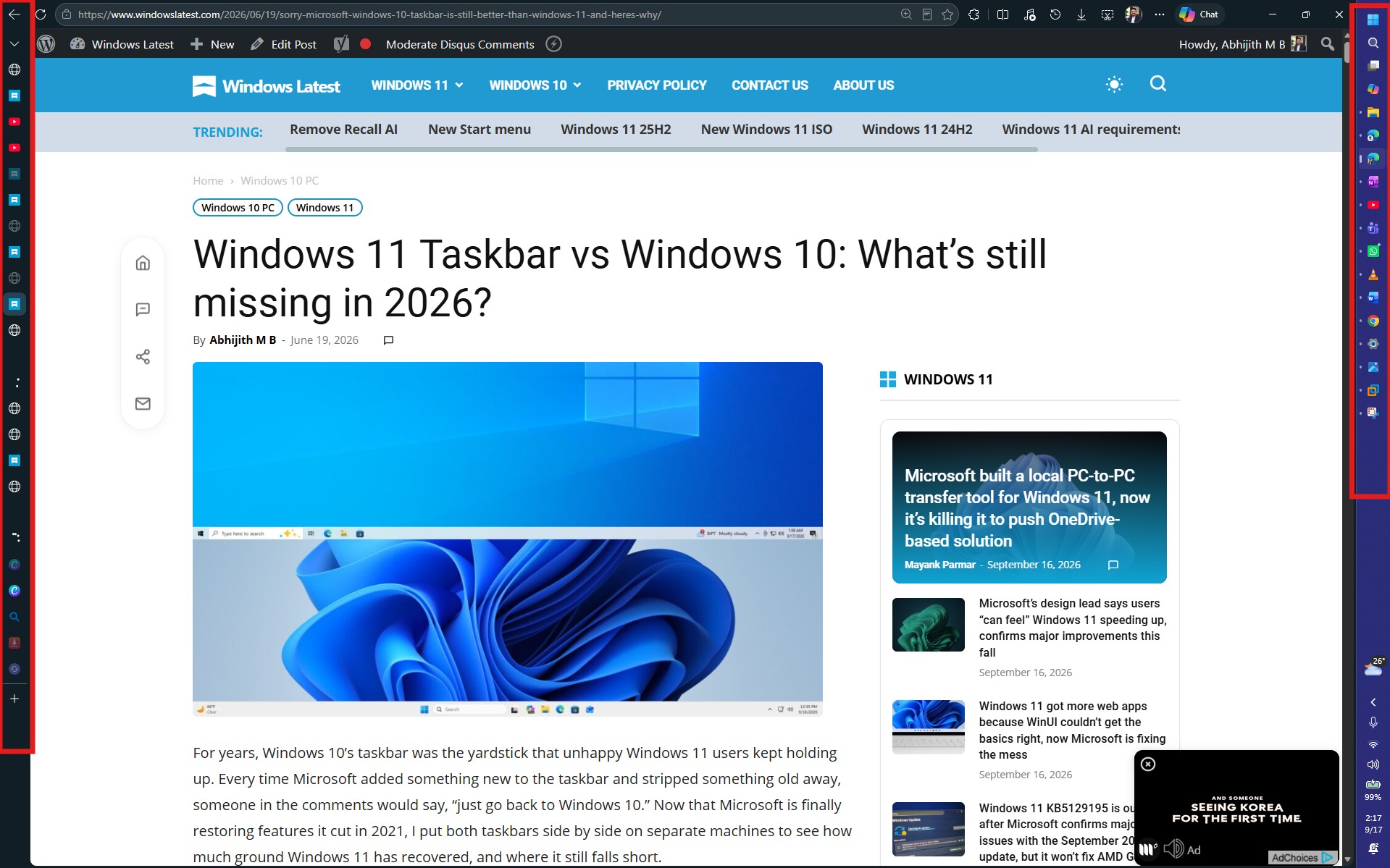
For me, placing the taskbar on the right provides the best layout. My laptop already has a 16:10 display for additional vertical space. I switched to Edge’s vertical tabs several years ago, and moving the taskbar to the right created even more room for reading and writing articles. My brother and several friends have also adopted vertical taskbars, while others keep theirs at the top.
So, when will the new Search begin respecting these alternative taskbar positions? MS’s update schedule suggests that users may have to wait a while.
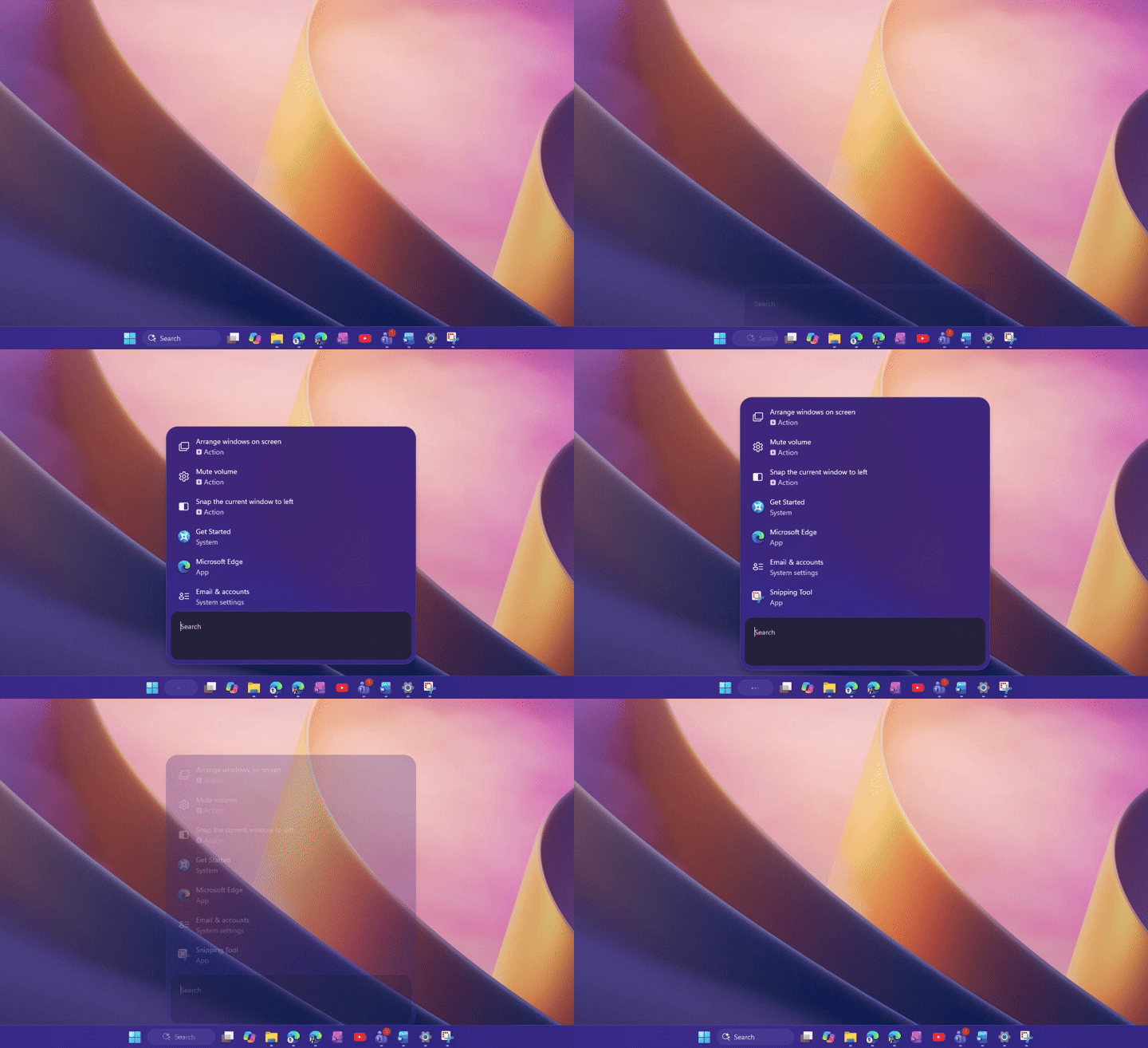
My concern is that even if the change—which looks like a bug fix, although it technically is not—reaches Windows Insiders in January, it will take additional time to arrive on regular PCs. The gradual rollout process could extend that wait further. Until then, users who have moved their taskbars will have to tolerate the otherwise attractive Search interface appearing at the bottom of the screen.
MS Wants the New Search in the Start Menu, With Copilot Integration
Because I disliked the old Windows 11 Search, I became accustomed to searching through the Start menu. That muscle memory still opens the old Search because, according to MS, the new Search experience will not arrive in Start until next year.
I would welcome MS using this opportunity to move the Start menu fully to WinUI.
MS also wants to introduce “thoughtful integrations with experiences like Copilot” in Search. The new Search closely resembles Ask Copilot, the floating taskbar search box MS tested last year, although the company has since paused Ask Copilot while it reworks the experience.
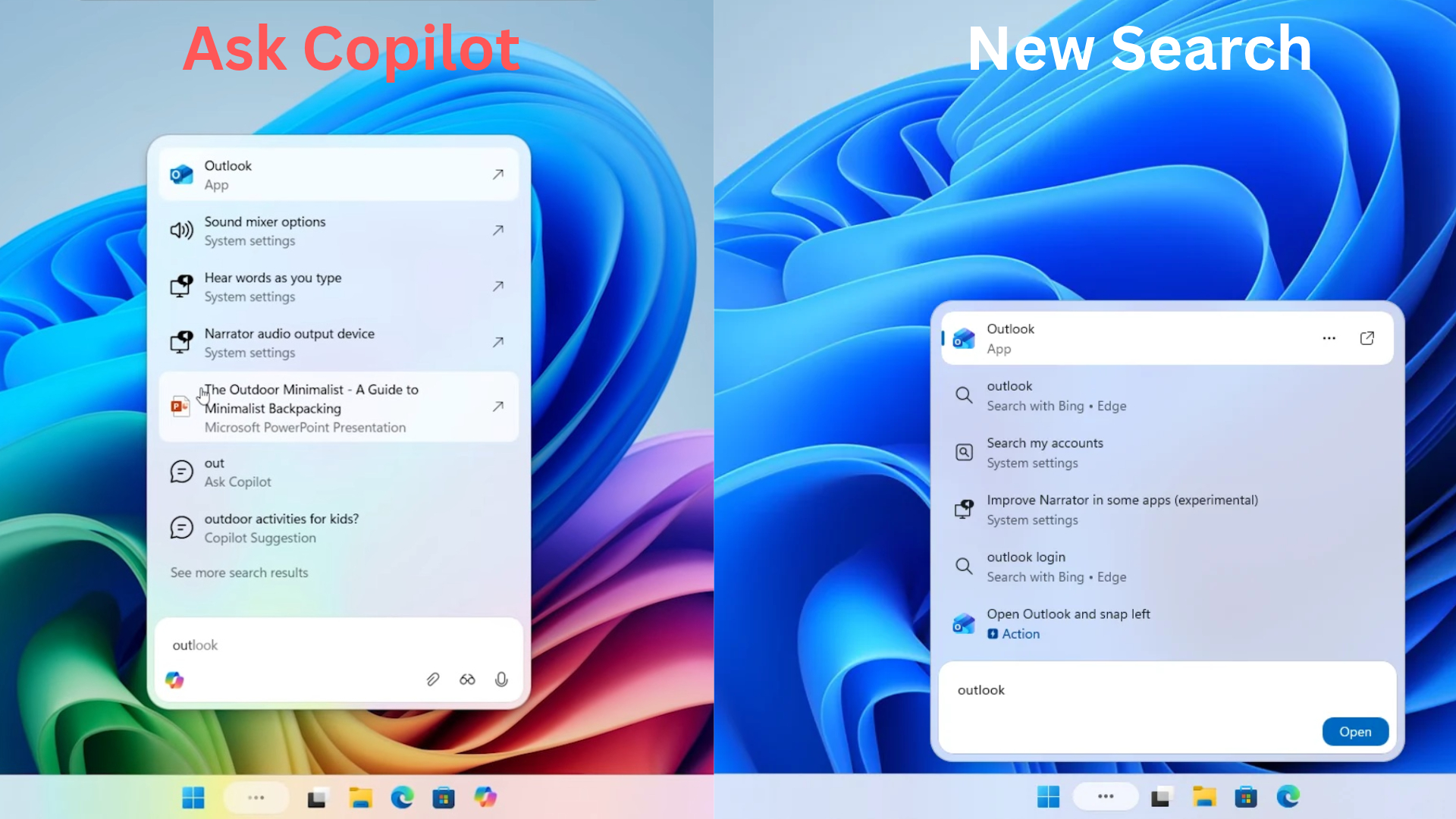
MS may now recognize that a Copilot logo is the last thing many people want to see in Search. If such an AI integration does arrive, it should be as unobtrusive as possible. MS should first make the Copilot app a native WinUI experience and allow users to access it through Win + C or the dedicated Copilot key.
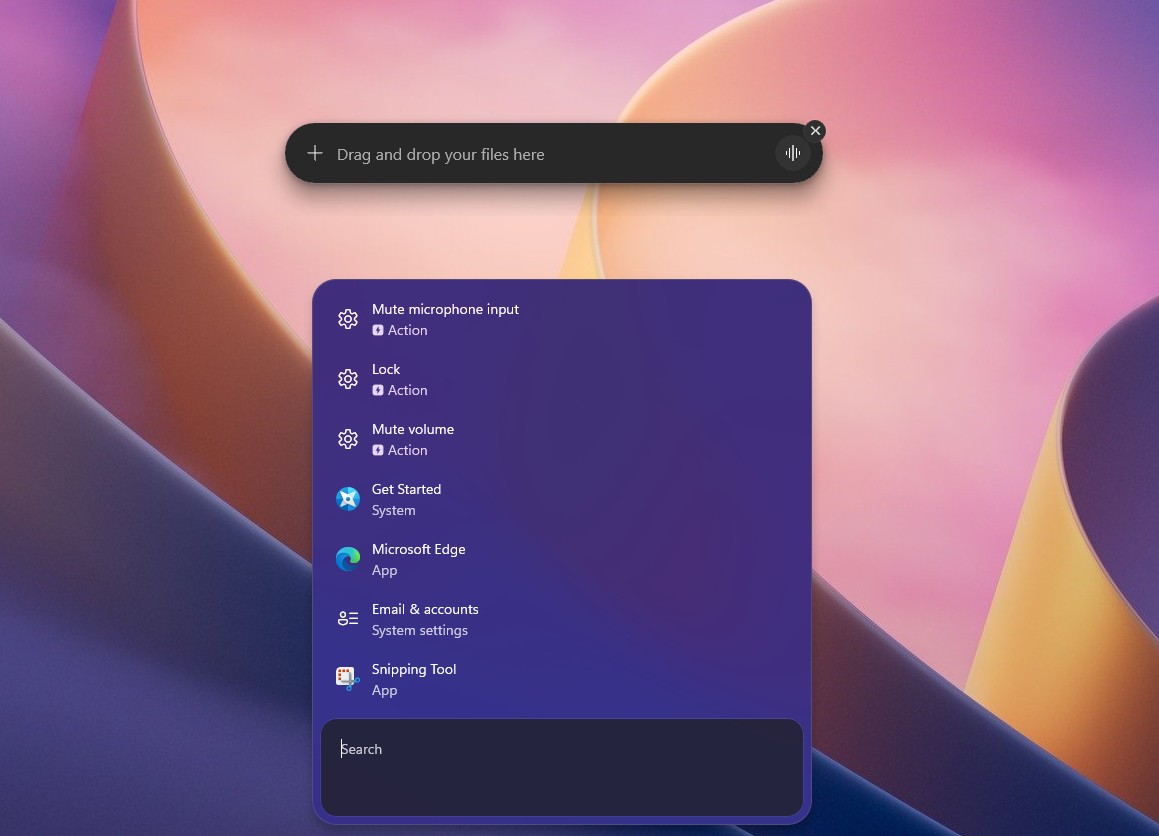
What I would actually like to see is voice input. Inline actions can already change settings and snap windows, and saying “arrange windows on screen” is much faster than typing it, particularly when an on-device small language model handles the request—although some users naturally type faster than they speak.
My other concern is the design. The new Search follows the Fluent design language, but I would like to see more Fluent polish. Although the corners are rounded, slight pixelation remains visible along the edges. This may be a minor criticism, and the new Search feels impressive largely because the old version set such a low standard. macOS users would probably find our excitement over the new Windows 11 Search amusing.
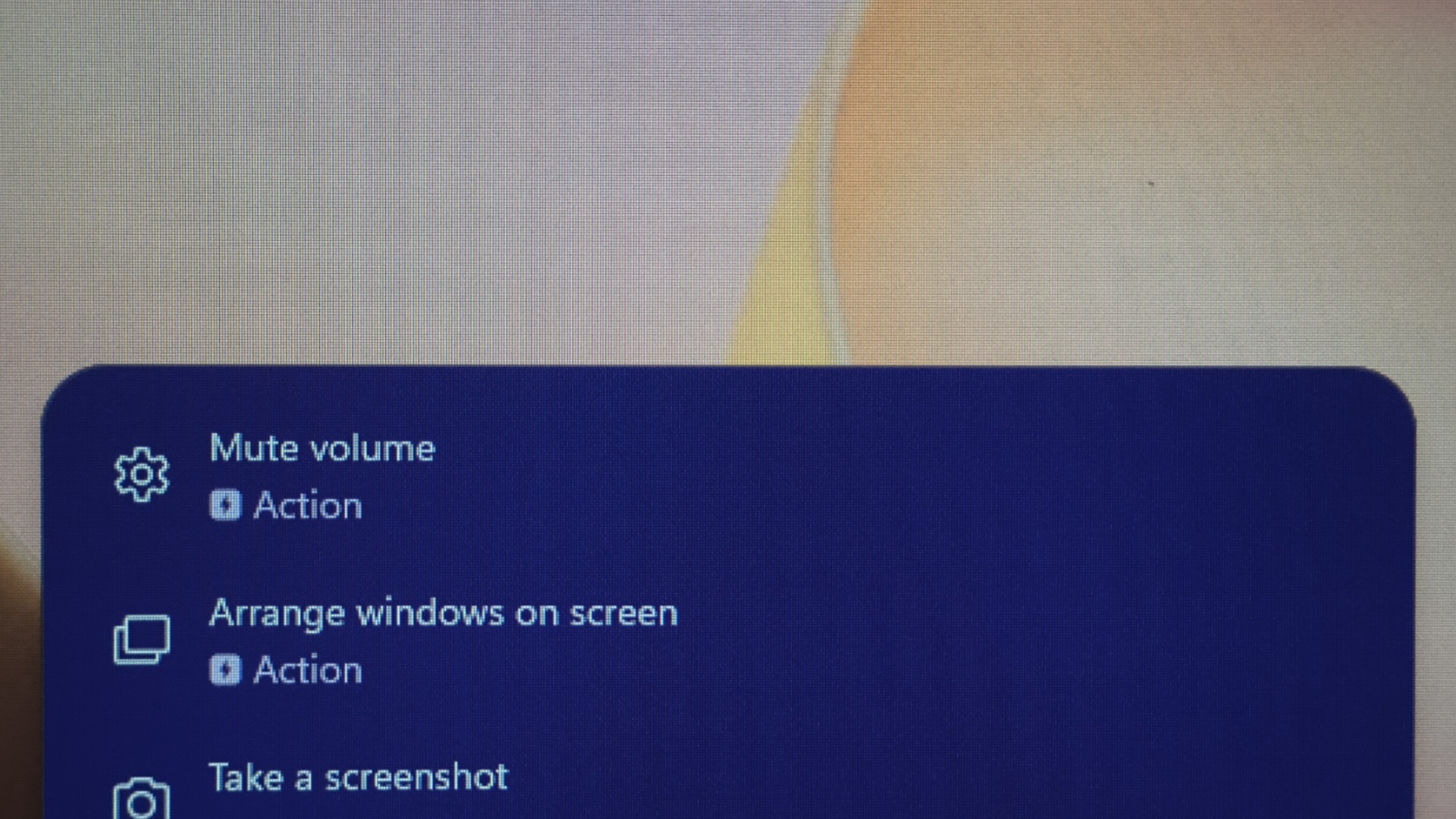
Even so, I still love it. If MS makes Search follow the taskbar and integrates it into the Start menu next year, Windows 11 will finally have a Search experience worth highlighting.
Windows Latest depends on readers like you. Make us your preferred source on Google Discover and Google Search, and help our independent reporting reach more people.