MS Says Windows 11 Pushed Open Apps to Slower Storage on 8GB RAM PCs, Causing Reloads, but Now Keeps Up to 2GB More in Memory
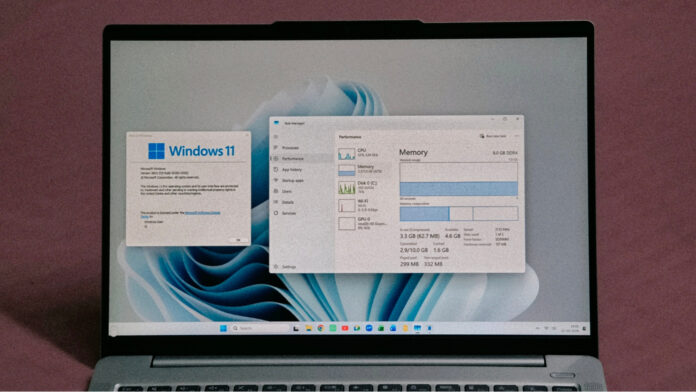
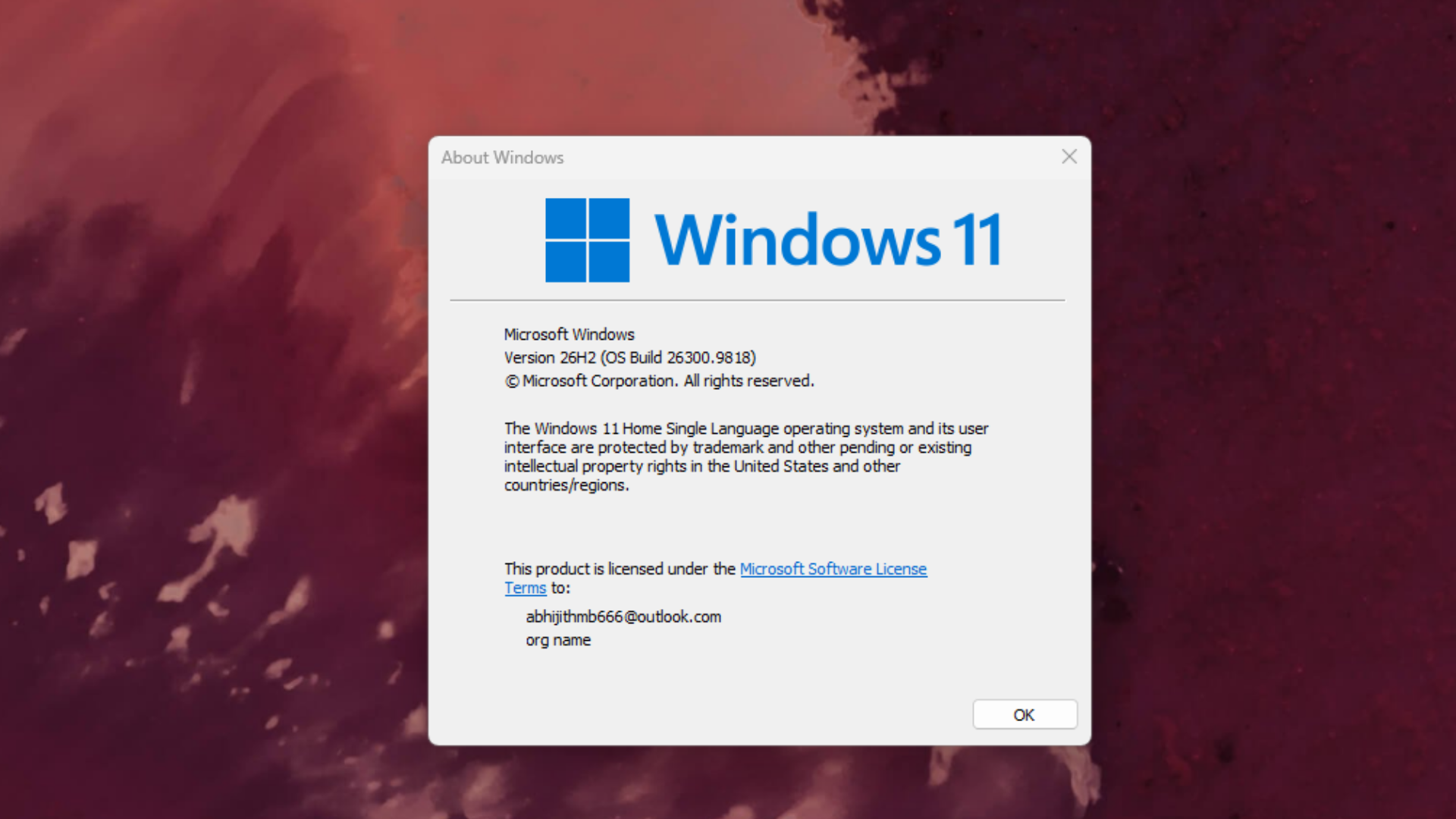
On PCs with 8GB of RAM, Windows 11 is now up to 20% more responsive, while a demanding multitasking workload finished up to 40% faster in one of MS’s laboratory tests, according to Windows chief Pavan Davuluri. Better yet, MS says these improvements are available today on Windows 11 version 26H2, build 26300.9818 or later, with updated versions of Edge, MS 365, and Teams.
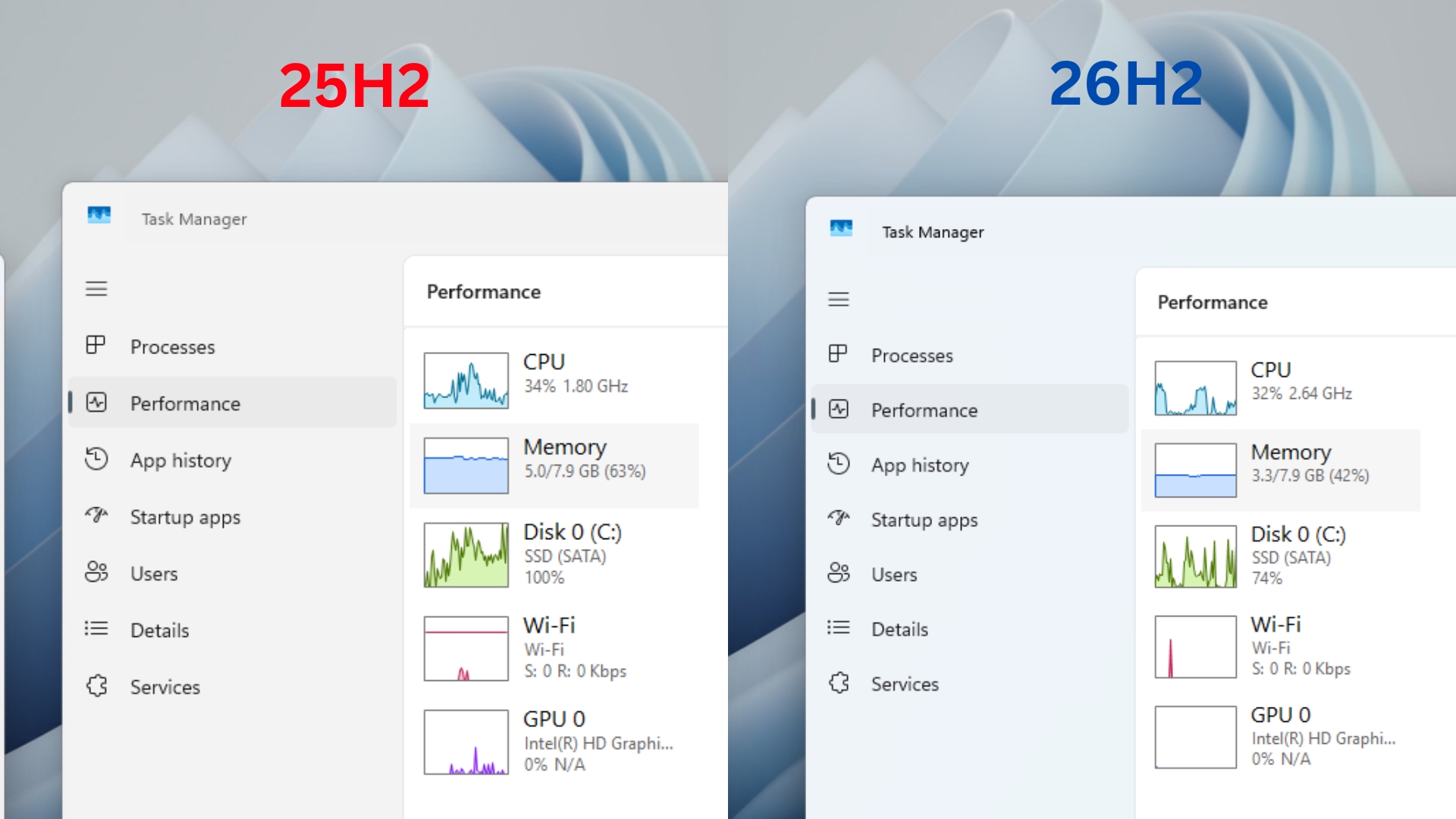
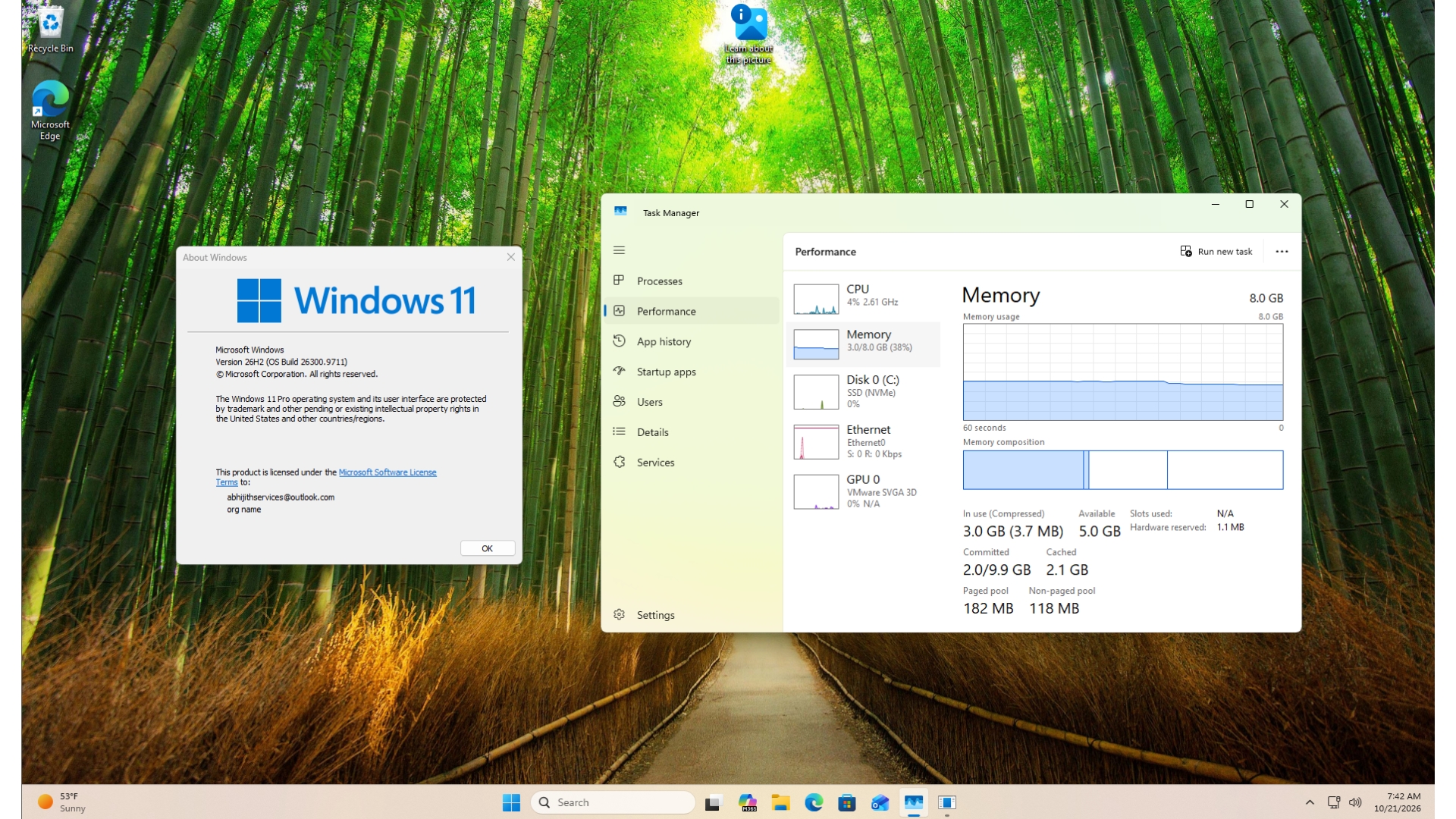
We had a head start on this one. Two weeks ago, I updated my dad’s 8GB laptop to Windows 11 26H2 build 26300.9550, which includes most of the improvements behind MS’s new figures. After a restart, RAM usage dropped from 5GB to 3.3GB. MS’s new blog post finally explains where that memory went.
Windows 11 Is Up to 20% More Responsive and 40% Faster at Multitasking on 8GB PCs
MS made memory optimization for 8GB PCs an official priority in July, and today’s Windows Experience Blog post provides a range of test results. MS is backing up its commitment with measurable improvements.
The 20% responsiveness improvement comes from telemetry collected from 8GB PCs. MS measured how quickly Start, Search, right-click menus, Settings, Snipping Tool, and File Explorer responded compared with the January 2026 update. The company first cited this 20% figure on October 15 without specifically mentioning 8GB PCs.
The 40% improvement comes with several caveats, but it remains impressive. On an 8GB HP OmniBook 3 powered by a Snapdragon X Plus, MS sequentially opened 20 Edge tabs, a 4K video, large Word, PowerPoint, and Excel files, Outlook, and File Explorer while keeping everything open. Automated UI checks confirmed that each step had completed before the next began. MS notes that the result is scenario-specific and should not be treated as a benchmark.
Interestingly, both builds used in that test were 25H2 releases from January and September, indicating that these multitasking gains began shipping before 26H2 arrived.
MS’s own apps also open faster. When Edge is already running in the background, Windows now bypasses an unnecessary additional process and sends the user’s click directly to the browser. This allows Edge 150 and later to open up to 33% faster. The Edge team says most users will see an improvement of approximately 15%, while the 33% figure applies to heavy multitasking scenarios.
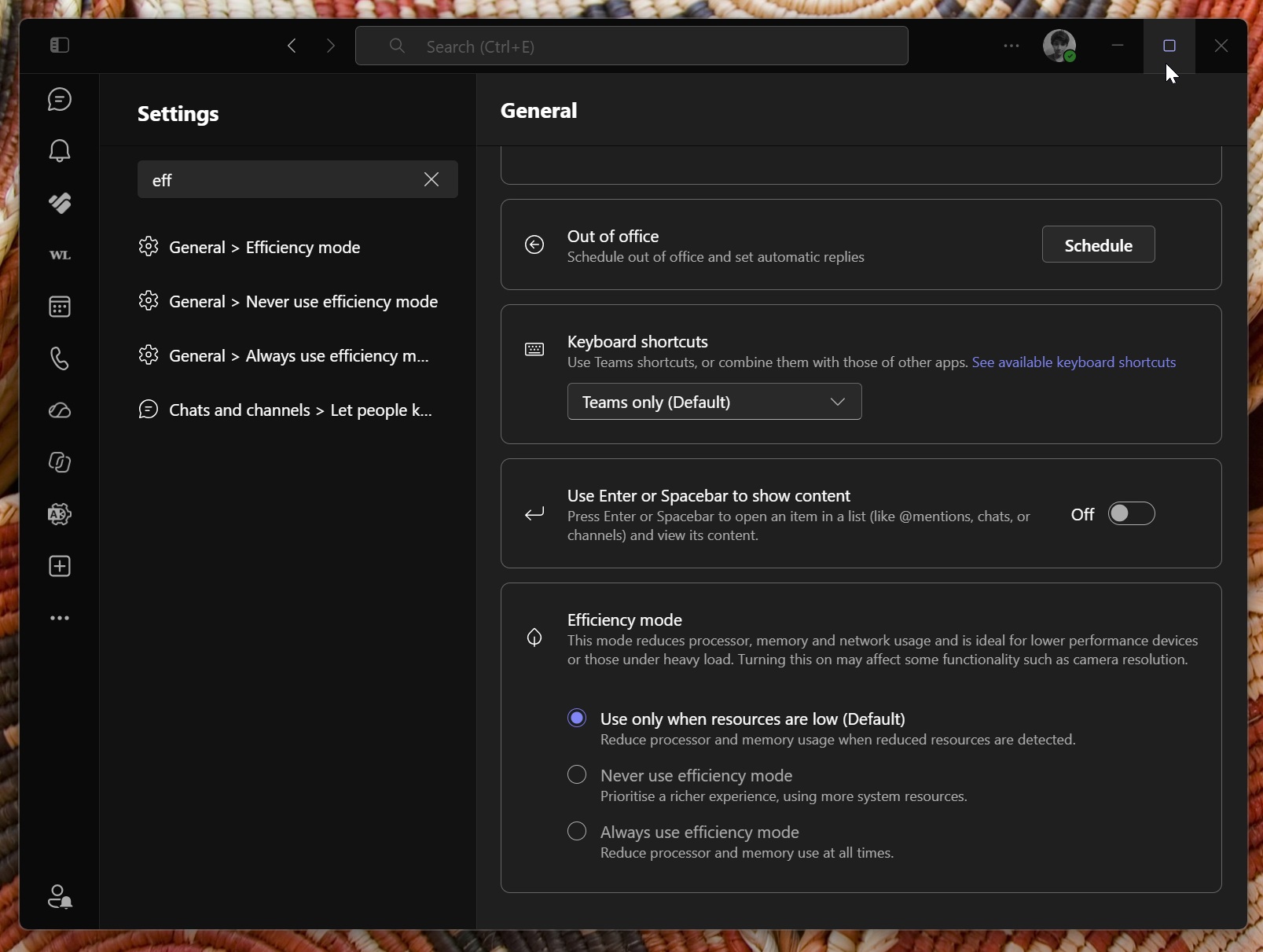
Teams can now enable Efficiency Mode by default on 8GB PCs, allowing it to launch up to 20% faster. It can also lower camera resolution during meetings to help maintain clear audio. These changes are particularly welcome for an app known to consume substantial memory even when idle.
How Windows 11 Keeps Up to 2GB More of Your Work in RAM
Davuluri says MS is “making better use of the memory in every Windows 11 PC, protecting the interactions that need to feel instant even under load, and ensuring key apps and Windows require less memory.”
For context, seeing most of an 8GB system’s memory in use in Task Manager does not necessarily mean the PC is struggling. Davuluri compares RAM to a desk and storage to a drawer: anything moved to the drawer takes longer to retrieve. “The real test is whether your PC stays responsive, not how much memory remains unused,” he wrote.
Windows has compressed less-active data for years to keep it readily accessible in memory. MS has now retuned how much data Windows compresses, when it uses storage, and when it retrieves data on 8GB PCs. As a result, Windows can keep up to 2GB more active data in RAM, making it less likely that an open app or browser tab will need to reload.
Windows also briefly prioritizes whatever the user requests while reducing background activity, such as search indexing. This is similar to the Low Latency Profile, a CPU boost that made a 10-year-old PC with 8GB of RAM feel more responsive in our testing.
MS Reduced Memory Growth by Up to 900MB Across Windows, Edge, and MS 365
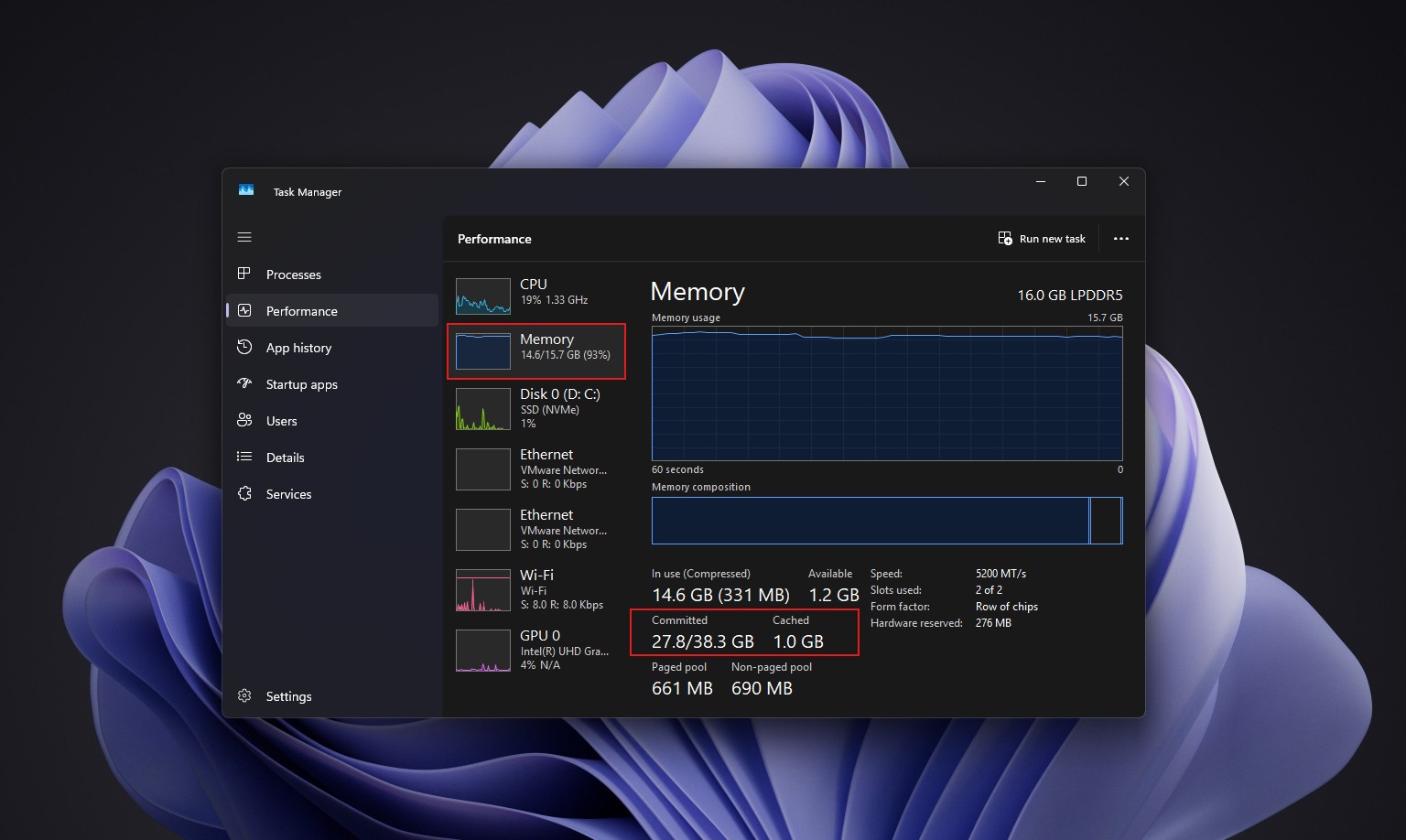
In September tests on 8GB PCs running Edge, Office, Outlook, and Teams, Windows and MS’s apps reduced committed-memory growth by up to 900MB. Committed memory is memory that Windows has promised to back with either RAM or the page file. MS measured its growth from the beginning of the workload to the end, so users should not expect Task Manager to display 900MB less memory usage.
Word, PowerPoint, Excel, and Outlook account for 360MB of the savings through more efficient memory allocation. On PCs with 8GB of RAM or less, Widgets now loads only when opened, reducing committed memory by approximately 200MB while it remains closed. In my 26H2 testing, however, opening the Discover feed gradually pushed RAM usage back up. Edge also now puts inactive tabs to sleep after 15 minutes by default, down from two hours.
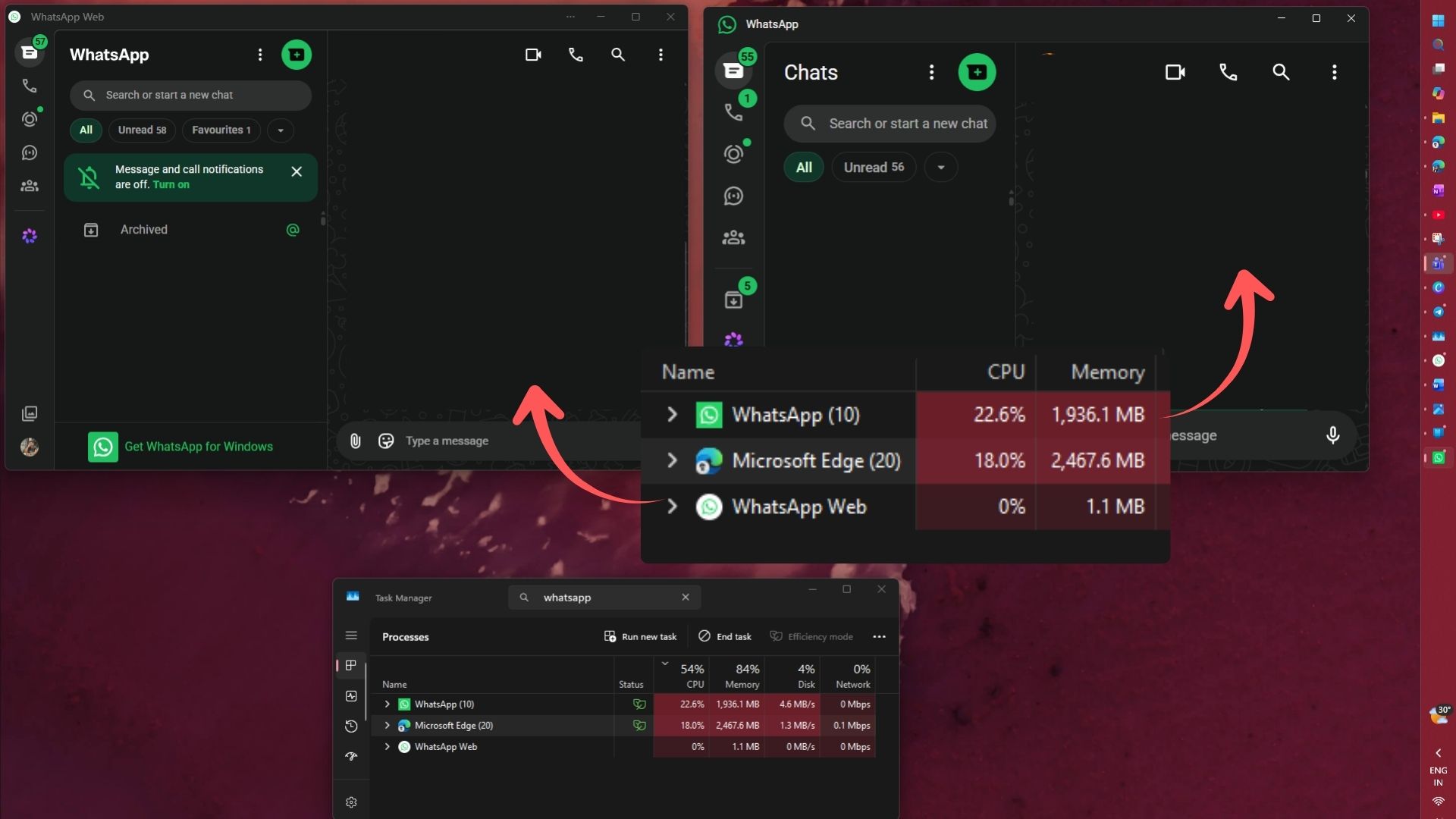
MS says WhatsApp is already using this work to reduce memory consumption in its Windows app. Ironically, I uninstalled WhatsApp just yesterday after its memory usage exceeded 2GB, so I remain skeptical.
Testing Windows 11 26H2 on a Cluttered 8GB Laptop
My dad’s laptop is far from a clean laboratory system. It has 8GB of DDR4 RAM, a SATA SSD, and a large collection of software, including AutoCAD 2020, SketchUp, PyCharm, and VS Code. After restarting on Windows 11 26H2, committed memory fell from 4.8GB to 2.9GB, while available memory increased from 2.9GB to 4.6GB.
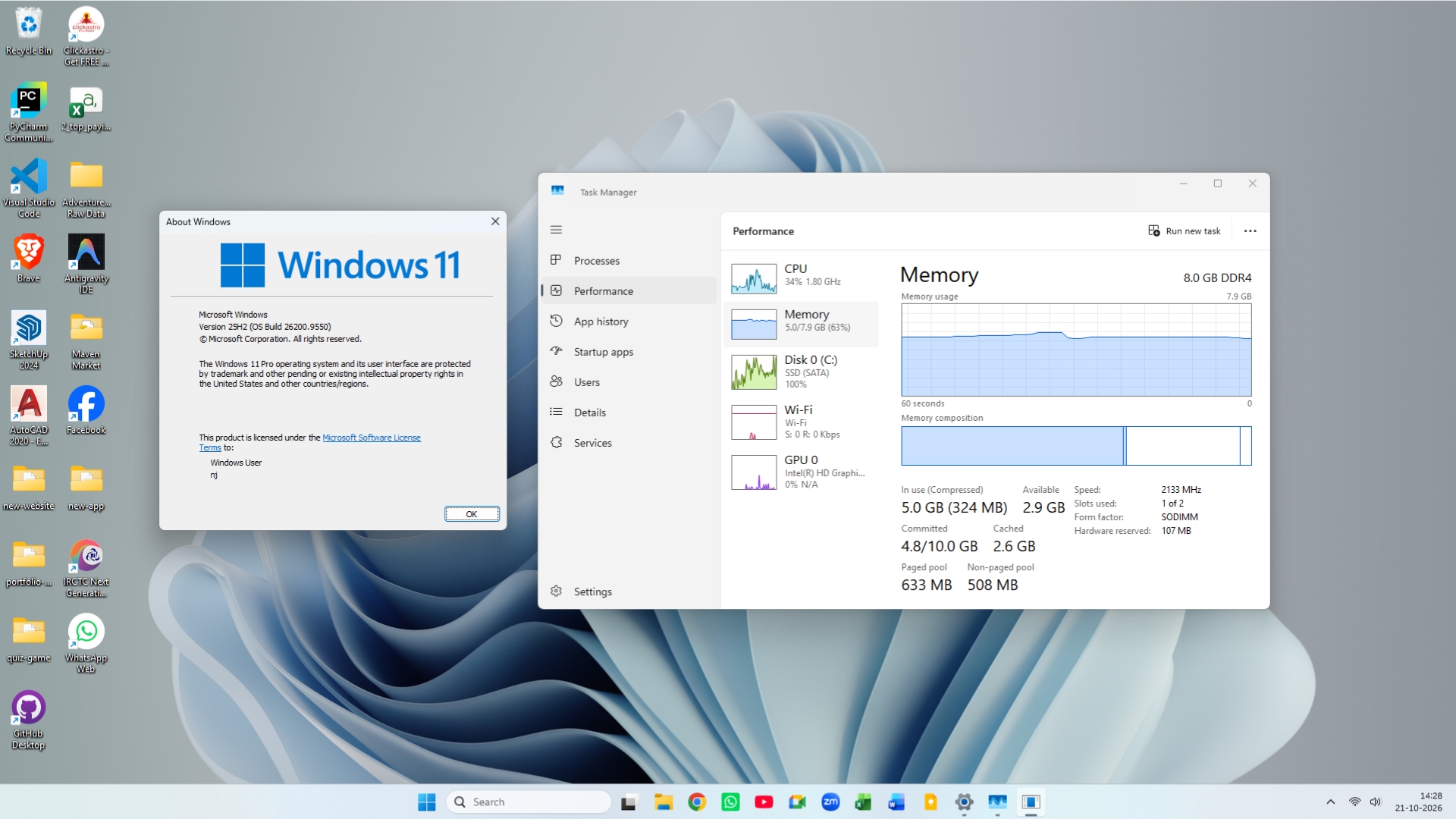
Compressed memory dropped from 324MB to just 62.7MB, meaning Windows compressed very little after startup. This aligns with MS’s compression adjustments, although I cannot prove a direct connection. Switching between Chrome tabs also felt slightly faster.
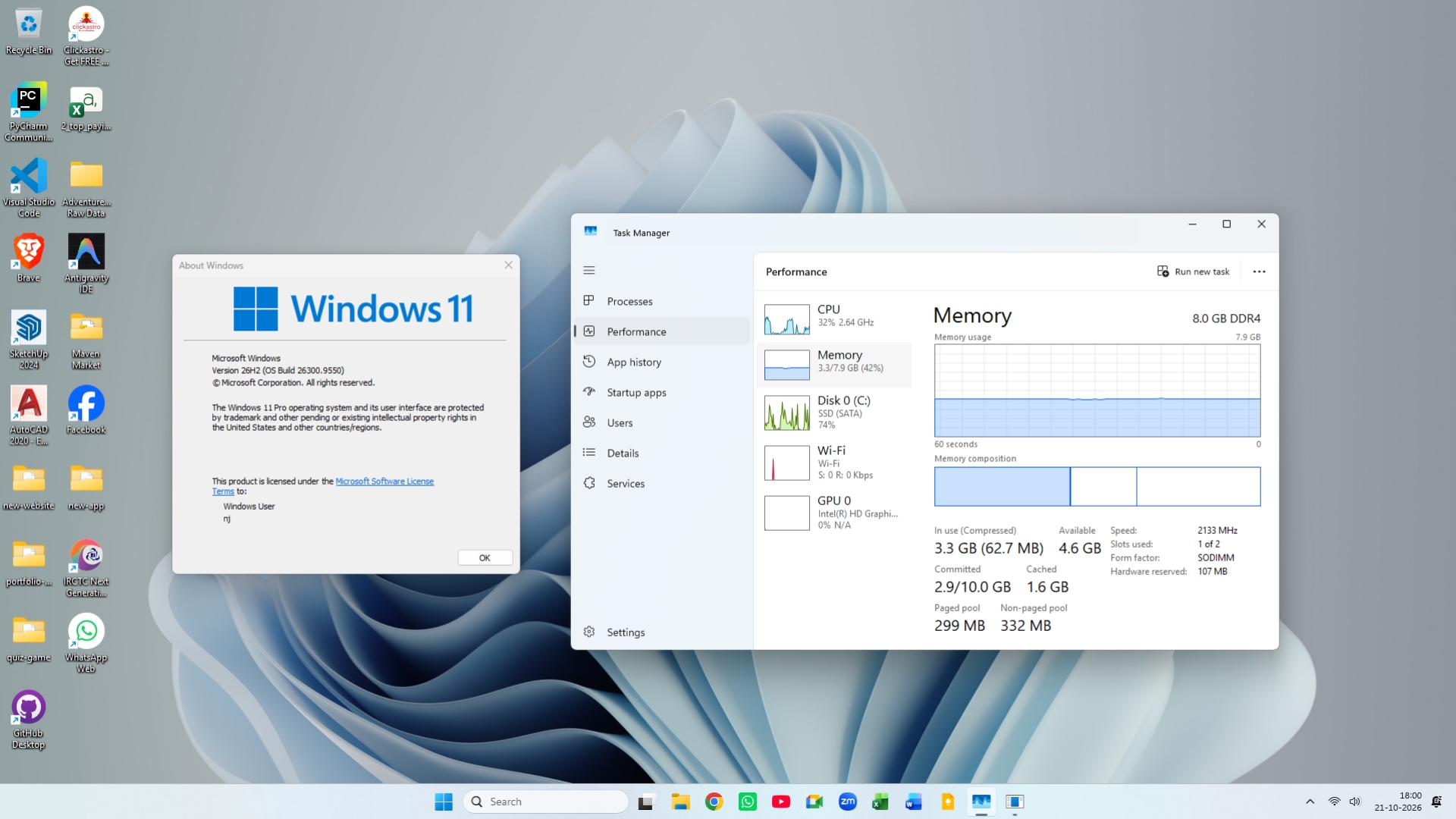
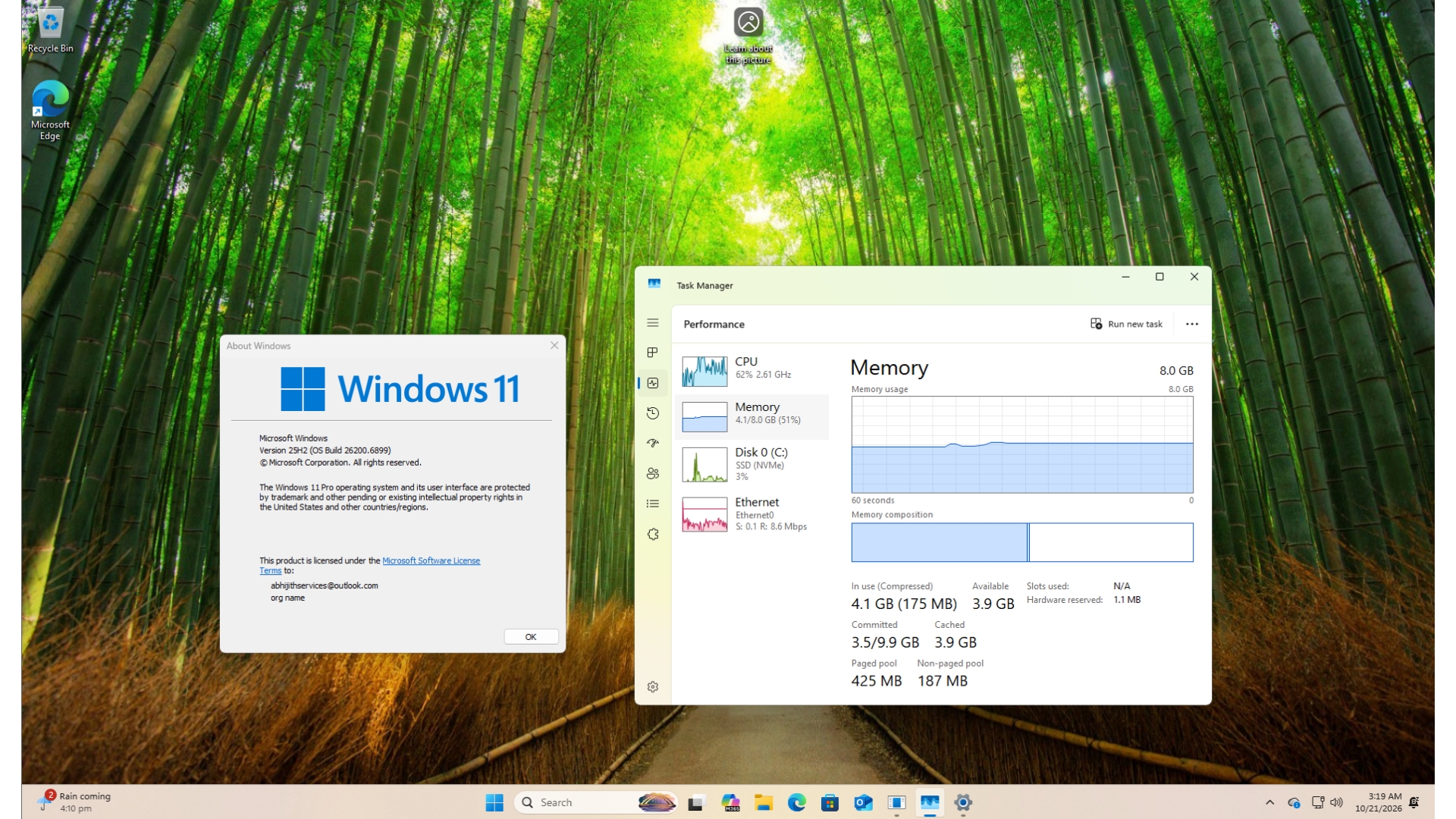
The laptop also moved from build 26200.9550 to 26300.9550. Because both builds share the same monthly patch level, the reduction most likely resulted from improvements MS had been introducing gradually and that 26H2 enabled.
A fresh 8GB virtual machine also dropped from 4.1GB to between 2.8GB and 3.2GB, although it skipped an entire year of updates. To clarify, my figures were recorded after a restart, whereas MS’s 900MB reduction was measured during a workload.
MS Tested More Than 20,000 PCs, but Each Result Has Its Own Conditions
MS says it tests fixes on more than 20,000 PCs, including current 8GB models, using automated browsing, MS 365, video-calling, and download workloads. It even uses high-speed cameras to measure how long Start or an app takes to appear on screen, then rechecks real-world data after an update is released.
However, according to MS’s footnotes, each performance claim comes from a different test configuration.
The 94% figure is unrelated to Windows itself because it compares a 2026 Dell XPS 13 with 8GB of RAM against a 2021 model with 8GB. In testing conducted by Principled Technologies, the newer XPS 13 also performed approximately as well as a 2021 configuration with 16GB of RAM in CPU, browsing, AI web-task, and 4K video-export tests. Notably, a MS-commissioned report described the MacBook Neo’s 8GB of RAM as a bottleneck six months ago.
MS still recommends 16GB of RAM or more for 3D modeling, advanced video editing, and large-scale data processing. Laptops with 8GB of RAM are also ineligible for the Copilot+ PC designation.
How to Get Windows 11’s 8GB RAM Improvements Today
Build 26300.9818 was released with KB5127936, the optional update issued on October 28.
Type winver into Start to confirm that your PC is running build 26300.9818 or later. Rollout timing varies by device and region. Users who prefer to avoid preview updates should receive these changes with the November 10 Patch Tuesday update.
MS’s Next 8GB Improvements Include WinUI 3 Apps and Shared Web Engines
This is the development I find most promising. Over the next few months, MS plans to make memory compression more intelligent. Search and Widgets will share a single web engine, as will OneDrive and Photos. File Explorer, Notepad, Paint, and the new Windows Search experience, all built on WinUI 3, are being designed to open faster and use less memory. PC and chip manufacturers are also helping reduce the amount of memory reserved for hardware.
Sharing a web engine is a clever approach, but as someone who strongly dislikes web apps on Windows, I would prefer native Widgets. That is especially true after Davuluri acknowledged that the rising cost of memory is driving MS’s work in this area.
Credit where it is due: MS is finally explaining the work behind these improvements. “Our goal is to make your 8 GB PC feel like it keeps getting better,” Davuluri wrote.
Unsurprisingly, the post concludes by promoting Windows 11 PCs with 8GB of RAM starting at $429 at Walmart for the holiday season, only a few months after MS began describing 8GB as sufficient for everyday use. At least Windows 11 is now better prepared for these systems. Have you noticed an 8GB PC becoming faster?
Windows Latest depends on readers like you. Make us your preferred source on Google Discover and Google Search, and help our independent reporting reach more people.