
 STEAM
STEAM
 PC Game

Microsoft's 2025 Start Menu Redesign: Key Updates and Future Plans
Microsoft has completed the rollout of its 2025 Start menu redesign for all Windows 11 users on versions 24H2 and 25H2. Meanwhile, the company is quietly preparing for a more extensive overhaul in the upcoming 26H2 update, expected later this year.
The Windows 11 Start menu has long been a focal point for user feedback, balancing praise for its modern aesthetic with criticism over its limited flexibility. To address these concerns, Microsoft has been steadily refining this core component.
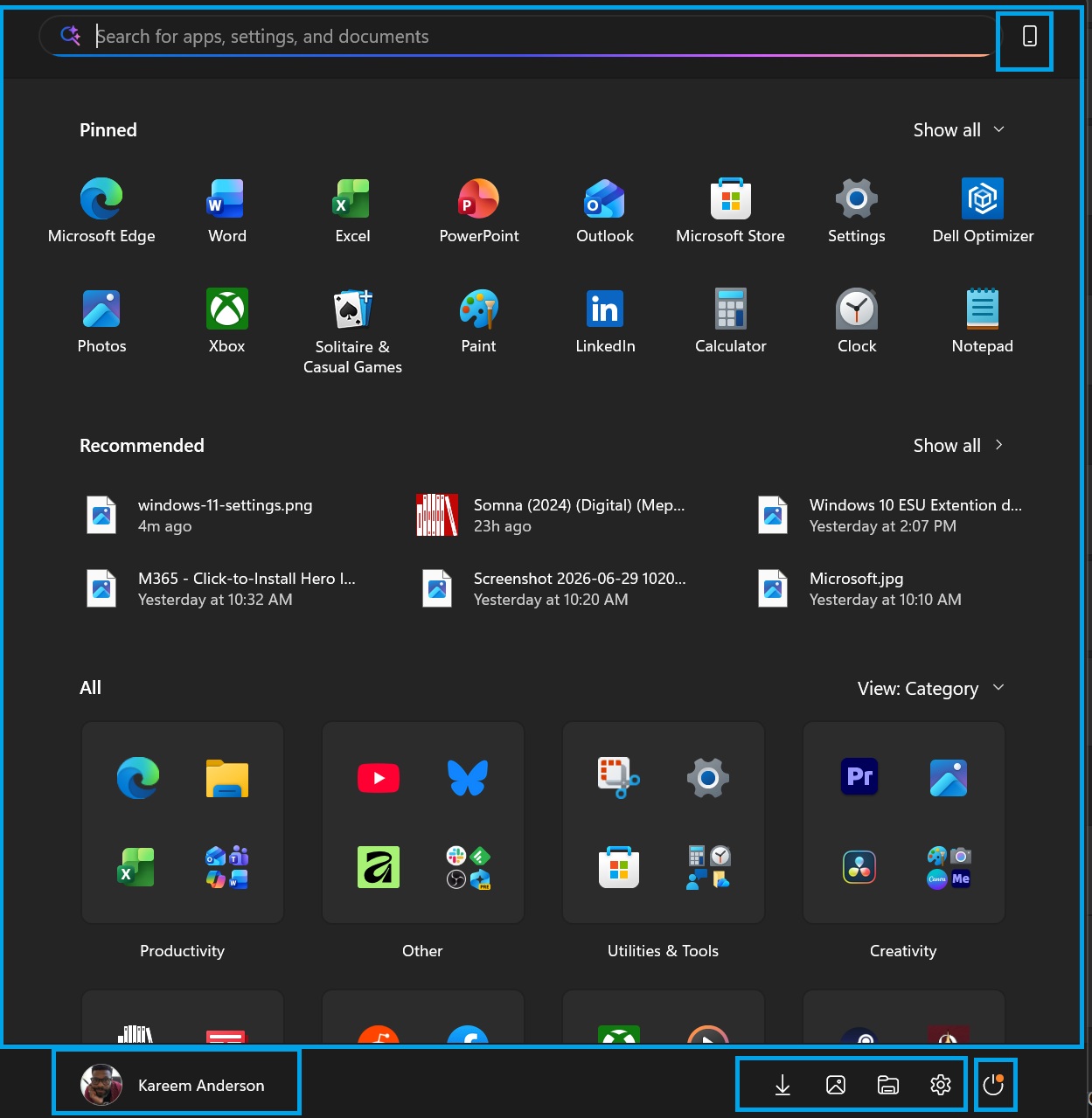
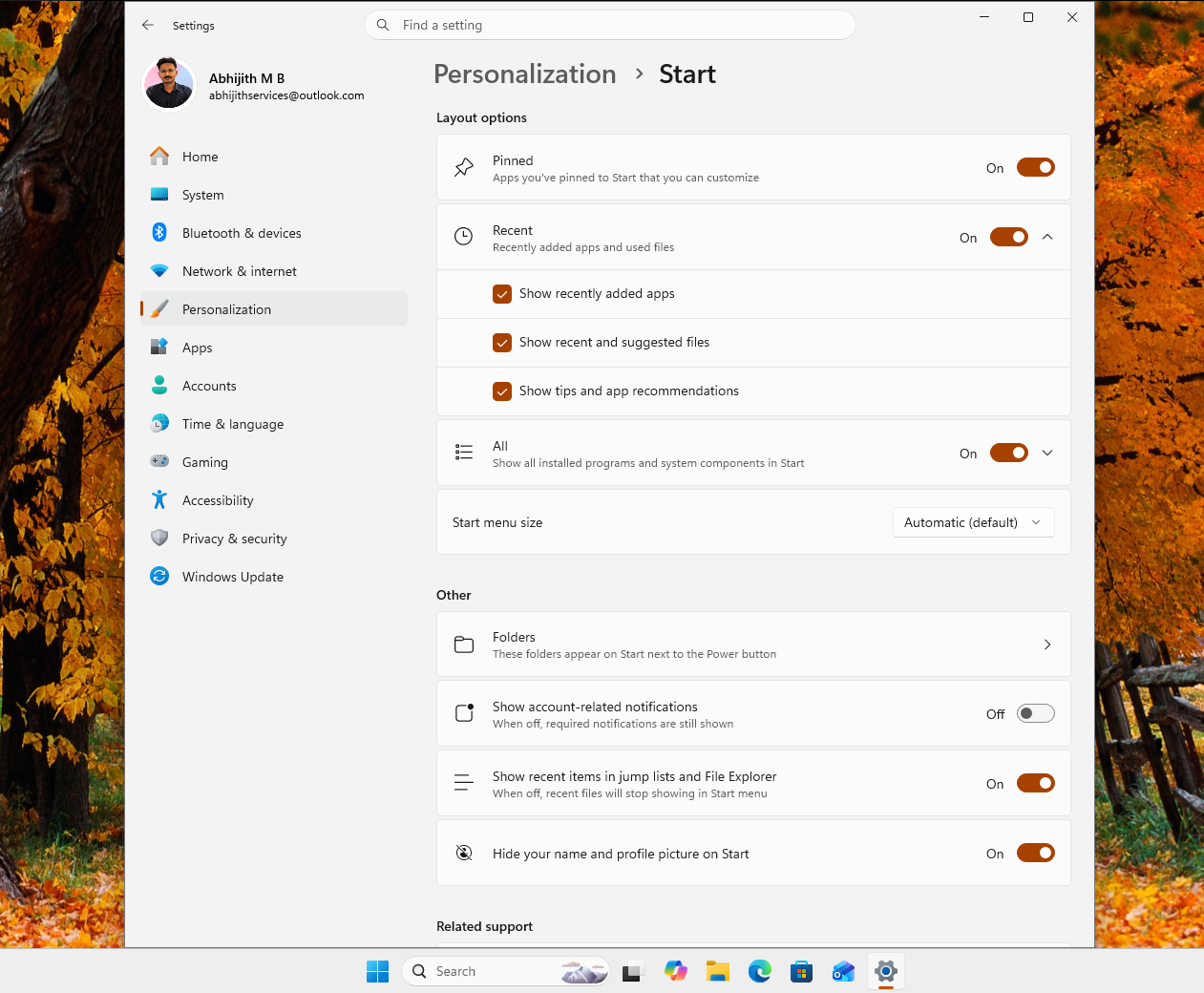
The latest update introduces a scrollable single-page layout, a category view for All Apps, and an option to hide the Recommended section. These changes aim to enhance usability and streamline the interface.
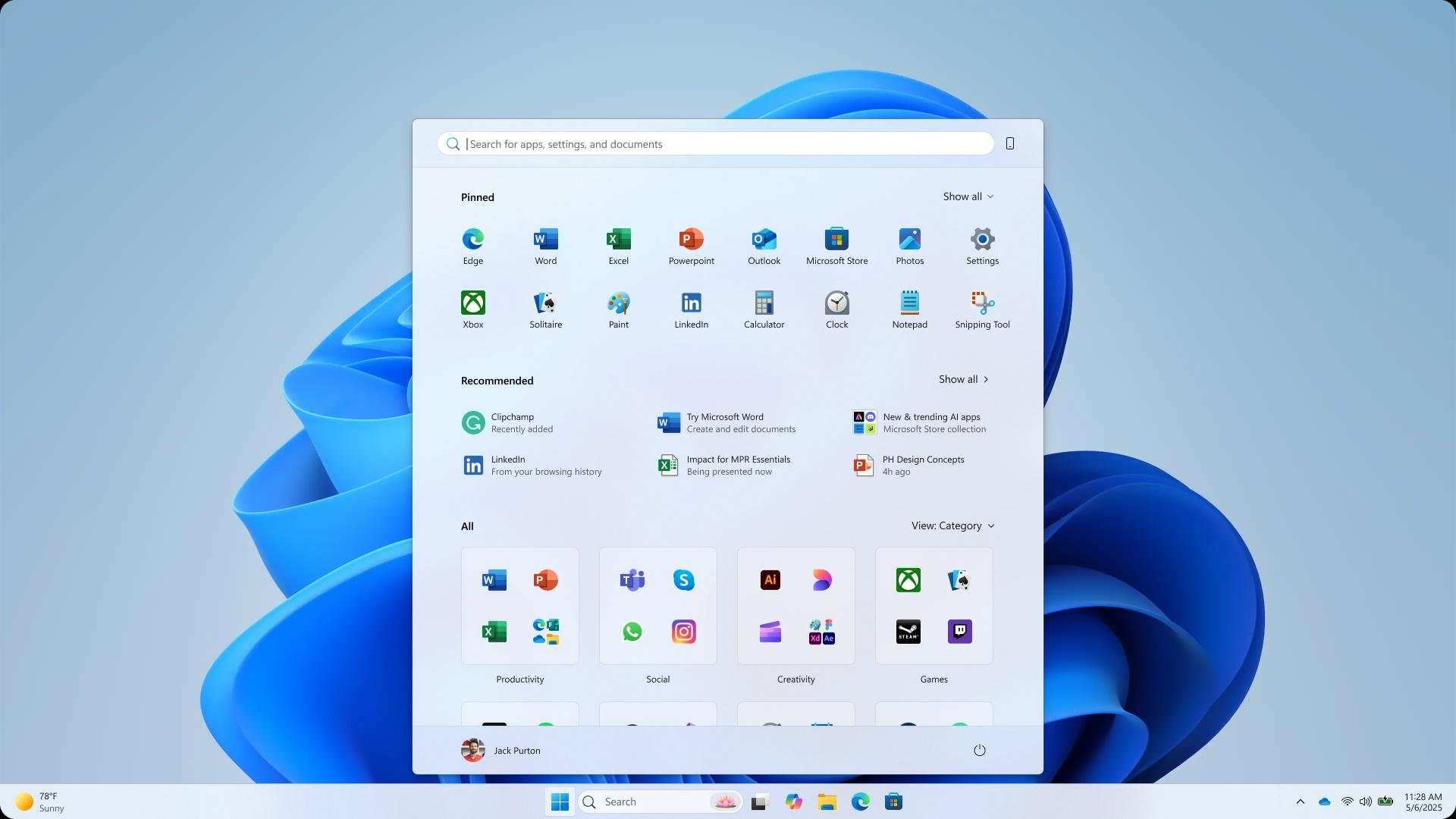
Further enhancements, such as advanced modular controls that allow users to resize the Start menu and toggle individual sections on or off, are slated for release in 2026.
Key Changes in the Current Rollout
Prior to this update, the Start menu adhered to a rigid design philosophy. It featured a fixed "Pinned" grid followed by a "Recommended" section, often populated with irrelevant content. The inability to significantly customize the layout led to frustration among power users.
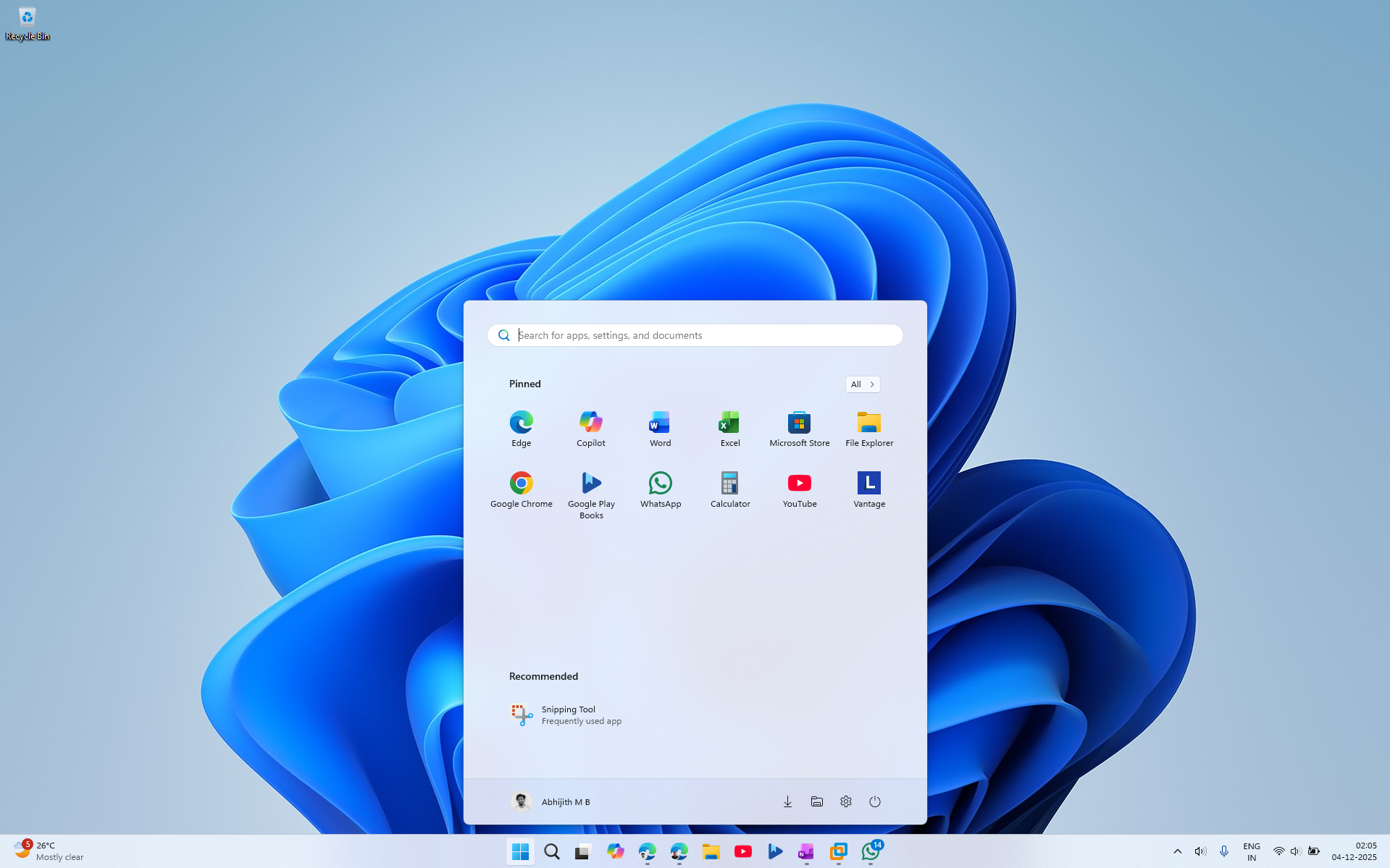
The new update represents a fundamental shift in how the UI is rendered and controlled. By decoupling elements such as Pinned apps, Recent items, and the AI apps list, Microsoft has transitioned to a modular approach. This allows the interface to adapt dynamically, presenting only the elements users choose to display. This is more than a cosmetic overhaul—it’s a step toward a more personalized and functional Start menu.
Enhanced Enterprise Controls with JSON and Group Policy
While regular users can access these updates via the Settings app, enterprises gain significant benefits through new configuration tools. Microsoft has replaced the older XML-based layout definitions with a more robust JSON configuration format.
For IT administrators, this is a game-changer. By leveraging Group Policy (GPO) or Configuration Service Providers (CSP), admins can deploy precise and reliable Start menu layouts across managed devices. This ensures that frontline workers, students, or kiosk users have tailored interfaces, minimizing clutter and preventing access to unnecessary tools.
How to Verify and Adjust the New Start Menu
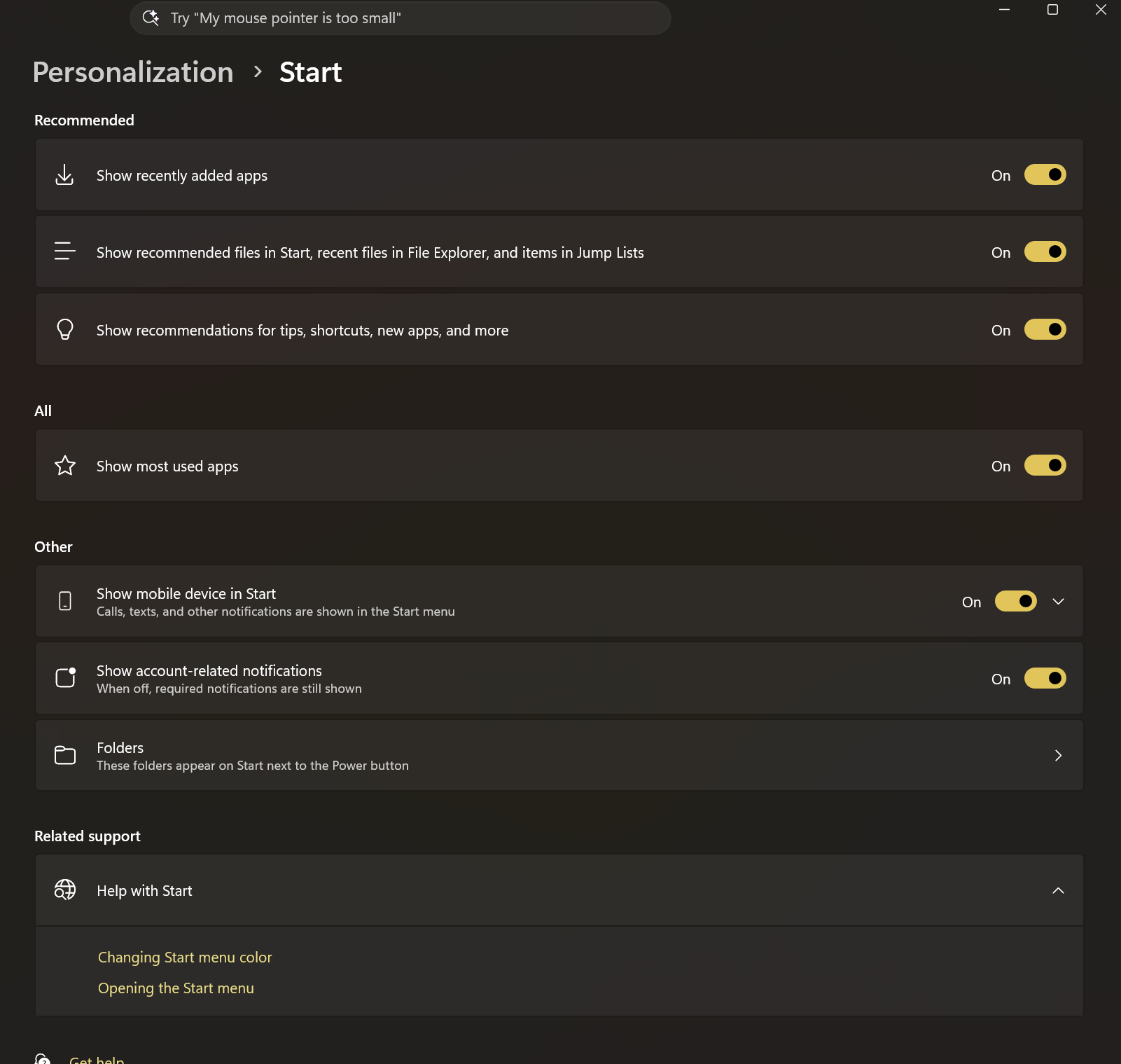
Whether you’re a regular user or an IT admin, you can easily check and adjust the updated Start menu on your devices. Here’s how:
For Regular Users
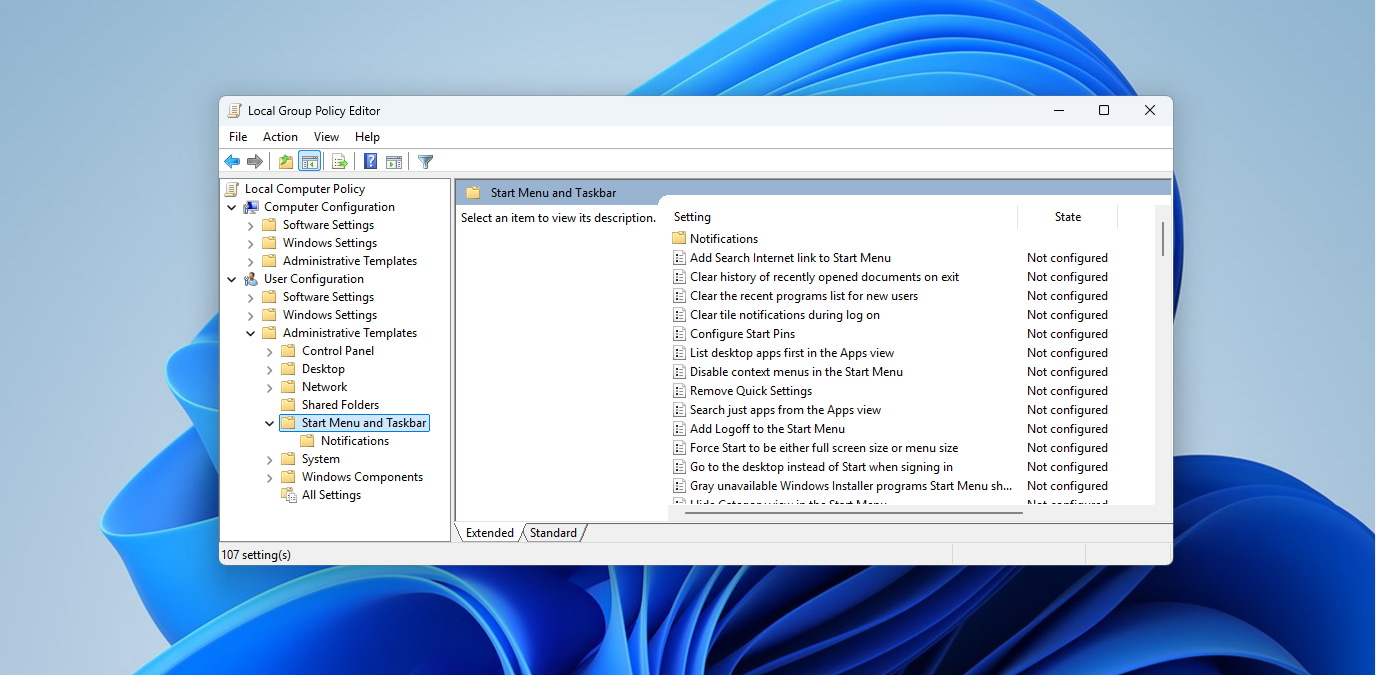
For IT Administrators
What’s Coming in the 2026 Start Menu Overhaul
The next phase of Start menu updates, currently being tested in Experimental Insider build 26300.8553 (released May 29, 2026), promises even greater enhancements. Confirmed features under testing include:
- A smaller, more compact taskbar integration
- New customization options in the Start menu settings
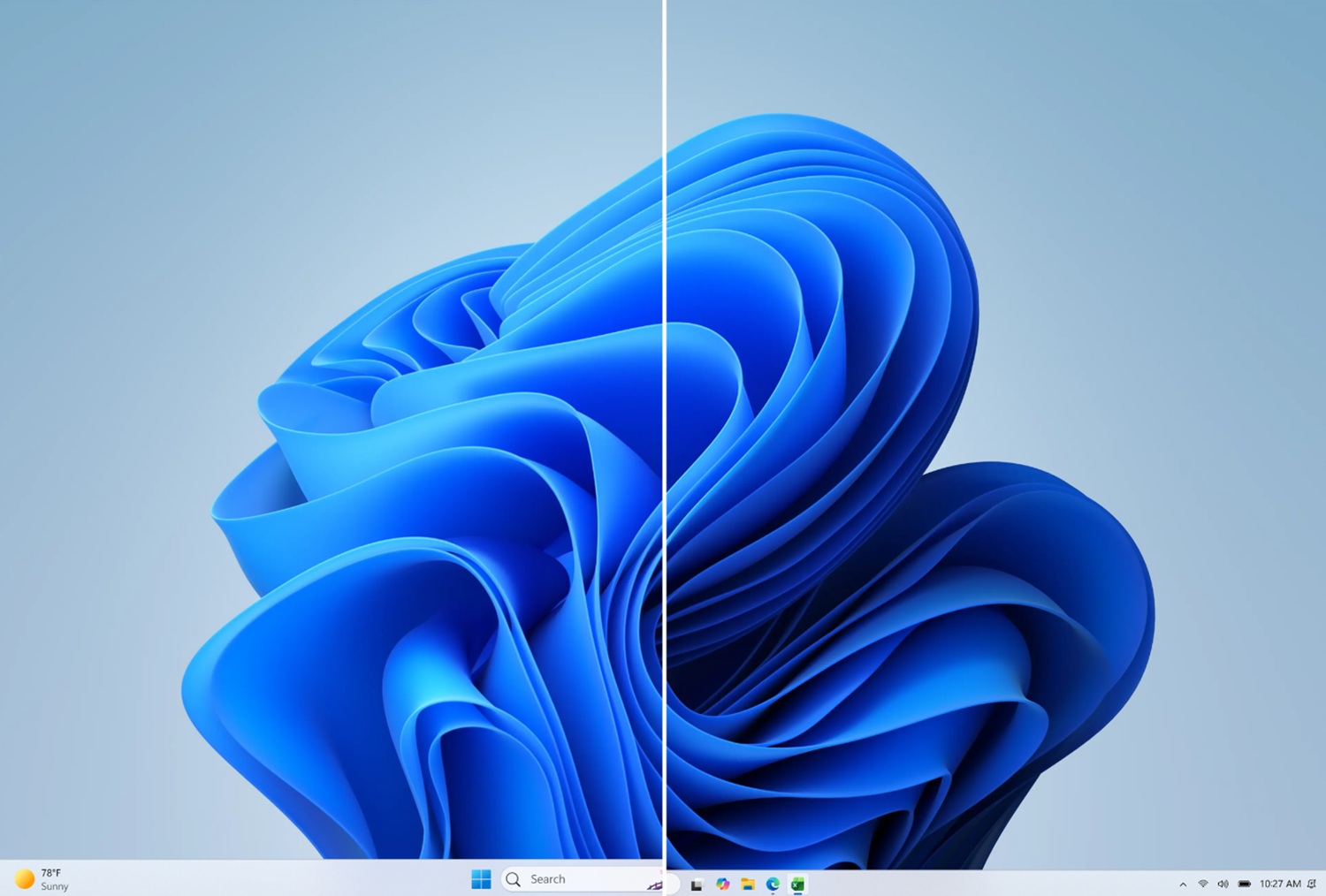
These updates are currently restricted to the Experimental channel. Based on Microsoft’s release cadence, these features are expected to enter Beta within two to three months, with general availability likely as part of the 26H2 update in late 2026.
Start Menu Performance Improvements
In addition to design updates, Microsoft is addressing performance issues with the Start menu. The Low Latency Profile CPU boost, introduced in the May 2026 optional update KB5089573, prioritizes the Start menu engine. This reduces micro-stutters and improves response times, a common complaint since Windows 11’s launch. It will be available to all users with the June 2026 Patch Tuesday update.
A more substantial fix is also in the works. Microsoft is rebuilding the Start menu using native WinUI frameworks, replacing the current web-based components. This move aims to enhance performance, especially on lower-end hardware. While no public release date has been confirmed, Microsoft highlighted this initiative at Build 2026 as part of a broader effort to improve the performance of Windows’ core components.
Windows Latest relies on readers like you. Make us your preferred source on Google Discover and Google Search to help our independent reporting reach more people.
