
 STEAM
STEAM
 PC Game

Microsoft Expands Windows 11 Low Latency Profile to More PCs
Microsoft has announced that the Windows 11 Low Latency Profile (LLP) will be rolled out to more PCs as part of the June 2026 optional update (KB5095093). However, this does not mean the feature will be immediately available to all users. The rollout is gradual, and while the update expands access, users may still need to manually enable it if it hasn’t reached their device yet.
What is Low Latency Profile?
If you’ve been following Windows development, you may already be familiar with Low Latency Profile. It is one of the most discussed features of 2026. For those who are unaware, LLP is a hardware-level CPU boost technology introduced by Microsoft. While not a groundbreaking innovation—macOS and Linux already have similar functionalities—it is a significant improvement for Windows users.
At its core, Low Latency Profile is a CPU scheduling technique designed to make Windows UI elements, such as the Start menu, Notifications, and Quick Settings, feel more responsive. This is achieved by briefly increasing CPU utilization when interacting with these elements. The performance boost is so brief, typically lasting less than three seconds, that it has no impact on overall system performance. Instead, it improves the responsiveness of the Windows Shell, particularly on low-end PCs with 8GB of RAM and entry-level processors like the Intel Core i3.
How Does Low Latency Profile Benefit Users?
Low Latency Profile works entirely in the background. For users with older or low-tier hardware, the difference is immediately noticeable, delivering a smoother experience when opening system elements. However, on high-end PCs, the performance improvements are either negligible or unnoticeable.
Until now, this feature was unavailable to most users, but the June 2026 optional update extends its reach. Still, Microsoft’s staged rollout strategy means it may take time before the feature becomes universally available.
Verifying If Low Latency Profile Is Enabled
To check if LLP is active on your system, note that Microsoft’s release notes indicate the performance boost applies only to OS-level elements and not apps. This means you won’t notice differences when launching applications, even after enabling LLP. Performance improvements are currently limited to OS features like the Start menu, Notification Center, and Quick Settings. Support for apps is expected to follow in the coming months.
On low-end PCs, LLP’s benefits are most evident. Users can observe reduced stuttering and faster system responses. To verify if the feature is working, follow these steps:
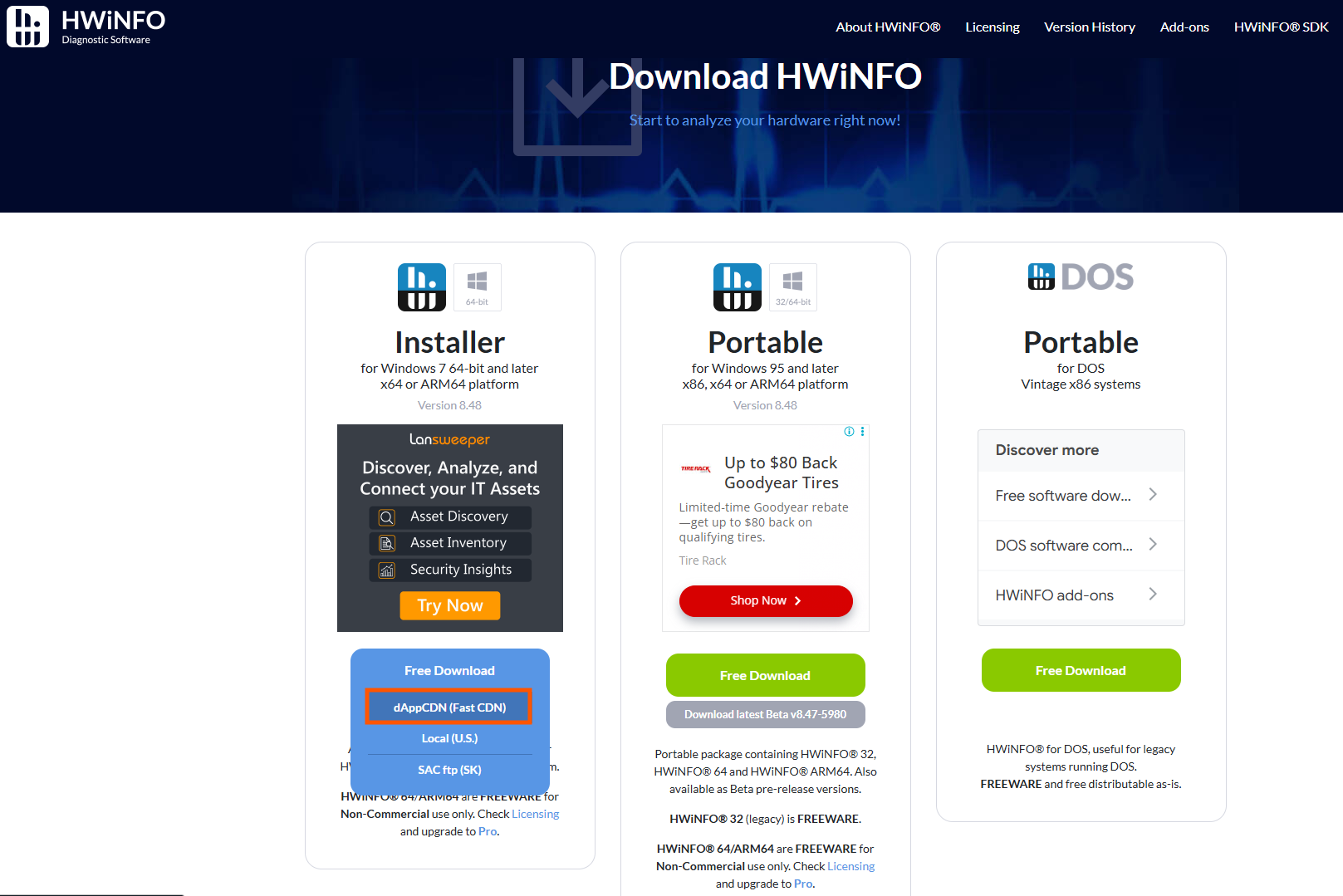
- Download a third-party tool called HWiNFO.
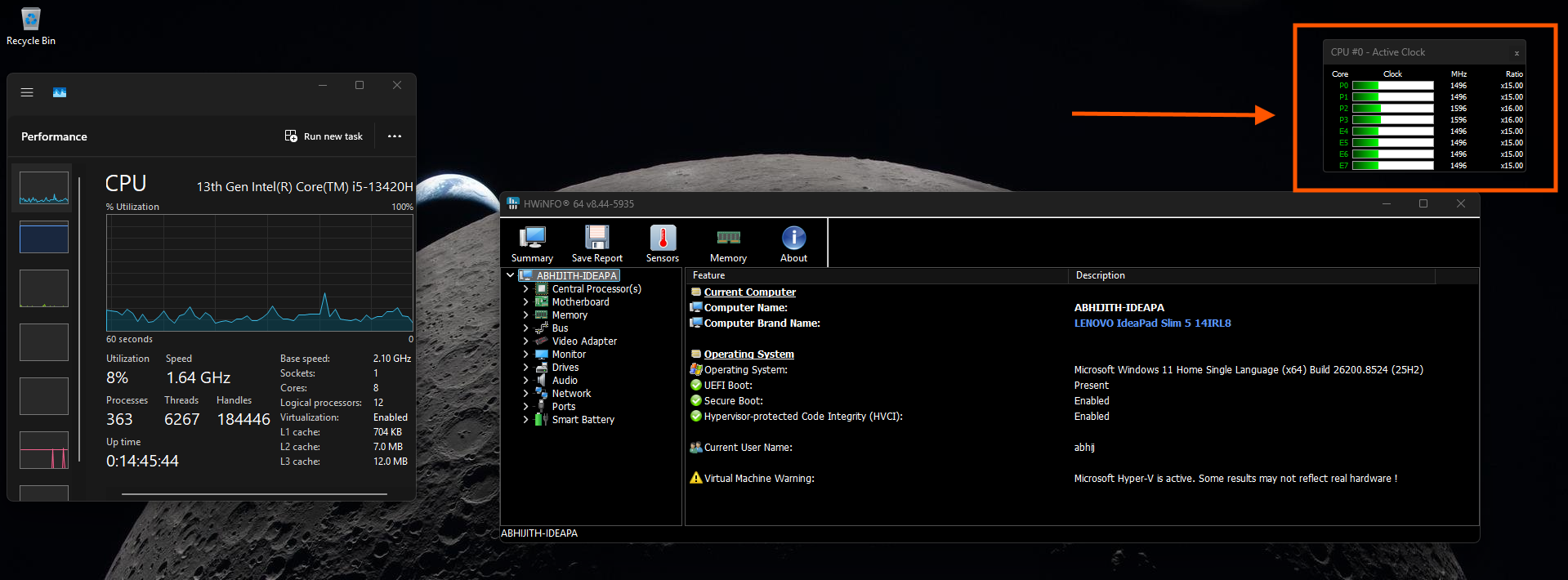
- Launch HWiNFO and select either Full mode or Summary only.
- Monitor CPU utilization in HWiNFO and open system elements like the Start menu or Notification Center.
- If you notice a brief spike in CPU usage when interacting with these elements, LLP is functioning correctly.
How to Force-Enable Low Latency Profile
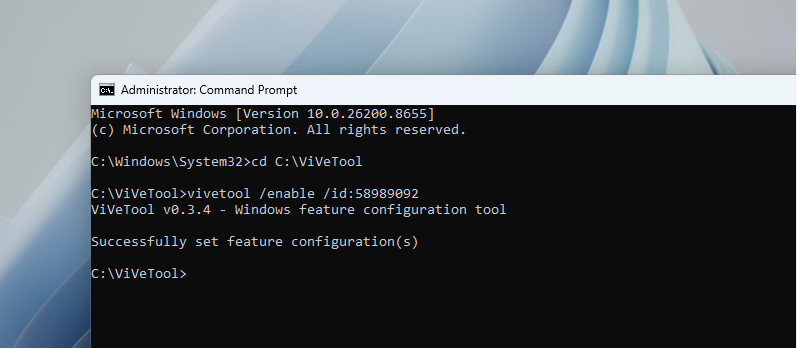
If Low Latency Profile is not enabled on your PC, you can manually activate it using a third-party tool called ViveTool. Follow these steps:
- Download ViveTool.
- Execute the appropriate command to enable Low Latency Profile.
- Restart your PC.
Once enabled, you should notice faster performance for OS-level features like the Start menu, Windows Search, and Action Center. However, as mentioned earlier, the improvements are more apparent on older or less powerful devices.
Real-World Testing and Implications
We tested Low Latency Profile on a 10-year-old PC equipped with 8GB of RAM, and the results were impressive. The system felt almost like a fresh Windows 11 installation. The feature enhances responsiveness without overburdening the CPU, as the utilization spike is brief and limited to specific interactions.
For users with older hardware, Low Latency Profile can breathe new life into their PCs, making day-to-day tasks smoother and more enjoyable. However, for high-end users, the improvements are minimal and may go unnoticed.
Support Independent Reporting
Windows Latest relies on readers like you. Make us your preferred source on Google Discover and Google Search to help our independent reporting reach more people.
