
 STEAM
STEAM
 PC Game

Windows 11 KB5095093 Update: Key Features and Improvements
Windows 11 KB5095093 is now rolling out, introducing several new features, including enhanced control over Windows Updates, a new recovery option called “Point-in-time restore”, and fixes for a Recycle Bin bug. The update is available through Windows Update, and Microsoft has also provided direct download links for offline installers (.msu).
Overview of KB5095093
This is an optional update and part of the June 2026 update cycle. While the June 2026 Patch Tuesday included significant features like the Low Latency Profile, this optional update focuses on smaller, incremental improvements.
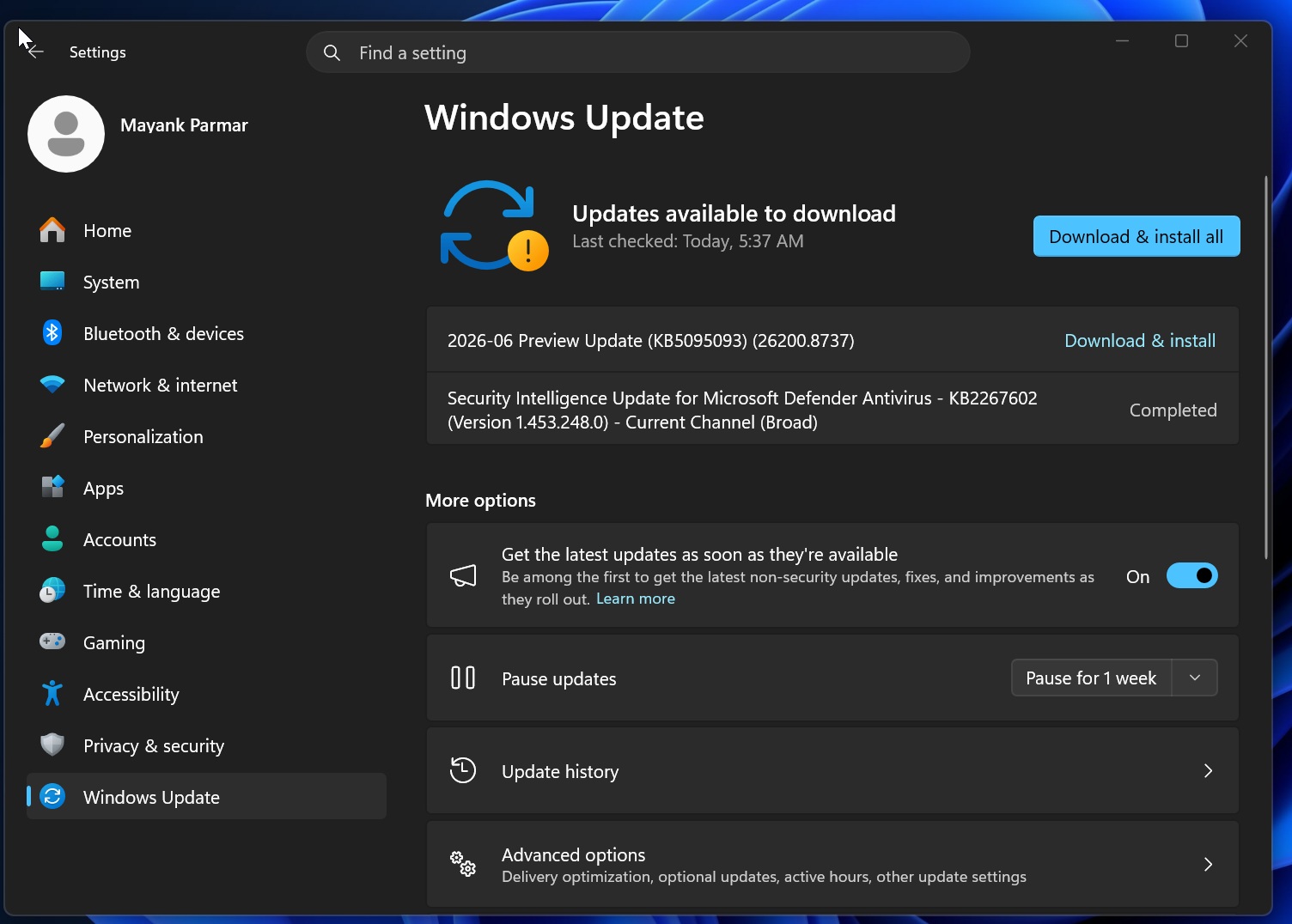
Titled “2026-06 Preview Update (KB5095093) (26200.8737)”, it takes approximately ten minutes to install. However, if you prefer, you can skip this optional update entirely.
How to Download and Install KB5095093
To install the update, follow these steps:
- Open Settings > Windows Update.
- Check for updates.
- Click the Download & Install button.
This update is only downloaded when you explicitly seek it, either by clicking the download button or toggling on “Get the latest updates as soon as they’re available.”
Download Links for Windows 11 KB5095093
Direct download links for KB5095093 offline installers are available for 64-bit and ARM-64 systems. If you encounter errors during installation, it is recommended to use the Microsoft Update Catalog. This method is particularly useful for updating multiple devices with a single download, although the offline installers are large due to AI model bundling and the way updates are now delivered.
The download sizes are approximately:
- 5.4GB for Intel and AMD PCs
- 4.8GB for ARM-based hardware
What’s New in Windows 11 Build 26200.8737 (25H2) / Build 26100.8737 (24H2)?
Microsoft has confirmed that the following features are being rolled out gradually as part of its Controlled Feature Rollout (CFR) system to minimize bugs:
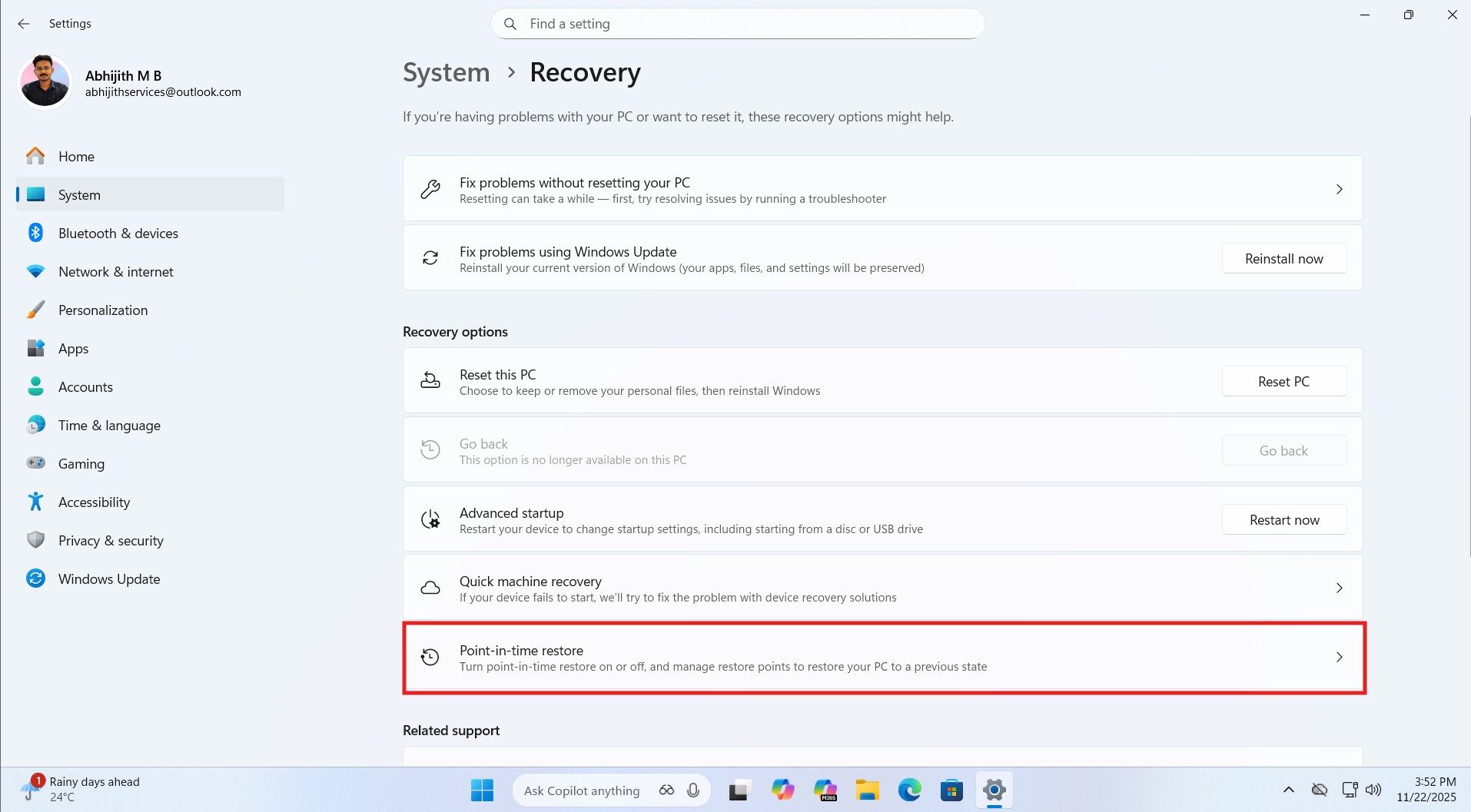
Point-in-time Restore
The Point-in-time restore feature allows users to roll back recent changes to their PC, including apps and settings, to address issues affecting system functionality. This feature creates automatic recovery snapshots that let users restore Windows, apps, and personal files to a previous state.
You can enable this feature by navigating to Settings > System > Recovery and clicking on “Point-in-time restore.” Once enabled, the system creates restore points every 24 hours for Windows 11 Home and Pro users. On enterprise PCs, additional intervals such as 4, 6, 12, and 16 hours are available. Restore points are retained for a default period of 72 hours, with options to adjust this based on disk space usage.
Windows Update Calendar View
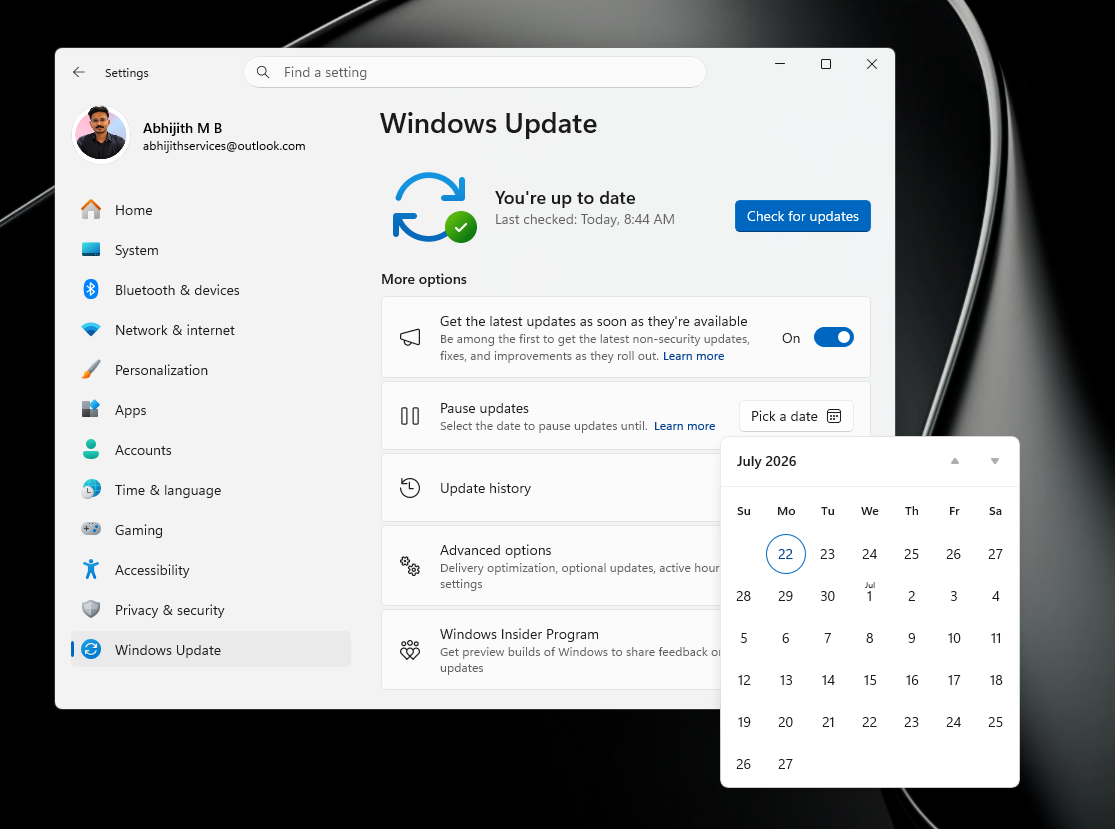
Windows 11 KB5095093 introduces a new calendar view for pausing updates. Users can now select a specific date to pause updates for up to 35 days. Once the pause period expires, it can be renewed. While casual users are limited to this cycle, IT administrators can use Group Policy to pause updates for longer periods.
Widgets Improvements
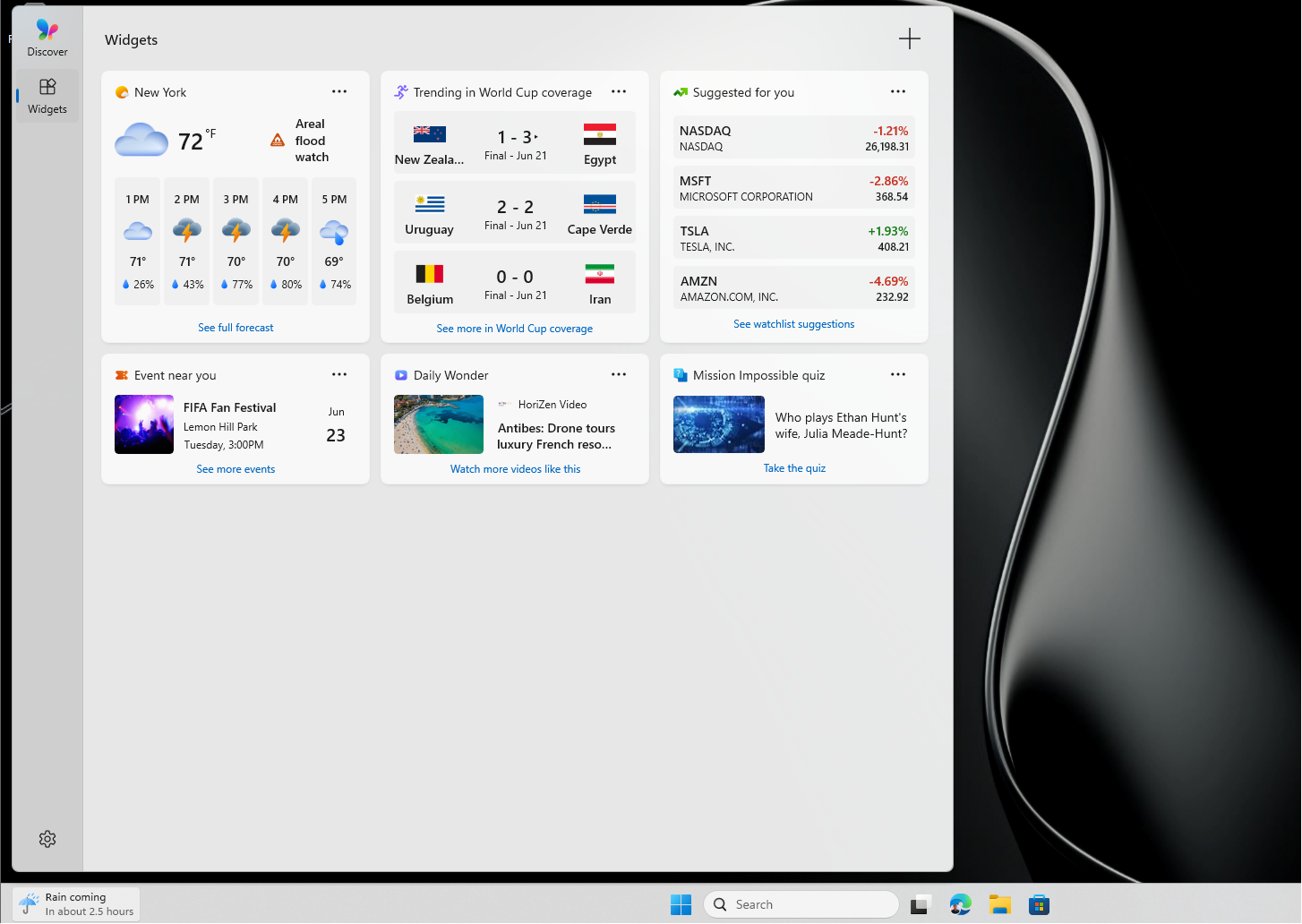
The Widgets board has been updated to enhance usability. It no longer opens when hovering over the weather/widgets icon, reducing accidental activations. Microsoft has also removed MSN clutter and introduced a cleaner, faster interface. Users can customize alerts and badges or configure their widget experience via the navigation bar.
Screen Tint Accessibility Feature
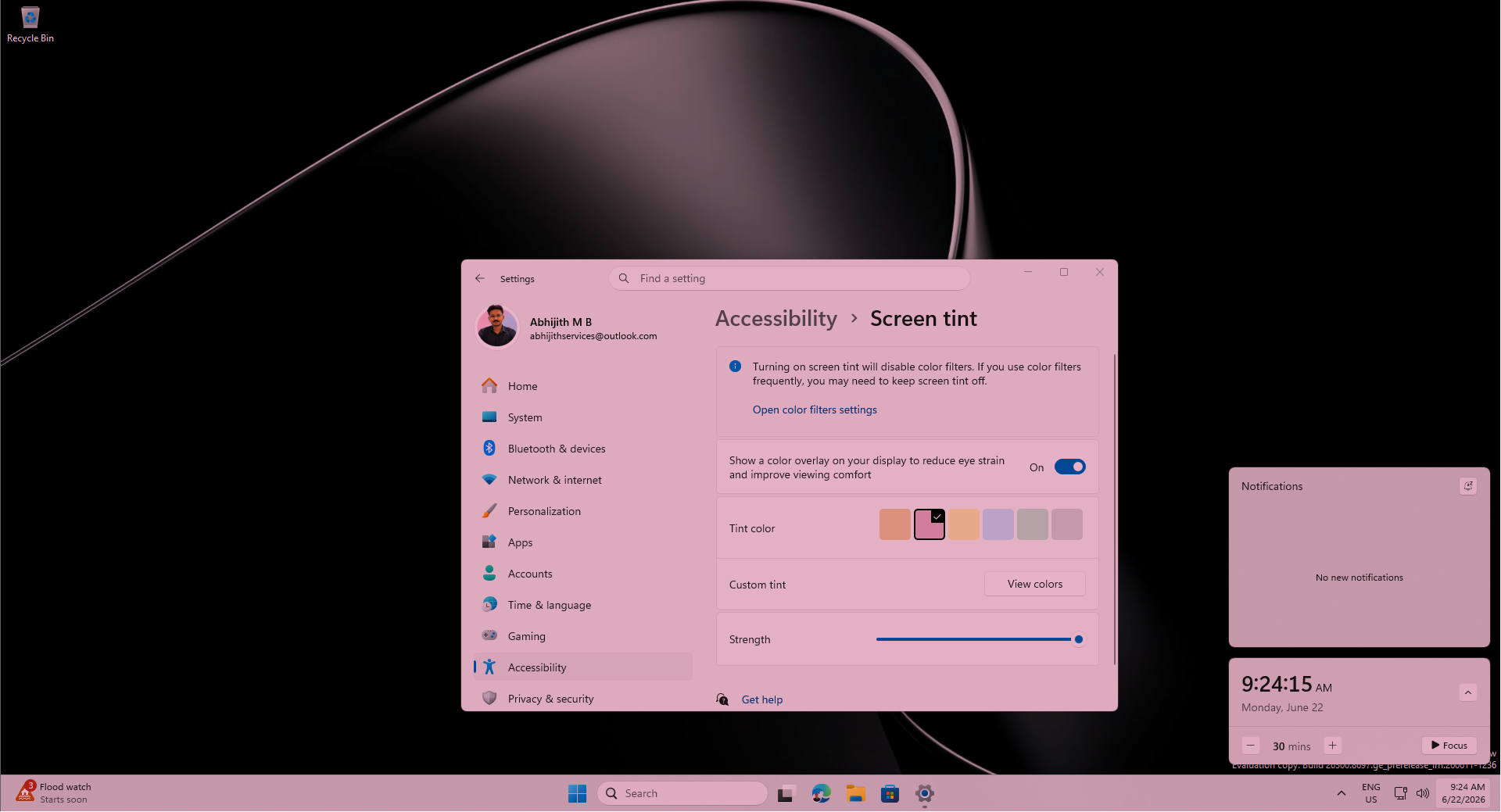
The new Screen Tint feature offers six preset tints, such as amber for extended usage and blue for glare sensitivity. Users can also create custom tints, adjusting both color and intensity. This feature complements Night Light but provides more customization options.
Bluetooth Connectivity and File Explorer Enhancements
- Microsoft has addressed Bluetooth connectivity issues, improving overall performance and reducing common pairing problems.
- File Explorer has been optimized for speed and reliability, with fixes for the address bar and OneDrive integration.
Additional Updates
- Secure Boot is now supported on more PCs.
- The Low Latency Profile rollout has been expanded.
- The new Start menu is enabled by default on all devices, including commercial PCs.
Conclusion
The June 2026 optional update, KB5095093, is a substantial release with significant new features and improvements. While Microsoft is not aware of any major issues, it is investigating a critical bug affecting Office apps. Users are encouraged to explore the new features and enhancements while keeping an eye on future updates for additional fixes and improvements.
