
 STEAM
STEAM
 PC Game

Microsoft's Initiative to Overhaul Legacy Dialogs in Windows 11
Microsoft has revealed plans to revamp all legacy dialog boxes in Windows 11, going beyond merely introducing a dark theme. Currently, much of the OS still relies on outdated designs rather than the modern WinUI 3-based interfaces. This is set to evolve with the next major OS update.
The company has reiterated its dedication to making core improvements to Windows. These improvements target critical areas like memory optimization, overall performance upgrades, a unified design language, and more.
Performance upgrades are already evident in features such as the Low Latency Profile and a more reliable explorer.exe. On the design side, Microsoft has started implementing dark mode to certain legacy dialogs, beginning with file operation dialogs.
Dark Mode Updates for Legacy Dialogs
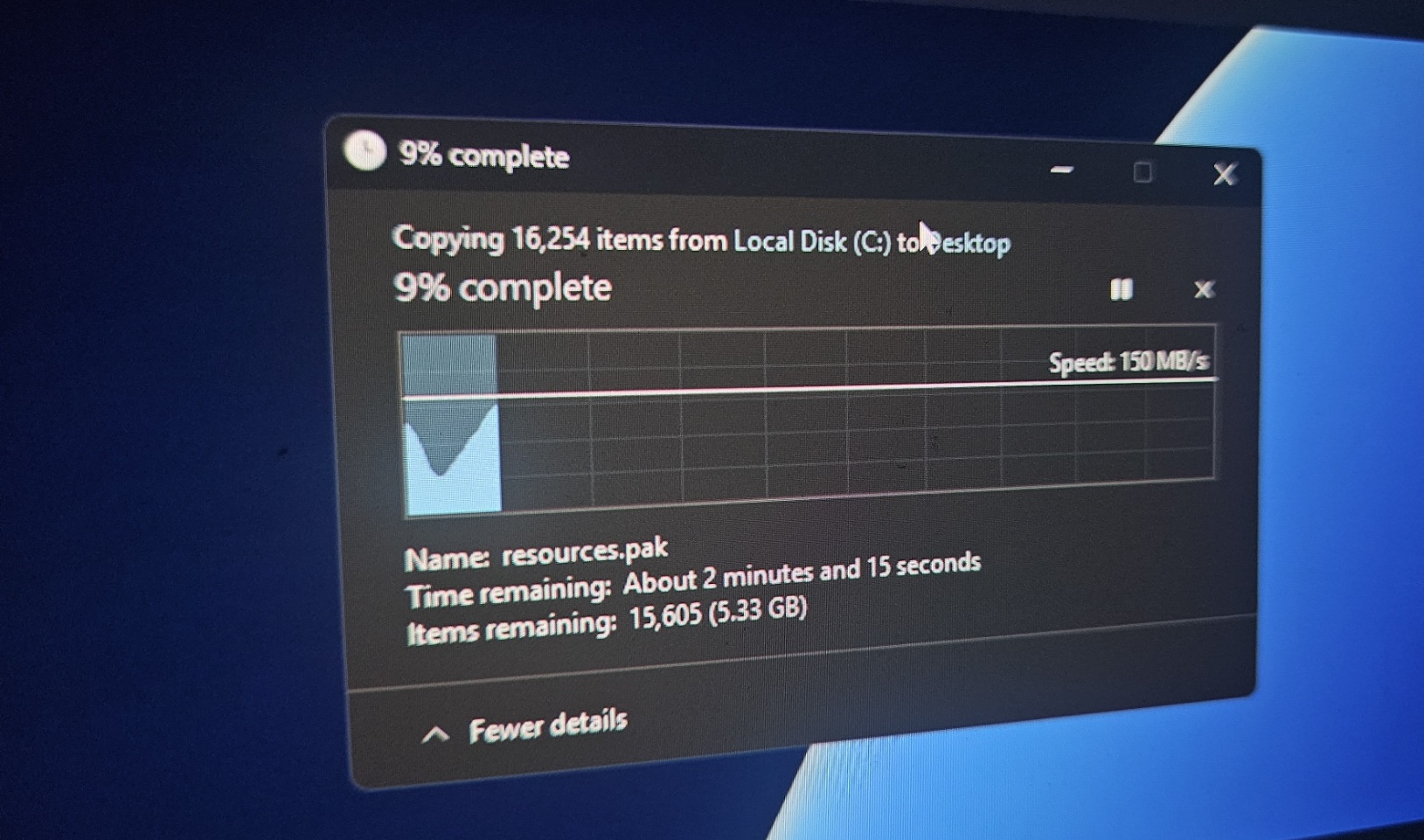
If you haven’t noticed yet, enabling dark mode and performing file operations—such as transferring files across partitions—now displays a revamped file transfer interface with a dark background. This visual enhancement is part of Microsoft’s broader effort to modernize the user experience.
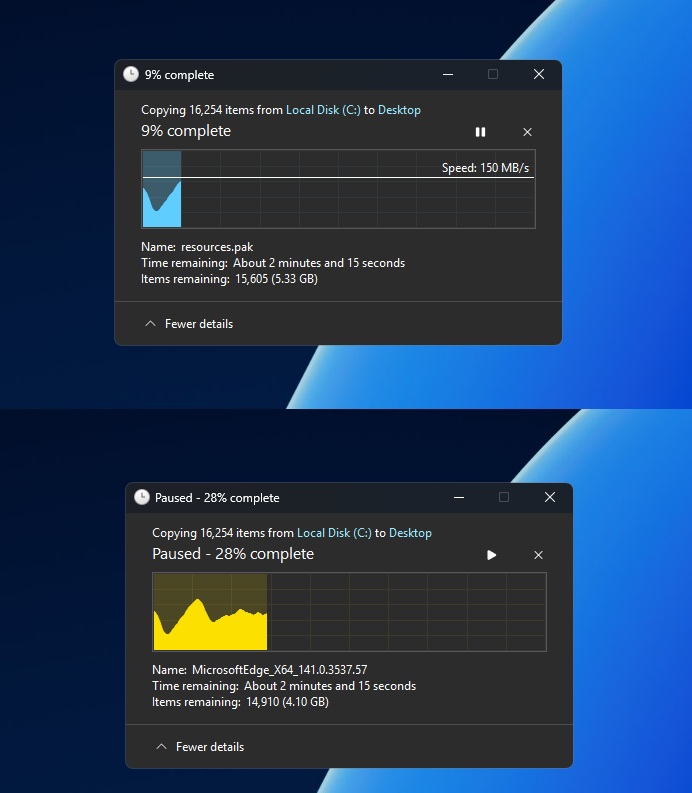
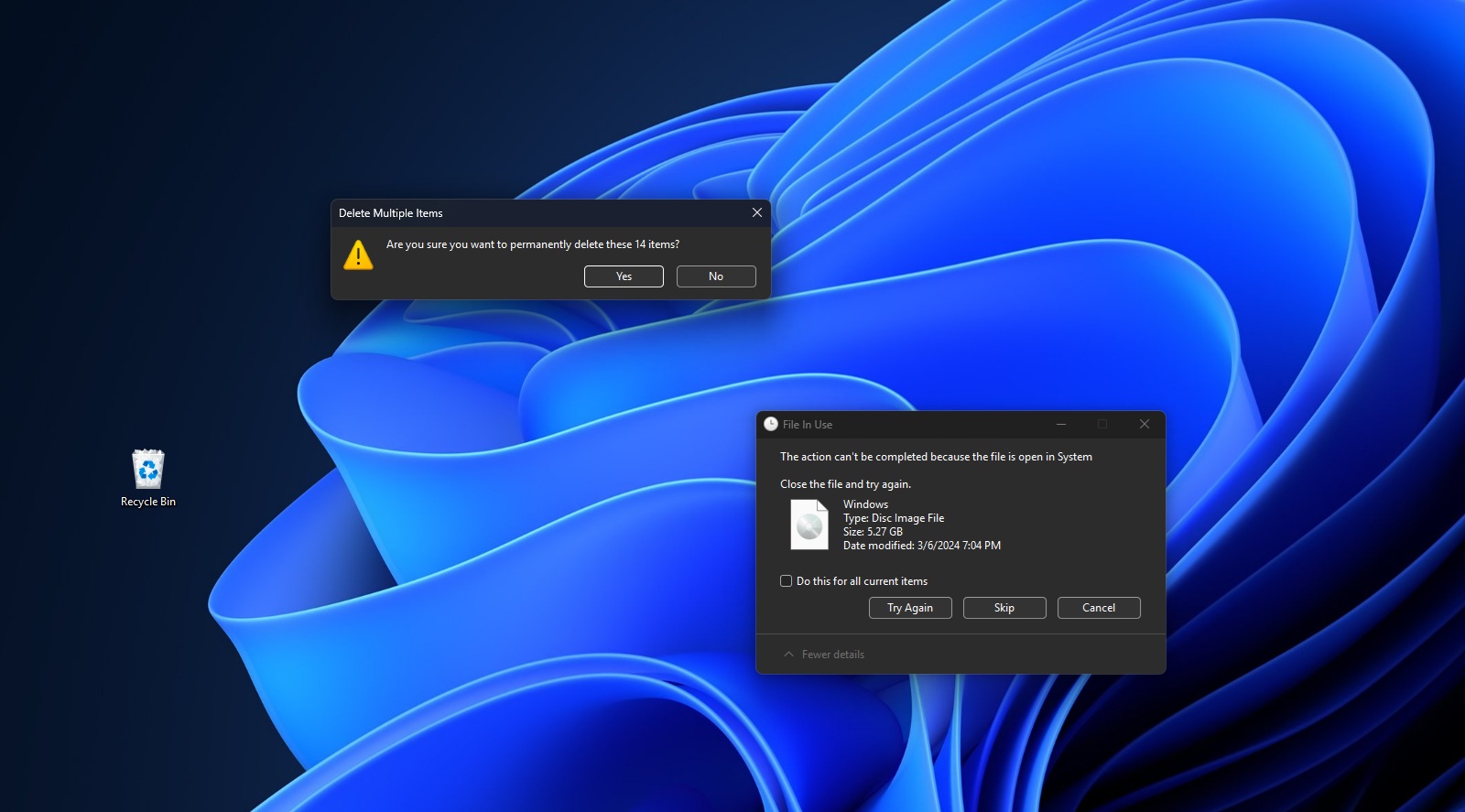
Similar updates have been applied to file operations like copy, delete, and cut actions. While these changes align better with dark mode aesthetics, they stop short of delivering a fully modern experience until a complete transition to WinUI 3 is achieved.
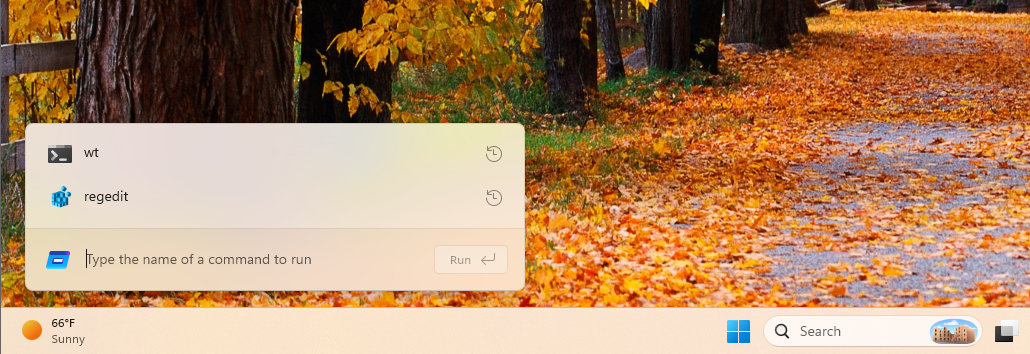
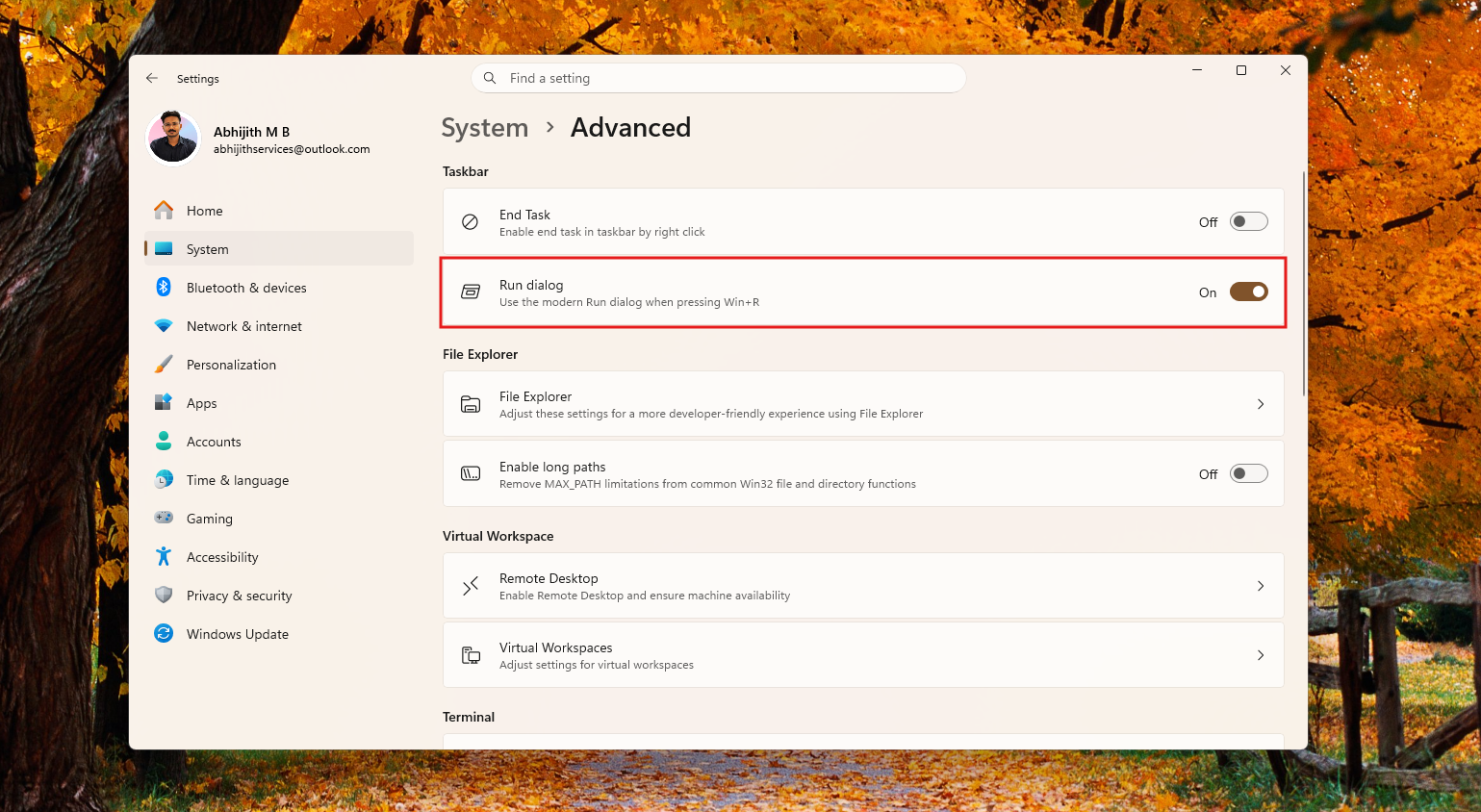
For example, the decades-old Windows Run dialog is being redesigned using WinUI. This optional update is part of Microsoft’s broader push to modernize legacy interfaces.
Microsoft Hints at Major Design Overhauls for Windows 11
As first reported by Windows Latest on X, users have noted that while modernizing the Run dialog is a step forward, several older dialogs—such as the common file open dialog—still require updates. This particular dialog is used for navigating files, folders, or paths.
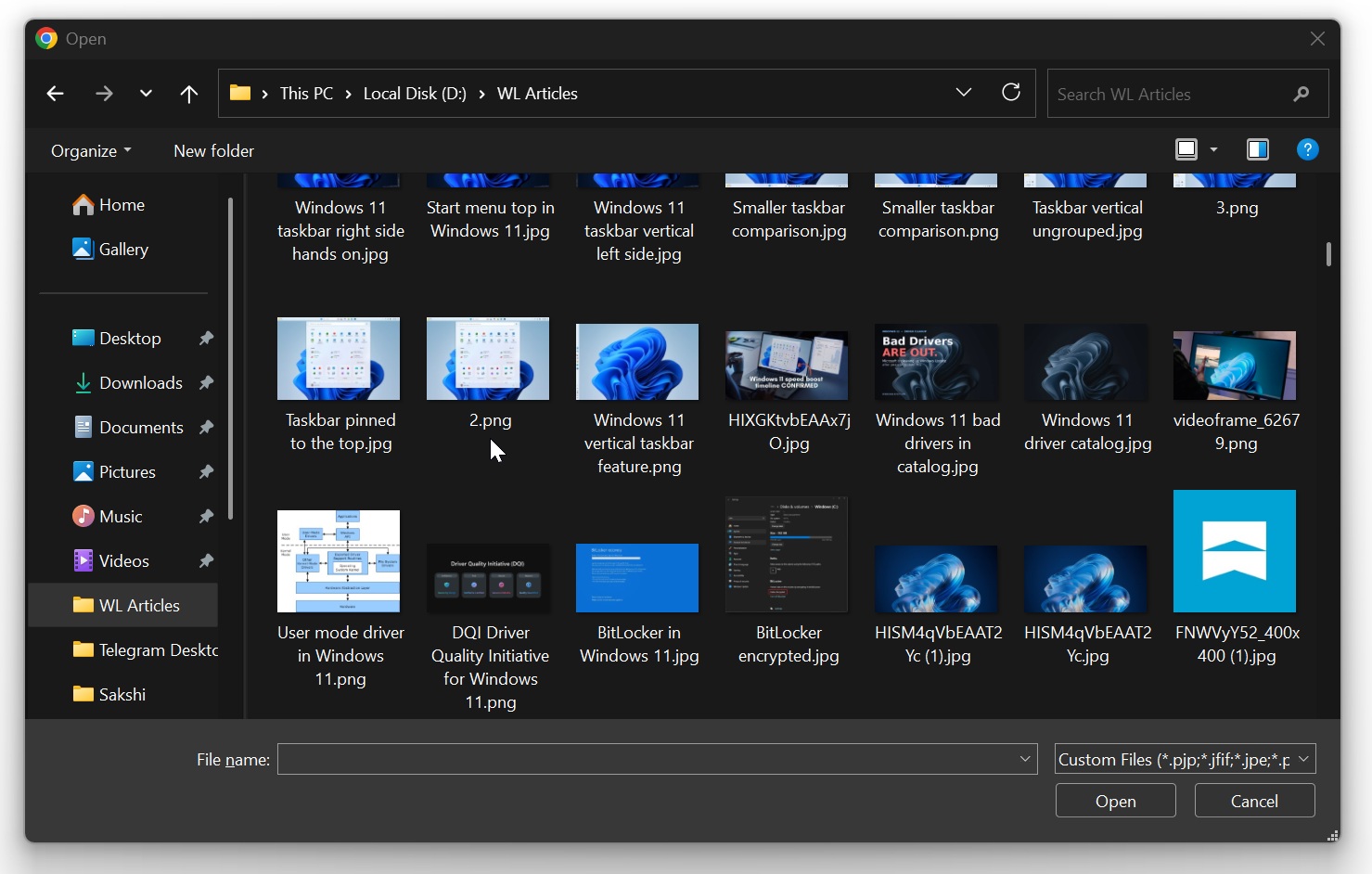
Multiple Microsoft Windows employees were tagged in user discussions, urging updates to these aging dialogs. In response, March Rogers, Partner Director of Design at Microsoft, confirmed that the team is actively working on rewriting all older dialogs in WinUI.
“We are working through our list of all older dialogs and rewriting them in WinUI 3,” Rogers shared in an X post. “The file copy dialog is already done, and the common file dialog is on our list.”
This redesign marks the first substantial update to these legacy dialogs in decades, and it will be intriguing to see how these changes roll out.
Concerns About Performance: Could WinUI Slow Down Windows 11?
Some users are concerned that adopting WinUI could negatively affect performance, as modern applications generally consume more memory than legacy Win32 components. File Explorer frequently comes up as an example of this worry. However, recent updates suggest otherwise.
For instance, the new Run dialog, rewritten in WinUI, is actually faster than its predecessor. Microsoft states that the median load time of the legacy Run dialog is 103ms, whereas the modern version loads in under 94ms. While this difference might seem small, it demonstrates that modern UI frameworks are not inherently slower.
Microsoft is collaborating closely with partners and developers to ensure that these modernized UI elements are both functional and efficient.
Balancing Modernization with Legacy Usability
Microsoft acknowledges that many users value the reliability of legacy interfaces, such as the original Win32-built Run dialog. To cater to varying user preferences, the modernized version has been made optional. Users can enable it via Advanced settings in the Settings app.
It’s likely that other redesigned dialogs will also debut as optional features, allowing Microsoft to gather user feedback before making them the default.
What’s your take on rewriting legacy dialogs in WinUI? Share your thoughts in the comments below!