
 STEAM
STEAM
 PC Game

Windows 10 KB5068781 ESU Update: Everything You Need to Know
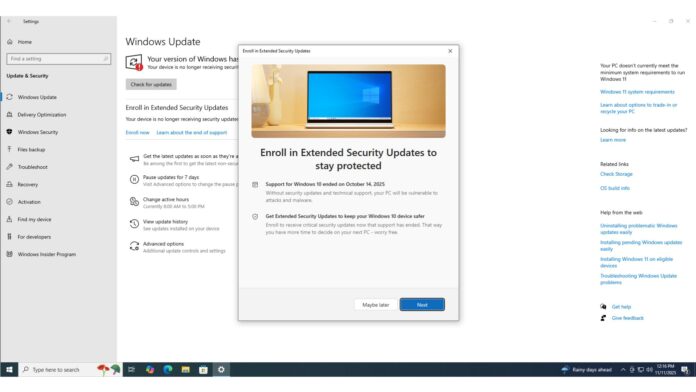
Windows 10 KB5068781 is now available for users enrolled in the Extended Security Updates (ESU) program. This critical security update is exclusive to ESU participants and will not be accessible unless you are enrolled. However, in rare cases, you might encounter issues with the Windows 10 extended updates enrollment wizard. If that happens, a separate update may be required to proceed.
KB5068781 is automatically downloaded and installed on PCs as part of the ESU program. According to Windows Latest, the November 2025 Update for Windows 10 addresses up to 63 security vulnerabilities, including one actively exploited zero-day flaw.
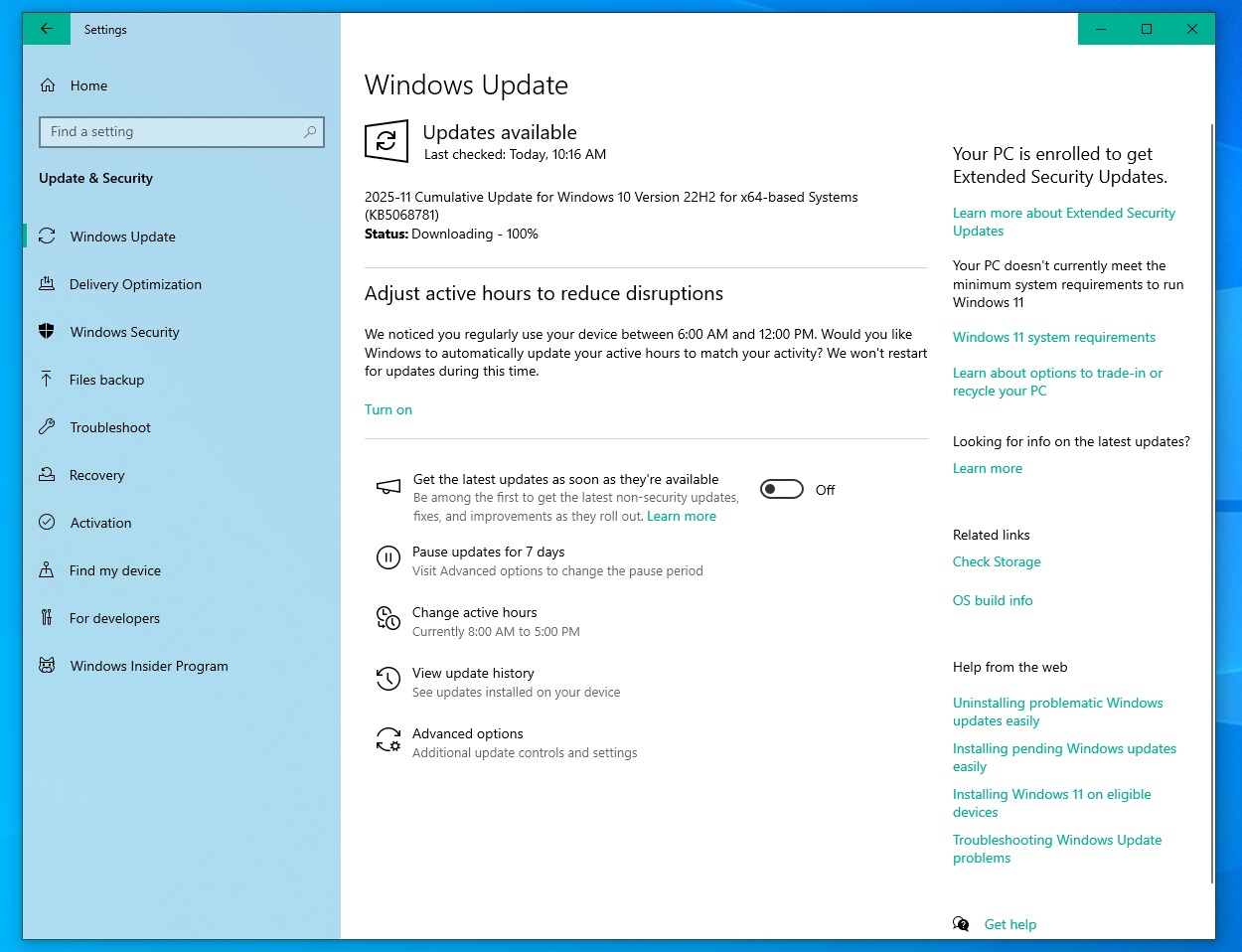
The update is officially titled “2025-11 Cumulative Update for Windows 10 Version 22H2 for x64-based Systems (KB5068781)”. It upgrades the operating system to Build 19045.6575 and is being delivered via Windows Update. The size of the update is approximately 200MB, but if downloaded through the Microsoft Update Catalog, it is around 720MB.
Download Links for Windows 10 KB5068781
For direct download links, you can visit the Microsoft Update Catalog: 32/64-bit.
What’s New in Windows 10 KB5068781 (First ESU Update)
This update fixes 29 elevation of privilege vulnerabilities and 16 remote code execution vulnerabilities, among the total 63 security issues identified in Windows. Note that this figure does not account for fixes related to Microsoft Edge, as this update specifically focuses on the Windows operating system.
One of the critical vulnerabilities addressed in this update is CVE-2025-62215, a bug allowing attackers to gain unauthorized access to a system. Exploiting this vulnerability would grant attackers the same privileges as the system administrator, enabling them to perform any action the administrator could.
These vulnerabilities can be exploited through apps or other attack vectors. However, installing the Windows 10 November 2025 Update ensures protection against such threats. If your system is not enrolled in ESU, you remain highly vulnerable.
Windows Latest reports that attackers are now more likely to target Windows 10 systems as official support has ended, and many users have not transitioned to ESU.
What to Do If the Windows 10 November 2025 Update Is Not Showing Up
If the November 2025 Update (KB5068781) or newer updates are not appearing, it is likely because your PC is not enrolled in the ESU program.
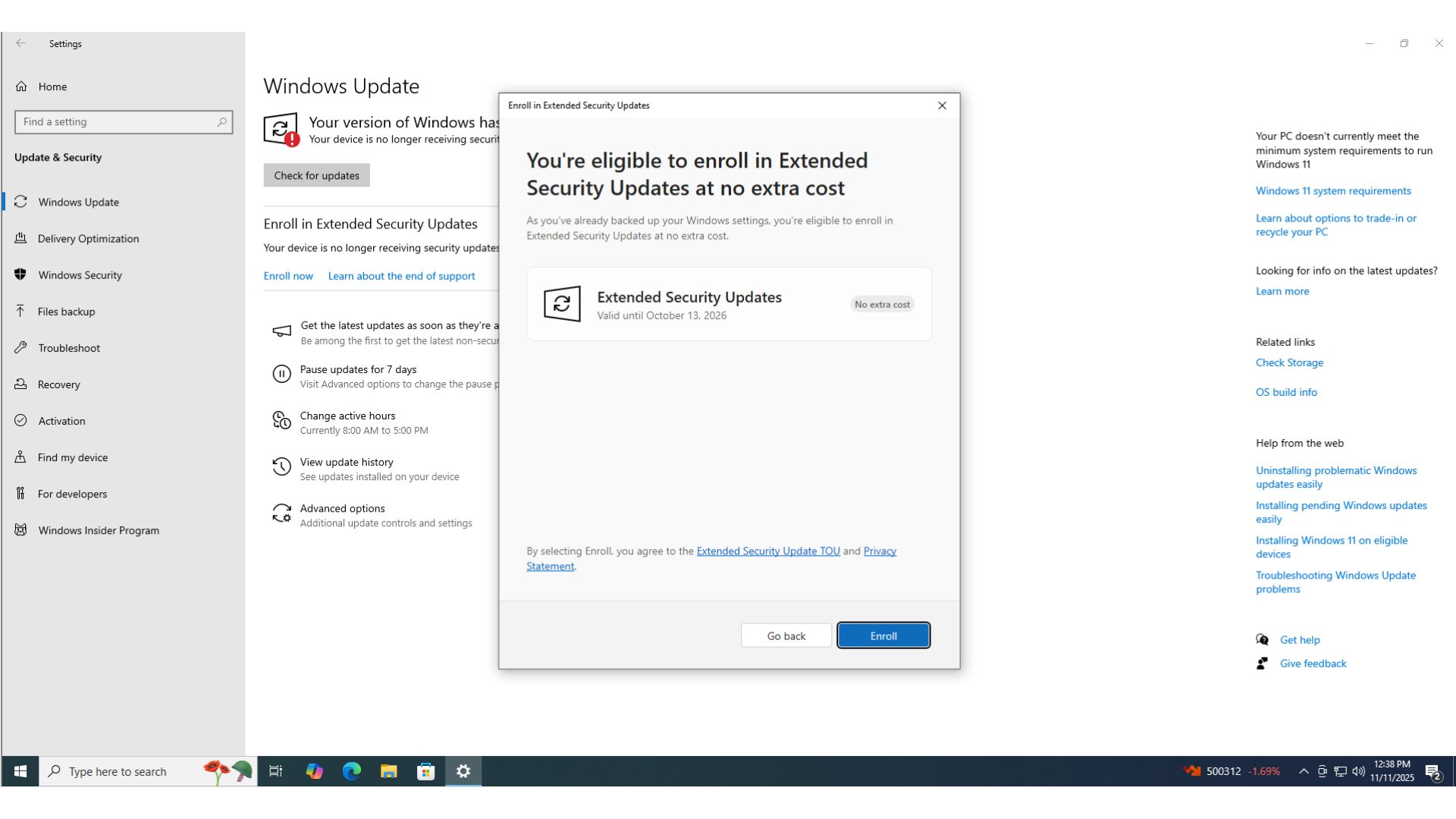
To enroll in ESU, follow these steps:
- Go to the Windows Update page and select “Enroll now.”
- Choose from the three available options:
- Option 1: Sync your settings to a Microsoft account. This is the recommended option and activates an ESU license usable on up to ten devices.
- Option 2: Trade in Microsoft Rewards points if you prefer using a local account.
- Option 3: Purchase ESU directly from the Microsoft Store for $29.99 to continue using Windows 10 with a local account.
In most cases, you will see an alert stating that your system is already eligible for ESU if you have been using a Microsoft account with synced settings and files. If you face any issues, ensure you follow the above methods to complete the enrollment process.
As of now, Microsoft has confirmed that it is unaware of any new issues related to Windows 10 KB5068781.